A canonical URL is the "preferred" version of a page you tell Google to index when duplicate or very similar versions exist. Here is how canonical tags relate to Google Search Console:
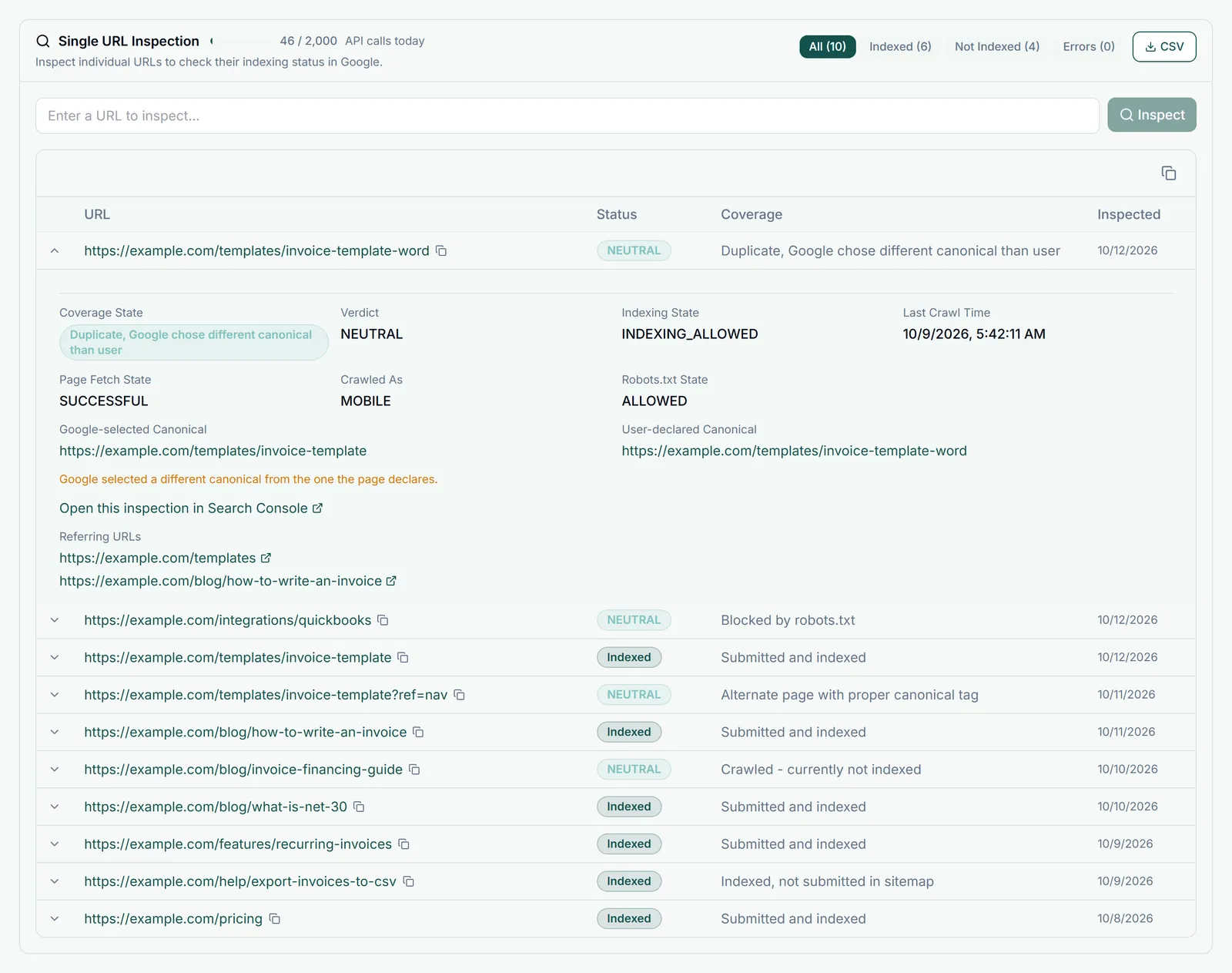
Canonical-Related Issues in Search Console
- "Google chose different canonical than user" - You set a canonical tag, but Google decided a different URL is the canonical. This usually means Google thinks another URL is a better match (perhaps due to backlinks or content similarity). Review whether your canonical is pointing to the right URL.
- "Duplicate without user-selected canonical" - Duplicate pages exist and you have not set a canonical tag. Add a canonical tag to the preferred version.
- "Alternate page with proper canonical tag" - This URL is a duplicate and the canonical correctly points to the preferred URL. This is fine and expected.
How to Implement Canonical Tags
Add a <link rel="canonical" href="https://yourdomain.com/preferred-url"> tag in the <head> section of each page, pointing to the preferred version.
Two pages fighting for the same query? Our fix keyword cannibalization playbook walks through picking a canonical winner and implementing the right redirect, canonical, or de-optimization.