Your robots.txt file tells search engine crawlers which pages they are allowed (or not allowed) to crawl. Here is how it relates to Google Search Console:
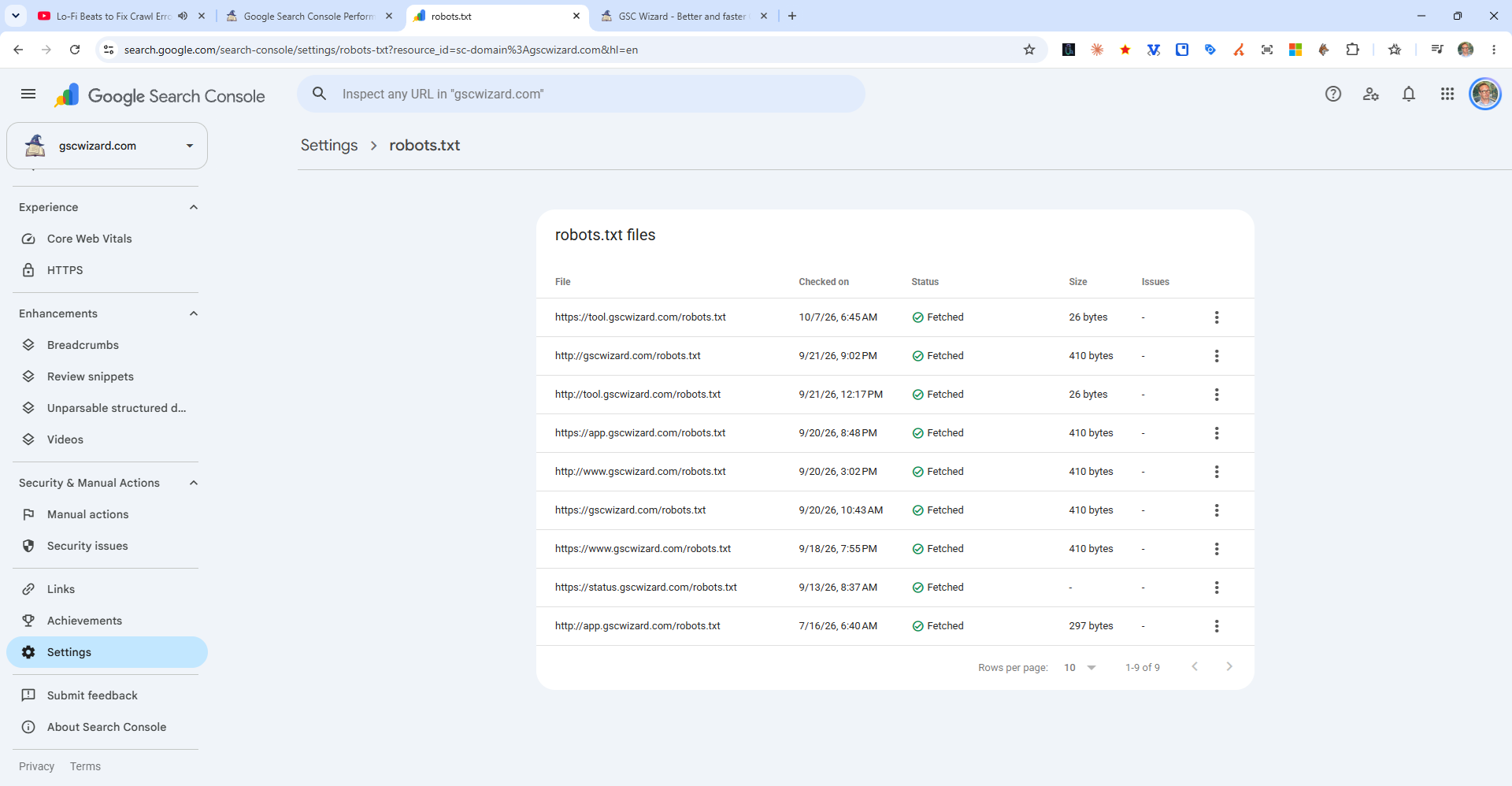
Checking Your Robots.txt
Visit https://yourdomain.com/robots.txt directly in your browser. You should see a plain text file.
Checking If a Specific Page Is Blocked
Use the URL Inspection tool in Search Console - it will specifically tell you if a page is "Blocked by robots.txt" under the crawl details section.
Best Practices for Robots.txt
- Do NOT block pages you want indexed (including CSS and JS files)
- Block admin panels, login pages, thank-you pages, duplicate parameter URLs
- List your sitemap URL in robots.txt:
Sitemap: https://yourdomain.com/sitemap.xml - Never use robots.txt to hide a page from search - use noindex instead (blocked pages can still appear in search if they have links pointing to them)
Robots.txt Tester
Google removed the robots.txt tester from Search Console in 2022. You can use the standalone robots.txt tester or third-party tools.