OpenClaw SEO best practices: 10 rules for running SEO agents
OpenClaw makes it easy to give an agent your Search Console, your analytics and your SEO platform, put it on a schedule, and let it talk to you on Slack or Telegram. It also makes it easy to give a stranger's script your Google token, burn a month of API units in a weekend, or act on a number the model made up. These ten rules cover the mistakes that are easiest to make. Most of them are about what not to let the agent do.
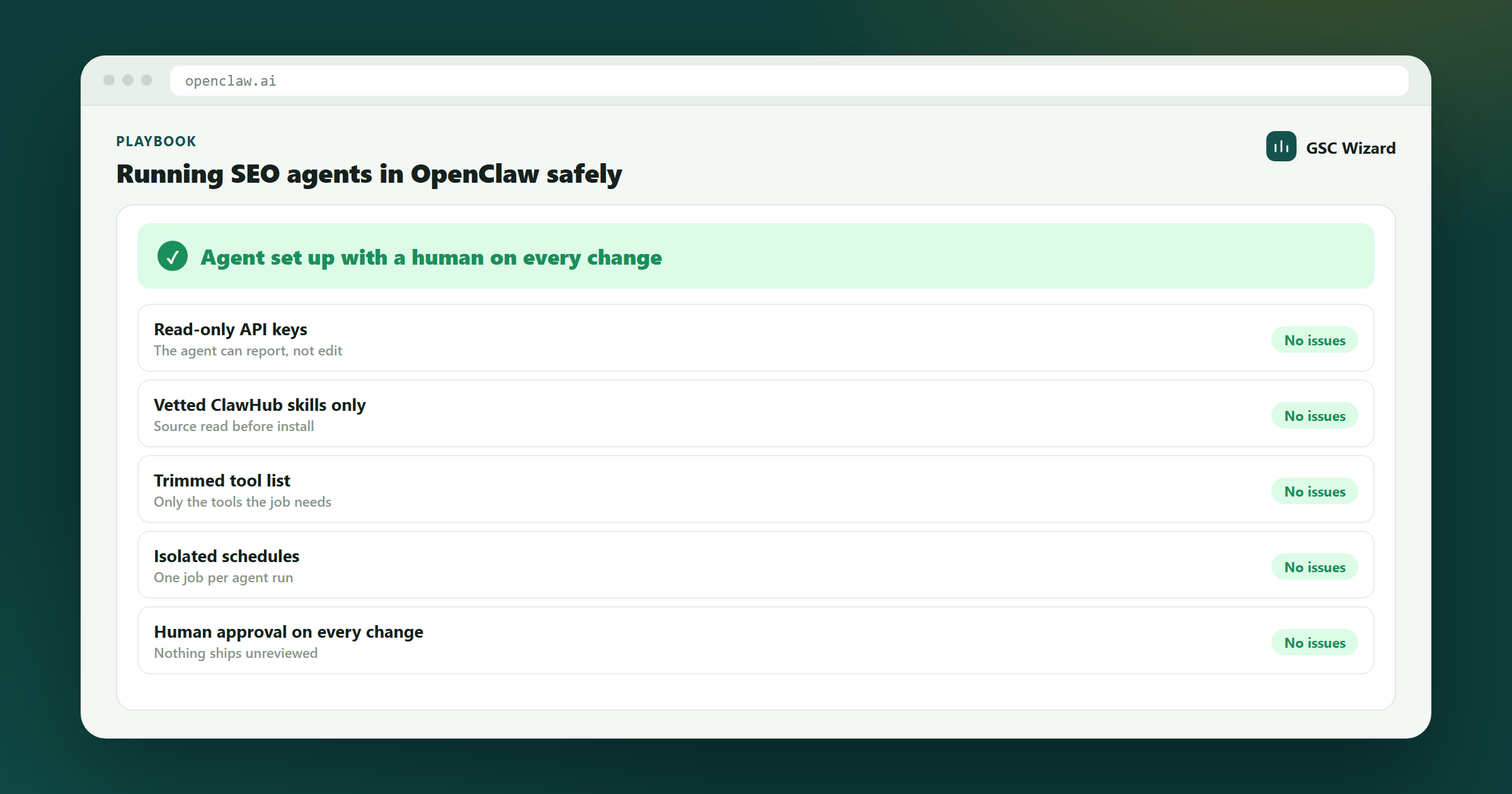
An OpenClaw SEO setup you can leave running without worrying about it.
30 minutes to audit an existing setup against the checklist.
Access to your Gateway's openclaw.json and the keys your SEO tools issued.
1. Start every agent read-only
An SEO agent spends nearly all its time reading: performance data, index status, competitor pages. Writing (submitting URLs, editing sitemaps, changing properties, publishing posts) is rare, and it is where mistakes cost you. Issue read-scoped keys wherever the service supports them. In GSC Wizard a read key is rejected by every mutation tool before the handler runs, so the boundary holds even if the agent is talked into trying. When a workflow genuinely needs to write, give that one job its own key, so you can revoke it without breaking everything else.
2. Treat every ClawHub skill as code you are about to run
Because it is. OpenClaw's own security docs say to "treat skill folders as trusted code". In February 2026 the ClawHavoc campaign put 341 malicious skills on ClawHub, most installing a macOS infostealer behind a fake "prerequisite". ClawHub scans uploads now, but publishing is still open to anyone, and SEO skills are a natural disguise because they legitimately ask for API keys. Run clawhub inspect, read SKILL.md and every script, and check where each credential is sent. Prefer instructions-only skills. Better still, write your own: a good SEO skill is twenty lines of Markdown.
3. Get data from MCP servers, procedures from skills
A vendor's remote MCP server keeps the credential exchange with the vendor, and its tools pass through OpenClaw's tool policy like everything else. A community skill that calls the same API usually means community code on your Gateway holding your token, sometimes routed through a third-party gateway you never chose. Use MCP for "where the numbers come from" and skills for "what to do with them". The OpenClaw SEO plugins and MCP guide lists the vendor servers worth connecting.
4. Set the transport and probe the connection
The most common "my MCP server doesn't work" report has a one-line cause. When transport is omitted, OpenClaw uses SSE, and most current SEO servers speak Streamable HTTP. Set "transport": "streamable-http" explicitly, and put servers under mcp.servers (not the mcpServers key from Claude Desktop that many guides copy over). Then run openclaw mcp doctor <name> --probe. Saving a config proves nothing; a probe does.
5. Load only the tools the job needs
Every connected tool's name, description and schema is sent to the model on every turn. Connect Search Console, an SEO platform and a crawler, and you can spend tens of thousands of tokens on tool menus before the agent reads a single row, while the model gets worse at picking the right tool from four hundred near-synonyms. Use --include when you add a server to keep only the tool families a given agent uses, and give different jobs different agents rather than one agent with everything.
6. Keep secrets out of openclaw.json
A bearer token pasted into a header works, and openclaw mcp doctor will rightly warn you about it. Once a connection is proven, move the value into OpenClaw's secrets mechanism. Never commit the config file, and rotate keys by issuing a new one and revoking the old, not by editing in place.
7. Separate the agent that reads the web from the agent that holds keys
Competitor pages, SERP snippets and fetched HTML are untrusted input, and any of them can contain instructions aimed at an agent. OpenClaw's prompt-injection guidance recommends limiting exec, browser, web_fetch and web_search to trusted agents or allowlists, and using a read-only "reader" agent to summarise untrusted content. For SEO, that means the agent that browses competitors summarises what it sees and hands over text. The agent with your Search Console and platform keys never opens a page itself. Run openclaw security audit after changing either.
8. Every number needs a source and a date range
Search Console clicks are measured. Third-party traffic, volume and difficulty are modelled. Nothing in MCP tells the model which is which, so a "top opportunities" table will happily mix them. Put the rule in your skill: every figure carries the tool that produced it and the date range, and modelled figures are labelled as estimates. Prefer servers that aggregate before they answer. A model summing 25,000 truncated rows will report a wrong total just as confidently as a right one. If a number cannot be traced to a tool call, it does not go into a report.
9. Schedule with automations, in isolated sessions, at a sane cadence
Use openclaw automations create (alias openclaw cron) with --session isolated, so scheduled runs do not fill your main conversation, and a delivery target (--announce to a channel or --webhook to your own system). Do not use Heartbeat for data pulls: it runs every 30 minutes in the main session by default, and Search Console data does not change that often. Search Console's finalised figures also trail by about two to three days, so a daily check should compare complete days only. The continuous SEO analysis guide has a ready-made skill with daily, weekly and monthly cadences.
10. Keep a human on every change to the live site
Analysis can be autonomous. Changes should not be. OpenClaw's exec approvals make shell commands wait for policy, an allowlist and optional user approval, and MCP servers can be put behind approval with openclaw mcp configure <server> --approval prompt. Use both for anything that publishes, redirects, deletes or submits. And resist the obvious temptation: an agent that can publish is an agent that will publish too much. Thin AI pages dilute crawl budget and push more URLs into "Discovered - currently not indexed". The daily SEO agent makes the case for pointing your agent at pruning and internal links instead.
Bonus: the other side of OpenClaw SEO
OpenClaw users are also searchers. When someone's agent researches a purchase, it queries a web_search provider (Brave, Exa, Tavily, Perplexity, Firecrawl, SearXNG or DuckDuckGo, depending on configuration) and may open your page in a headless browser. None of these are Google. Brave in particular runs its own index with its own entry rules, covered in how to rank in Brave Search. Server-rendered content, clean canonicals and no catch-all bot blocks help with every one of them.
The checklist
- Read-scoped keys on every scheduled agent; write keys only per job.
- Every ClawHub skill inspected, its scripts read and its credential destinations known.
- Data via vendor MCP servers, procedures via your own skills.
transport: "streamable-http"set andopenclaw mcp doctor --probepassing.- Tool lists trimmed with
--include, one agent per job. - No literal tokens in
openclaw.json; the config is never committed. - Web-reading agents hold no keys;
openclaw security auditis clean. - Every reported figure names its tool and date range; modelled data is labelled.
- Schedules are isolated automations on complete-day data, not Heartbeat.
- Approval required for anything that changes the live site.
Next playbook
Once the agent is running safely, point it at work that pays off. Find striking distance keywords → is a good first job for a weekly review: positions 4 to 20, real impressions, and fixes you can ship the same day.
Written by Jan-Willem Bobbink · Published October 5, 2026