Indexing explained
The Pages report in GSC sorts your URLs into buckets with names like "Crawled - currently not indexed." Here's what each one means, and which ones are worth your time.
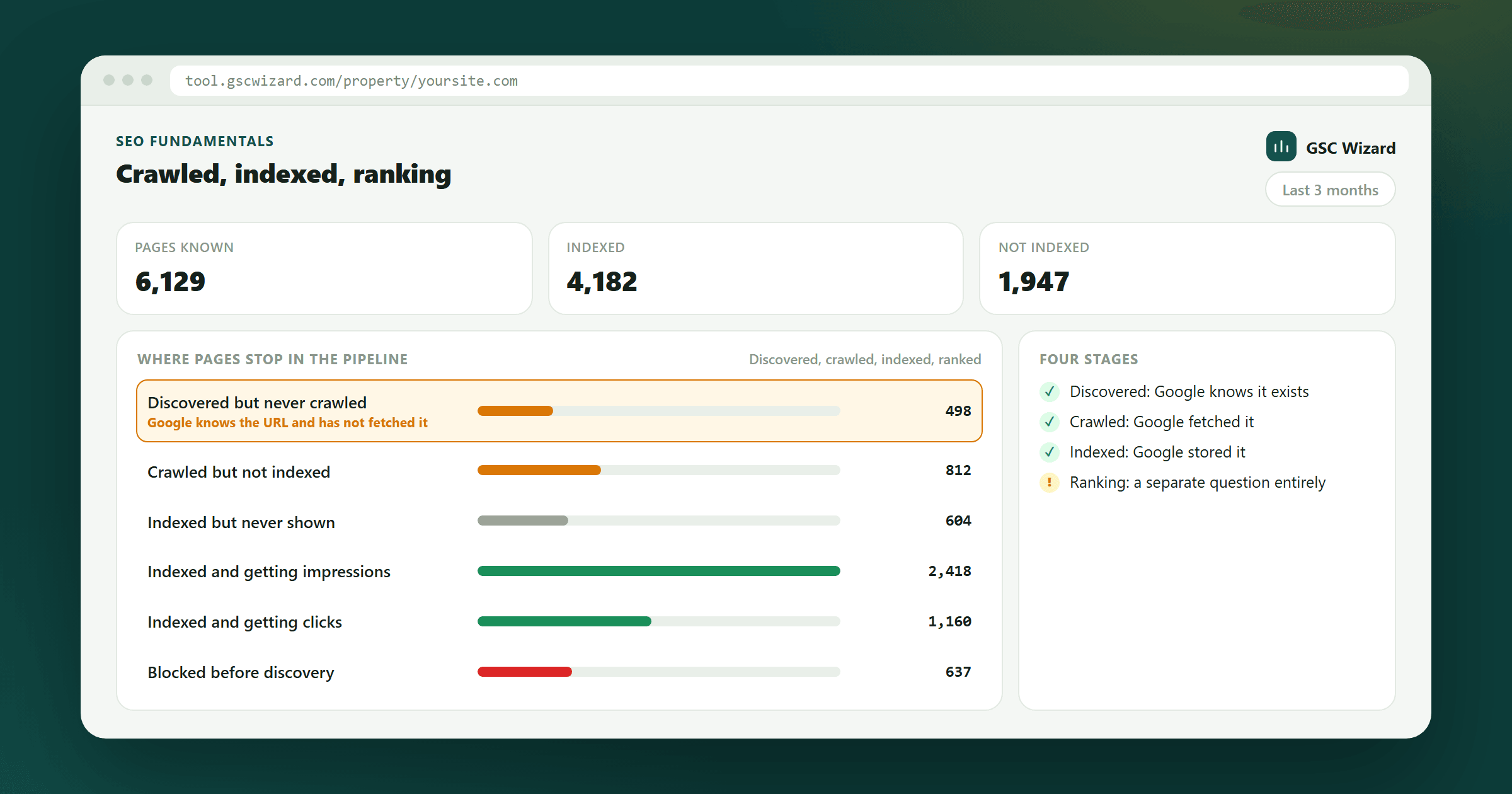
The lifecycle: discovered → crawled → indexed
- Discovered - Google has heard of the URL (from a sitemap, a link, or a ping), but hasn't downloaded the page yet.
- Crawled - Googlebot has downloaded the page.
- Indexed - Google has decided the page is worth keeping in its searchable database. Only indexed pages can rank.
Your goal is to maximize the number of useful URLs that make it all the way to "indexed" - and minimize time spent worrying about low-value URLs that don't.
The statuses you'll see
Indexed
Page is in Google's index and can show in results. What you want.
Discovered - currently not indexed
Google knows the URL exists but hasn't even crawled it yet. Usually a sign that Google doesn't think your site is worth the crawl budget. See Discovered - currently not indexed.
Crawled - currently not indexed
Google did crawl it but decided it's not worth indexing. Usually a quality signal - the page is too thin, too duplicative, or too similar to pages already in the index. See Crawled - currently not indexed.
Page with redirect
URL redirects to another page. Usually fine, but check that the destination is indexed. See Page with redirect.
Soft 404
Page returns a 200 OK status but reads as an error/empty page to Google. Fix by either removing the page (real 404) or giving it real content. See Soft 404 explained.
Duplicate - Google chose a different canonical
You told Google URL A is canonical, but Google disagrees and indexed URL B instead. See Canonical URLs in GSC.
Excluded by noindex tag
Your page says "don't index me." If that's intentional (admin pages, thank-you pages), fine. If the noindex tag is on pages you actually want indexed, that's the bug.
Which ones matter?
In order of "worth investigating":
- "Excluded by noindex tag" on pages that should be indexed - fix immediately.
- "Crawled - currently not indexed" on your money pages - usually a content quality signal.
- "Discovered - currently not indexed" at scale - crawl budget issue, often fixed by improving internal linking and pruning low-value pages.
- Soft 404s on pages you care about - content rewrite or proper 404.
When in doubt, use the URL Inspection tool on a specific URL to see Google's exact reasoning.
How long does indexing take?
New content can be indexed in hours for high-authority sites, or weeks for brand-new domains. If a page has been up for 30+ days and still isn't indexed, use Request indexing from URL Inspection. Full context in How long does Google take to index a page?
Monitoring this without opening a dashboard
Indexing status changes quietly, which is why it is usually noticed late. Tracked URLs can raise an alert when one drops out of the index or stops being crawled, delivered to Slack or Microsoft Teams.
Next up: You've finished the fundamentals track. Move on to the Playbooks and start working on your own data.
Written by Jan-Willem Bobbink · Published April 19, 2026 · Updated August 28, 2026