Connect Google Search Console to Grok Bot
Grok Bot works on its own cloud computer, so it cannot see your Search Console. Ask it about last month's clicks and it will either open the Search Console website and read numbers off the screen, or guess. One chat message gives it the real data instead: clicks, impressions, CTR and position by query, page, country and device, plus index status per URL. This playbook covers the setup, what the Bot can then read, and the four mistakes that cause most of the wrong answers.
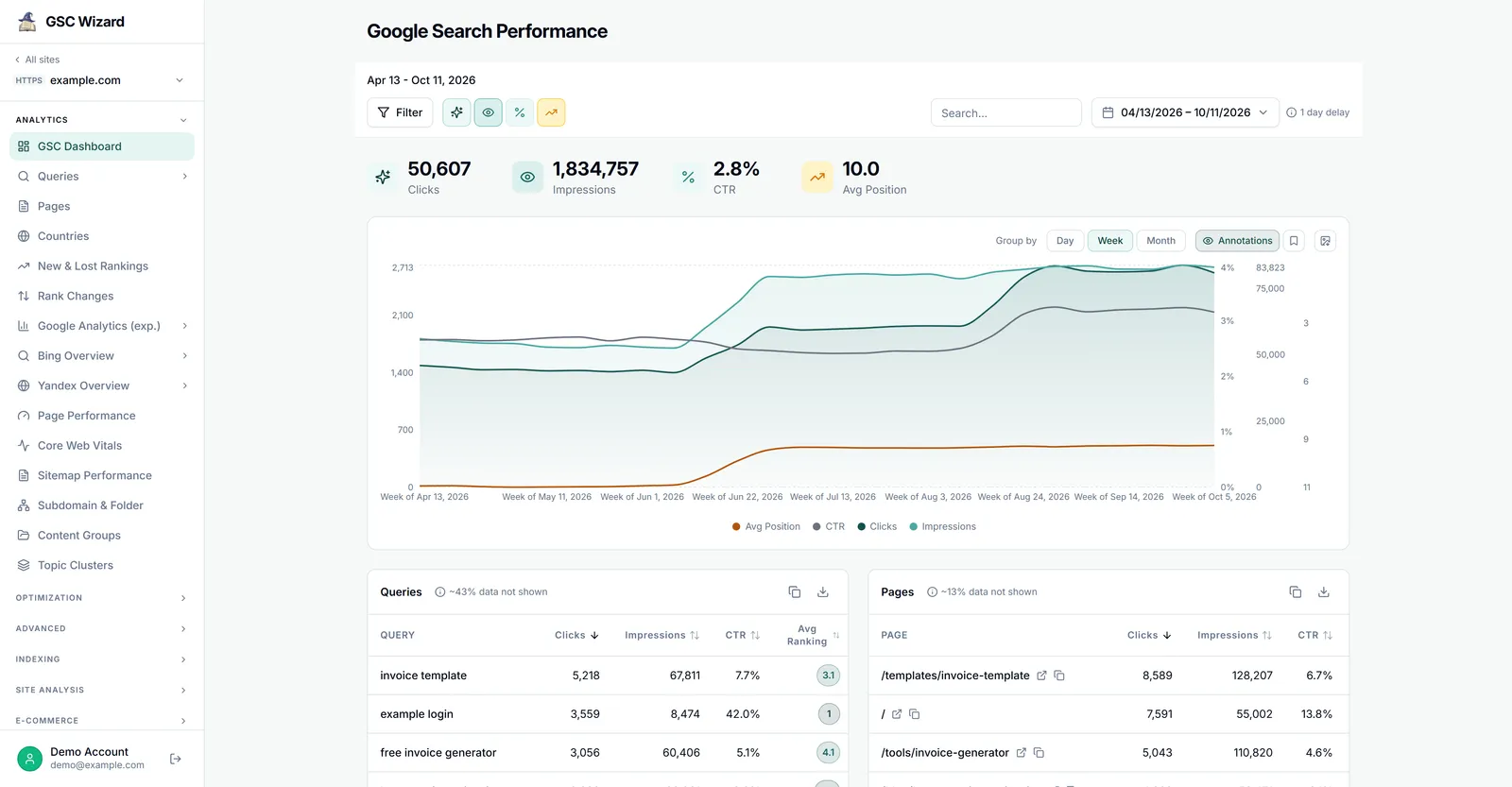
A Grok Bot that answers from your measured Search Console data, read-only.
About five minutes, plus one test question.
Grok Bot access and a GSC Wizard account (7-day free trial, no credit card).
Why Grok Bot cannot see your Search Console on its own
It is not the Grok app. Grok on grok.com is xAI's chat app. Grok Bot is a separate app, built with Cursor, that signs in with a Cursor account and keeps its own list of plugins. Cursor's FAQ says so plainly: "Grok (the chat app from xAI) and Grok Bot are two different apps." A Search Console connector you added at grok.com/connectors does not carry over. (For the chat app, see connecting Search Console to Grok.)
There is no Search Console plugin to install. The Google plugins Grok Bot offers cover Gmail, Calendar, Drive, Docs, Sheets and Slides. Search Console is not one of them.
The browser is a poor substitute. The Bot can sign in to the Search Console website on its computer, but then it is reading a chart as an image and a table capped at 1,000 rows. Every Bot on your account shares that computer and its browser sessions, so one Google login there is available to all of them.
A server on your laptop is out of reach. The Bot runs in the cloud. A Search Console MCP server that listens on localhost works in a desktop app on the same machine and fails in Grok Bot. Cursor's staff confirmed that "your custom application's MCP endpoint needs to be reachable over the internet." GSC Wizard's server is hosted, so there is nothing to tunnel.
How to connect Search Console to Grok Bot
- Connect your properties in GSC Wizard. Sign in at tool.gscwizard.com with Google and pick the Search Console properties the Bot may read. The MCP server only ever sees properties connected to your account.
- Ask the Bot to add the server. There is no settings form for custom servers: Grok Bot manages them through the chat. Send it this message, and confirm the details it reads back.
Add this MCP server: https://mcp.gscwizard.com/mcp
Name it "GSC Wizard". It holds my Google Search Console data.- Sign in, read-only. When the Bot shows a connect card, open it and finish the GSC Wizard sign-in in your browser. The consent screen has a box for changes: untick it to connect read-only. The Bot can still view and analyse everything, but every change is refused. Neither option lets it edit your website.
- Ask a question you can check. The new tools appear from your next message. Start with one whose answer you already know, so you can compare it with the Search Console website.
List my GSC Wizard sites. Then, for example.com, compare the last 28
settled days with the 28 before. State both date ranges and the date
the data is settled through.
If the sign-in never starts
Custom MCP sign-in in Grok Bot is new, and Cursor's forum has open reports of it failing for some servers. The most common cause, a server that rejects one of the return addresses Grok Bot registers, does not apply here: GSC Wizard accepts all three (https, a local loopback address and the cursor:// app link). If a connect card on your phone never returns to the app, finish the sign-in on desktop. Do not paste a GSC Wizard API key into the chat to get round it: chat text is part of the transcript, and Cursor's own help says not to put secrets there.
What Grok Bot can read once it is connected
Everything the GSC Wizard MCP server exposes for the properties on your account. The tools that matter most for day-to-day questions:
| Ask the Bot | Tool it calls | What comes back |
|---|---|---|
| "Which sites can you see?" | list_sites | Every property connected to your GSC Wizard account. |
| "How did we do last month?" | get_site_summary | Clicks, impressions, CTR and position against the previous period. |
| "Which queries and pages lost ground?" | get_ranking_changes | New, lost, improved and declined queries or pages between two periods. |
| "What is close to page one?" | score_opportunities | An opportunity score that favours high-impression queries near the top of page two. |
| "Which pages are slowly fading?" | find_decaying_content | Pages or queries losing clicks against a baseline, graded severe, moderate or mild. |
| "Did anything odd happen this week?" | detect_anomalies | Days that break the expected pattern, with a severity. |
| "Is this URL indexed?" | inspect_url | Index status, coverage state, last crawl and the canonical Google chose. |
| "Are two pages competing?" | analyze_cannibalization | Queries where two or more pages compete, scored by how evenly they split impressions. |
| "Write me a client report." | generate_seo_report | A styled, self-contained HTML report rather than chat text. |
Three things about that data are worth knowing before you trust an answer:
- The analysis runs on the server. The Bot receives a finished result, not 25,000 rows to add up. A model summing a truncated export reports a wrong total just as confidently as a right one.
- The last two to three days are not final. Search Console fills recent days in late. Every response says the date it is settled through, and the Bot should repeat it.
- History depends on the property. A property read live from Google's API has 16 months. A property in full storage keeps up to 10 years, because GSC Wizard goes on collecting after Google's window closes.
If you have connected them in GSC Wizard, the same server also carries Bing Webmaster, GA4, Merchant Center and Yandex data. The MCP documentation lists every tool.
Give the Bot standing rules
Personal Bots no longer have a description field: you change what a Bot does by telling it in chat and asking it to remember. Send these once, in the Bot that will do your SEO work. Each line prevents a mistake assistants make with Search Console data again and again.
Remember these rules for all Search Console work:
1. Use the GSC Wizard tools for Search Console numbers. Never estimate
   them from web search or from the Search Console website.
2. The property is example.com unless I name another one.
3. Prefer the analysis tools over pulling raw rows and adding them up.
4. Always state the date ranges and the date the data is settled through.
5. A lower average position is better.
6. Keep measured facts, interpretation and recommendations separate.
   Do not claim a cause when the data only shows a correlation.
7. Rank findings by clicks at stake, not by how far a position moved.
8. Never call a tool that changes anything unless I ask for it.
Four mistakes that cause most wrong answers
1. Asking about yesterday. Yesterday barely exists in Search Console yet. A comparison that ends today shows a drop that is only missing data. Ask for settled days.
2. Letting the Bot guess the property. Grok Bot plugins are account-wide: once GSC Wizard is connected, every Bot you run can use it. If you manage several sites, name the property in the standing rules, or use one Bot per client.
3. Mixing measured and modelled numbers. Search Console clicks are measured. Search volume and keyword difficulty from third-party tools are estimates. If the Bot uses both, make it label which is which.
4. Granting write access you do not need. Analysis is read-only work. Connect read-only, and only change that when a job really has to write, such as adding an annotation the day a change ships.
Taking access back
Two places, and either one is enough. In GSC Wizard, open Account → Connected apps and revoke the Grok Bot connection; its token stops working at once. In Grok Bot, open Connect apps in the sidebar and remove the server from your installed plugins. The sign-in itself never sits on the Bot's computer: Cursor holds plugin tokens on its connector backend, and the Bot calls the tools without receiving them.
Frequently asked questions
Is Grok Bot the same as Grok on grok.com?
No. Grok is xAI's chat app; Grok Bot is a separate app that signs in with a Cursor account and runs your Bots on a cloud computer. A connector you added at grok.com/connectors does not carry over, so Grok Bot needs the GSC Wizard server added separately.
Can Grok Bot change anything in Search Console?
Not if you connect read-only. Untick the write box on the GSC Wizard consent screen and every change is refused, while every analysis tool still works. Neither option lets the Bot edit your website.
Why not run a Search Console MCP server on my own computer?
Grok Bot works from a cloud computer, so it cannot reach a server listening on localhost on your laptop. Cursor's staff confirmed the MCP endpoint has to be reachable over the internet. GSC Wizard is hosted at https://mcp.gscwizard.com/mcp, so there is nothing to tunnel.
Does every Bot see my Search Console data once it is connected?
Yes. Grok Bot plugins are account-wide, so every Bot you run can use the GSC Wizard tools. Name the property in each Bot's standing rules and routines so a Bot never has to guess which site you meant.
How far back can Grok Bot see?
As far as GSC Wizard holds: 16 months for a property read live from the Search Console API, and up to 10 years for a property in full storage, which keeps collecting after Google's own 16-month window closes. The most recent two to three days are not final yet, and each answer states the date the data is settled through.
What does it cost?
Grok Bot comes with paid Cursor plans or a linked SuperGrok or X Premium+ subscription, and its usage is metered on your Cursor account. On the GSC Wizard side, the MCP server is included in every plan, plans are priced by the number of properties rather than by question, and every plan starts with a 7-day free trial that needs no credit card. See pricing.
Next playbook
Once the Bot answers correctly when you ask, let it ask on a schedule. Grok Bot SEO routines → covers four routines worth running, and why a weekly report scheduled for Monday morning shows a decline every single week.
Your Search Console data in Grok Bot
Connect your properties, add one server, and ask in plain language. 7-day free trial, no credit card needed.
Written by Jan-Willem Bobbink · Published October 13, 2026