Grok Bot SEO routines with real Search Console data
A Grok Bot routine runs a job on a schedule, in the cloud, while your laptop is closed, and posts the result in the Bot's chat. That makes it a good fit for the SEO checks everyone means to do every week and doesn't. It also makes it easy to automate a report that is quietly wrong: Search Console data arrives two to three days late, so the obvious schedules measure missing data and call it a decline. Here are four routines worth running, when to run them, and the rules that keep them honest.
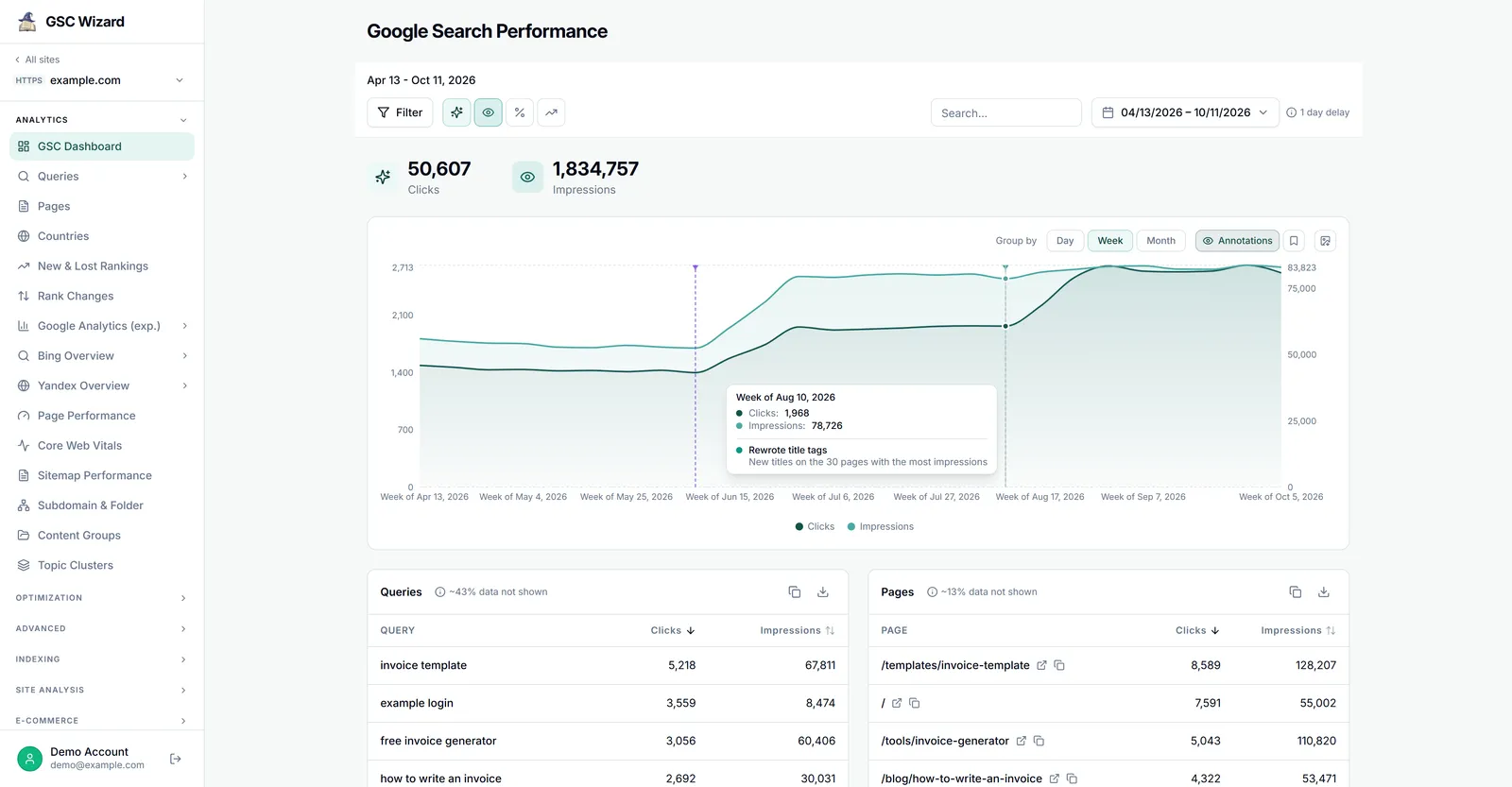
Scheduled Search Console checks that stay quiet unless something real changed.
20 minutes to set up, then a month of adding one routine at a time.
A Bot with Search Console connected, read-only.
How Grok Bot routines work
A routine tells one Bot when to run a workflow, on a schedule or after an event such as a Slack message or a webhook call. The facts that matter for SEO jobs, from Cursor's routines help:
- You create them in chat. Tell the Bot what to do and when. On the phone, open the Bot's profile and tap Add routine, which starts a message reading "Set up a routine to" for you to finish.
- Schedules follow one time zone, set under Settings → Bot → Timezone. Check the routine's When to run after creating it.
- A new routine waits for its first scheduled time. Use Test on desktop to run it now. A test does real work, with the same tools and the same usage as a scheduled run.
- Every run uses Grok Bot usage, metered on your Cursor account. A daily job costs seven times a weekly one. Routines that never run cost nothing, so pause the ones you stop reading.
- Approvals expire. If a routine asks permission and nobody answers within about ten minutes, the request lapses. Design routines that never need one.
On the GSC Wizard side there is no charge per tool call: plans are priced by the number of properties, so a routine that calls five tools costs the same as one that calls one.
Schedule around the data, not the calendar
This is the part almost everyone gets wrong. Search Console fills in recent days late, and GSC Wizard reports the date each answer is settled through. The intuitive schedules read partial data:
| Intuitive schedule | What it actually reads | Run it instead |
|---|---|---|
| Weekly report, Monday 9:00 | Last week with Saturday and Sunday still partial. Every week looks smaller than the one before. | Wednesday or Thursday |
| Monthly report on the 1st | Last month minus its final two or three days, which is often where month-end campaigns land. | The 3rd or 4th |
| Daily check of yesterday | A day that barely exists in Search Console yet. | Settled days only |
A weekly report that drops the weekend shows a decline every single week, and sooner or later someone acts on it. Moving the job two days later costs nothing. Put these two sentences in every routine:
Use the most recent complete settled period. State the exact dates
covered and the date the data is settled through. If the period is not
fully settled, shorten the window and say so.
Four routines to copy
Replace example.com with your property. Paste each one into the Bot's chat as written; the first line sets the schedule.
1. Daily exception watch
When: every weekday at 8:00 · Tools: detect_anomalies, get_site_summary, breakdown_by_path, get_ranking_changes, list_algo_updates, get_indexing_tracker
Not a report. Its only job is to notice a real problem within a day, and to say nothing the rest of the time. A daily summary nobody reads trains you to ignore the channel.
Every weekday at 8:00, run a daily exception check for example.com,
using settled data only:
1. detect_anomalies on clicks and impressions for the last 30 days.
   Report only days flagged high severity.
2. get_site_summary for the last 7 settled days vs the 7 before.
3. If anything crosses the thresholds below, check whether it sits in
   one site section (breakdown_by_path) or one set of queries
   (get_ranking_changes), and whether list_algo_updates shows a
   confirmed Google update in the same window.
4. If the indexing tracker is set up (get_indexing_tracker), flag any
   URL that was indexed and no longer is.
Thresholds: clicks down more than 15% AND more than 100 clicks lost;
or one page down more than 25% of a meaningful click count.
If nothing crosses them, reply with one line: "No material change."
2. Weekly report
When: Wednesday at 9:00 · Tools: get_site_summary, get_ranking_changes, find_decaying_content, score_opportunities
The diagnosis: what moved, why, and what to do about it. The constraint at the end is the one that makes it usable. An unbounded list of recommendations gets skimmed; three ranked ones get done.
Every Wednesday at 9:00, write the weekly SEO report for example.com:
the most recent complete settled week against the week before.
- Totals: clicks, impressions, CTR, average position.
- Winners and losers (get_ranking_changes), grouped by topic or
  section rather than listed flat.
- For every loss, say whether it is ranking decay, lower demand,
  lower CTR, cannibalization or an indexing problem. If the data
  cannot tell them apart, say so.
- End with at most three actions, ordered by clicks at stake.
3. Monthly summary
When: the 4th of each month · Tools: get_site_summary, find_decaying_content, score_opportunities, analyze_cannibalization, analyze_ctr_curve, generate_seo_report
The slower picture, and the one you forward to someone who does not do SEO.
On the 4th of every month, for example.com, compare the previous
complete month with the month before:
1. get_site_summary for the headline numbers.
2. find_decaying_content on pages: sustained decline, not one bad
   week. Rank candidates by recoverable clicks.
3. score_opportunities: the near-term wins with the most upside.
4. analyze_cannibalization: only cases where more than one page
   takes meaningful impressions.
5. analyze_ctr_curve: position ranges below the benchmark, with the
   largest click gaps named.
Write a summary a non-SEO can read: what changed, why, what we are
doing about it. Then build the client version with generate_seo_report.
4. Did it work?
When: the 6th of each month · Tools: list_annotations, get_page_performance, detect_change_points, list_algo_updates
Most reporting stops at reporting. This routine checks whether the changes you shipped did anything, and it is the most valuable one here. It needs annotations: a note on the date each change went live, which you add in GSC Wizard yourself, so the routine itself stays read-only.
On the 6th of every month, for example.com, take each annotation from
list_annotations that is between 4 and 12 weeks old. For the pages or
queries it names, compare the 4 settled weeks after it with the 4 weeks
before (get_page_performance), and run detect_change_points.
Say whether a change point lines up with the annotation date, and
whether a confirmed Google update (list_algo_updates) in the same window
could explain the movement instead. Verdict per change: worked, did
nothing, made it worse, or cannot tell yet.
Wait at least four weeks for anything ranking-related and two for a pure title or snippet change. Checking after three days measures noise. This is also the routine that will tell you some favourite tactics do nothing.
Set the thresholds yourself
If you do not tell a routine what counts as material, the Bot decides on each run, and it will decide differently each time. Tune these to your traffic:
| Signal | Surface it when |
|---|---|
| Site clicks | Down more than 15% week on week and more than about 100 clicks lost |
| A single page | Lost more than 25% of its clicks, from a meaningful starting point |
| Indexing | Any URL that was indexed and no longer is |
| Anomalies | High severity only; medium and low are noise on a daily schedule |
The absolute floor matters as much as the percentage. Without it, every small page that drops from 4 clicks to 1 becomes a "75% decline".
Rules for anything that runs unattended
- Read-only connection. A routine that can only read cannot be talked into changing anything. Untick the write box when you connect GSC Wizard.
- Read, compare, draft. Never publish. Cursor's own guidance is to keep sending, publishing, deleting and production changes behind approval. An SEO agent that can publish will publish too much.
- One property per routine, named. Plugins are account-wide, so a routine that has to guess the site will eventually guess wrong.
- Report missing data, never fall back to old data. "The data is only settled through Tuesday" is a useful answer. Last month's numbers presented as this month's are not.
- Silence on quiet days. One line when nothing crossed a threshold. If a routine cries wolf twice, fix it before adding another.
- Test, then watch the first runs. Run Test once, read the first two scheduled results properly, and fix the instructions where the Bot drifted, hedged or buried the finding.
Roll them out one at a time
Each step earns the next. Week 1: connect, and ask each question by hand at least twice; check one answer against the Search Console website. Week 2: schedule the weekly report only, and read it properly. Week 3: add the daily exception watch and tune its thresholds until quiet days really are quiet. Week 4: add the monthly summary and start annotating the changes you ship. Month 2: add the did-it-work routine, once there are annotations old enough to check.
Frequently asked questions
How do I create a routine in Grok Bot?
Ask the Bot in chat: say what it should do and when, and it creates the routine. On the phone, open the Bot's profile and tap Add routine under Routines; Grok Bot starts a message that begins "Set up a routine to" for you to finish. On desktop, open the Bot's details and find the routine on the Details tab to check its Instruction and When to run.
Why does my Monday SEO report always show a decline?
Because Search Console fills in the last two to three days late. On Monday morning, last week's Saturday and Sunday are still partial, so the week looks smaller than the one before it, every week. Run weekly reports on Wednesday or Thursday and monthly reports on the 3rd or 4th.
Does a test run cost anything?
A test run uses Grok Bot usage like any other run, and it does real work, so it can call connected tools and change files. GSC Wizard does not charge per tool call. A routine that never runs uses no usage.
Which time zone does a routine use?
The one set under Settings → Bot → Timezone. Auto-detect follows the computer you are using. Check the routine's When to run after creating it, because a new routine waits for its first scheduled time rather than running straight away.
Should a routine publish SEO changes on its own?
No. Let routines read, compare and draft. Keep publishing, redirects, deletions and submissions behind your approval, and keep the Search Console connection read-only for anything that runs unattended. Approvals requested by a routine expire after about ten minutes if nobody answers.
Next playbook
The weekly report will keep surfacing the same kind of finding: queries just off page one. Find striking distance keywords → turns that list into fixes you can ship the same day.
Put Search Console on a Grok Bot routine
Real clicks and positions, settled dates on every answer, no per-call charges. 7-day free trial, no credit card needed.
Written by Jan-Willem Bobbink · Published October 13, 2026