You can submit individual URLs to Google for crawling and indexing using the URL Inspection tool.
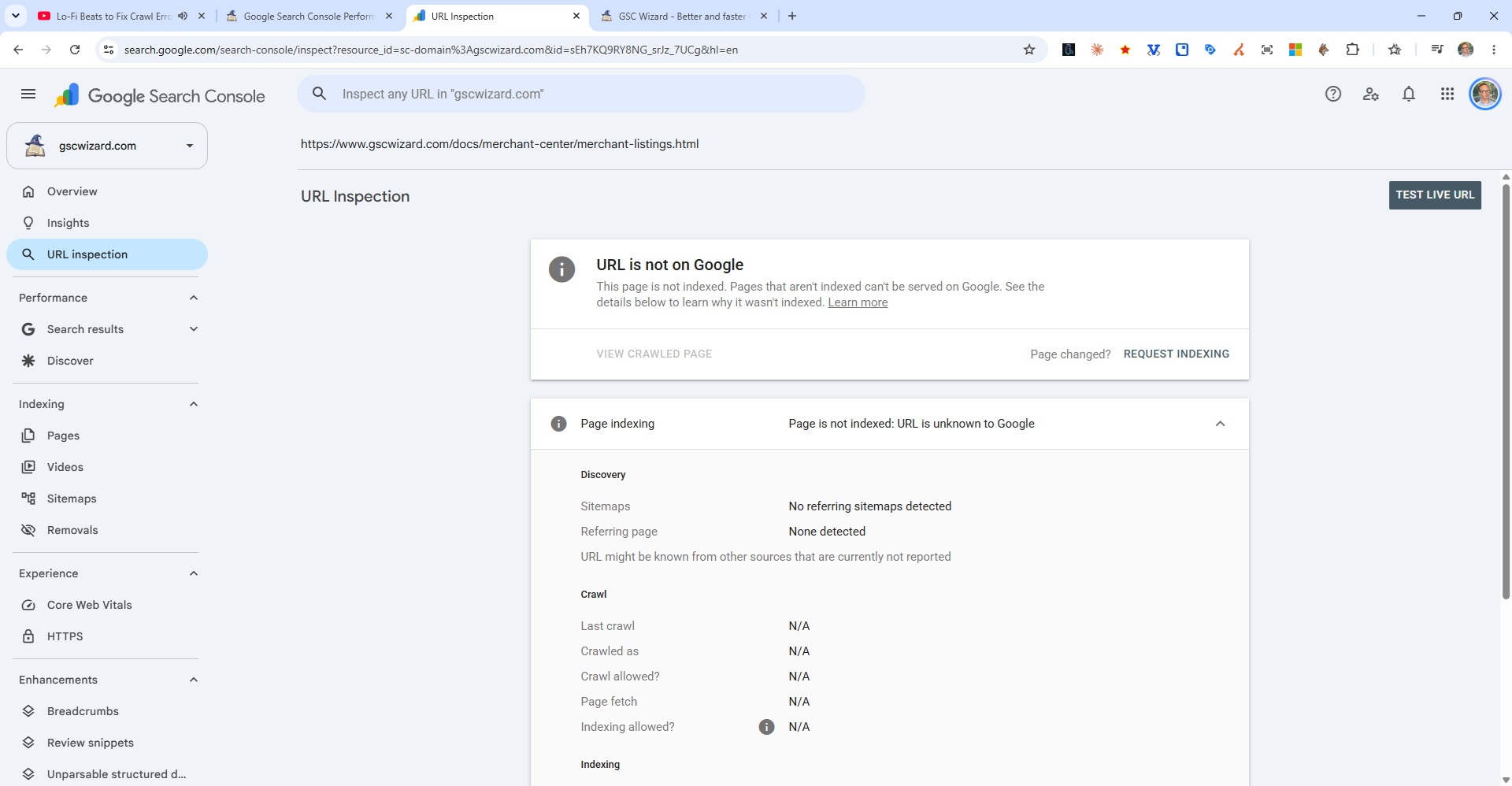
Steps to Submit a URL
- In Google Search Console, click the search bar at the top of the page
- Paste or type the full URL (including
https://) and press Enter - The URL Inspection tool will load and show the current index status
- Click "Request Indexing" to ask Google to crawl the page
- A dialog will confirm the request was submitted
When to use this:
- After publishing a new page you want indexed quickly
- After making significant updates to an existing page
- After fixing a technical issue that was blocking indexing
Limitations: There is a daily quota for indexing requests per property. For bulk submissions, rely on your sitemap instead.