Google Search Console provides a Links report that shows backlink data for your site. Here is how to access and use it:
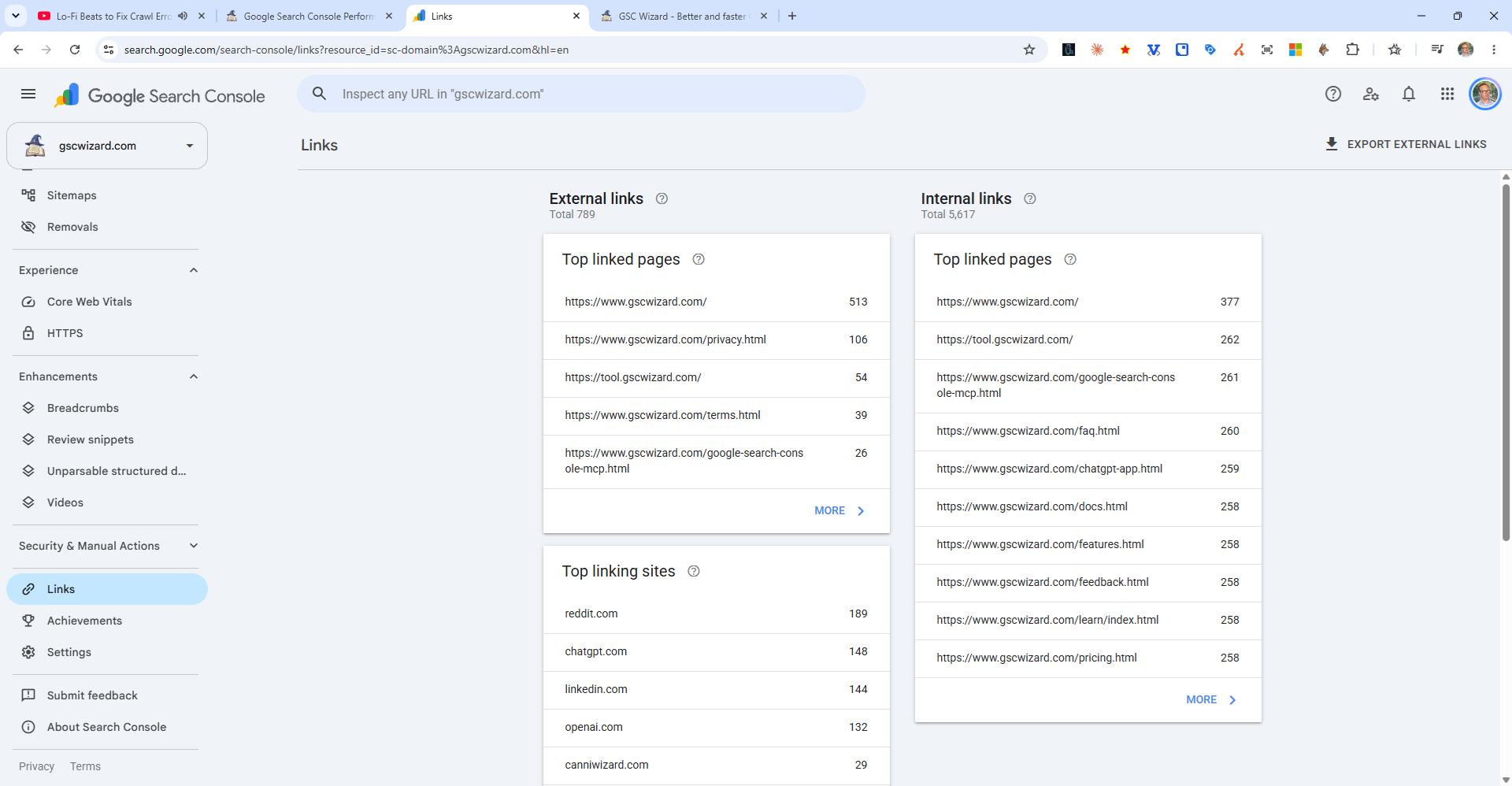
Accessing the Links Report
In the left sidebar, click Links (near the bottom). You will see four sections:
- External links - Top linked pages: Your pages with the most backlinks
- External links - Top linking sites: Which domains link to you most
- External links - Top linking text: Most common anchor text
- Internal links - Top linked pages: Your most internally linked pages
Limitations of GSC Link Data
- The data is sampled - it does not show every backlink, just a representative sample
- No link quality metrics (Domain Authority, trust scores, etc.)
- No historical data for when links were acquired or lost
- For comprehensive backlink analysis, use dedicated tools like Ahrefs or SEMrush
Tip: GSC Wizard can help you correlate your backlink profile with ranking performance across your key pages.