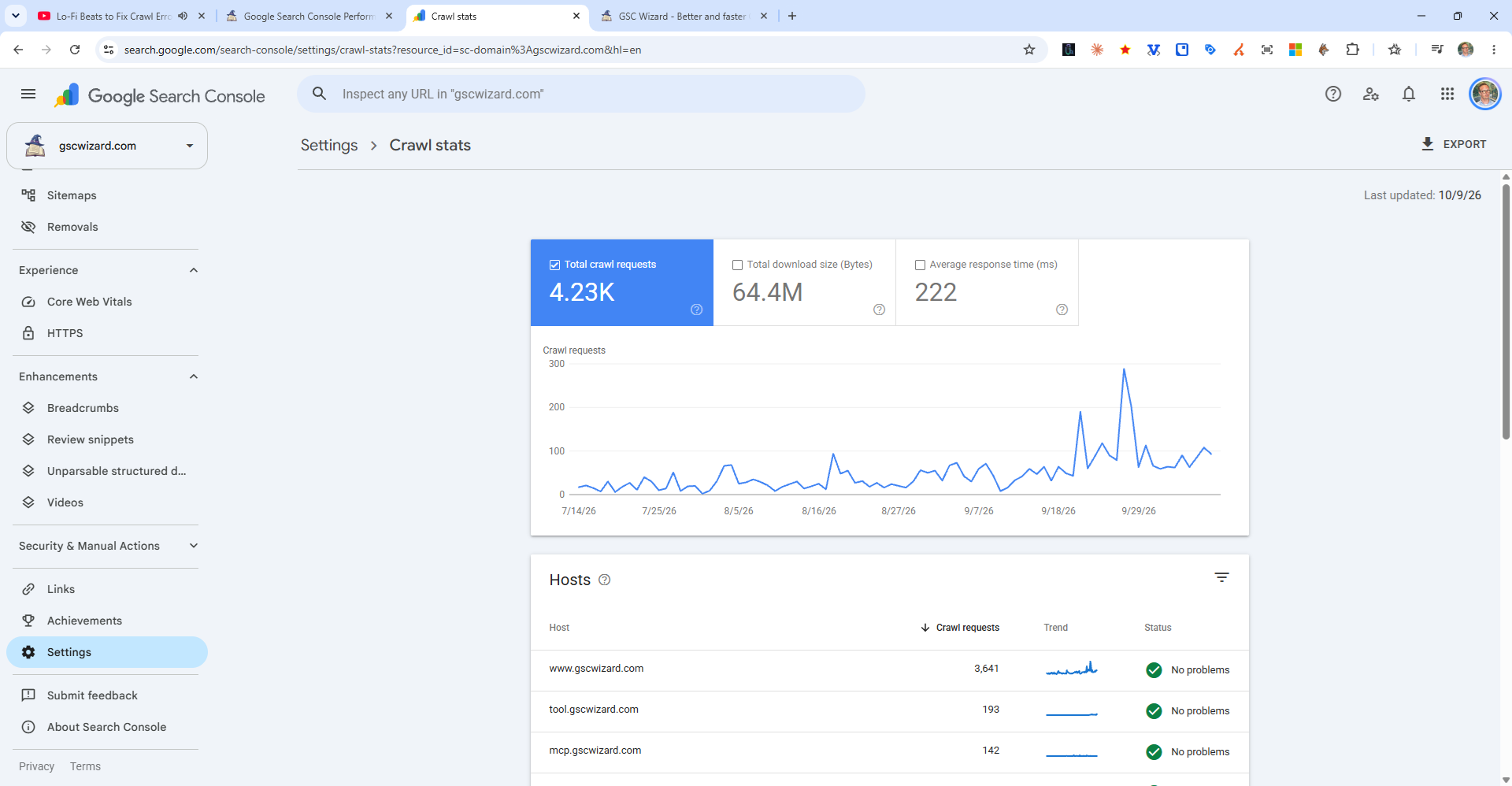
The Crawl Stats report gives you detailed insight into how Googlebot crawls your site. Find it under Settings > Crawl Stats in the Search Console sidebar.
What the Report Shows
- Total crawl requests - How many pages Google has crawled over the last 90 days
- Total download size - The amount of data Google downloaded while crawling
- Average response time - How long your server takes to respond to Googlebot. Aim for under 500ms.
- Crawl requests by response - Breakdown of 2xx, 3xx, 4xx, 5xx responses. High 4xx/5xx rates indicate wasted crawl budget.
- Crawl requests by file type - HTML vs CSS vs JavaScript vs images
- Crawl requests by purpose - Discovery crawls vs. refresh crawls
- Crawl requests by Googlebot type - Smartphone vs. desktop Googlebot
What to Look For
- High 4xx rate = many broken pages wasting crawl budget
- High 3xx rate = too many redirects
- Slow response time = server performance issues that may limit crawl rate
- Sudden drops in crawl activity = potential server accessibility issues