Google Search Console's Performance report is a goldmine for keyword research because it shows you exactly which queries are driving (or could drive) traffic to your site - using Google's own data.
Key Keyword Research Techniques
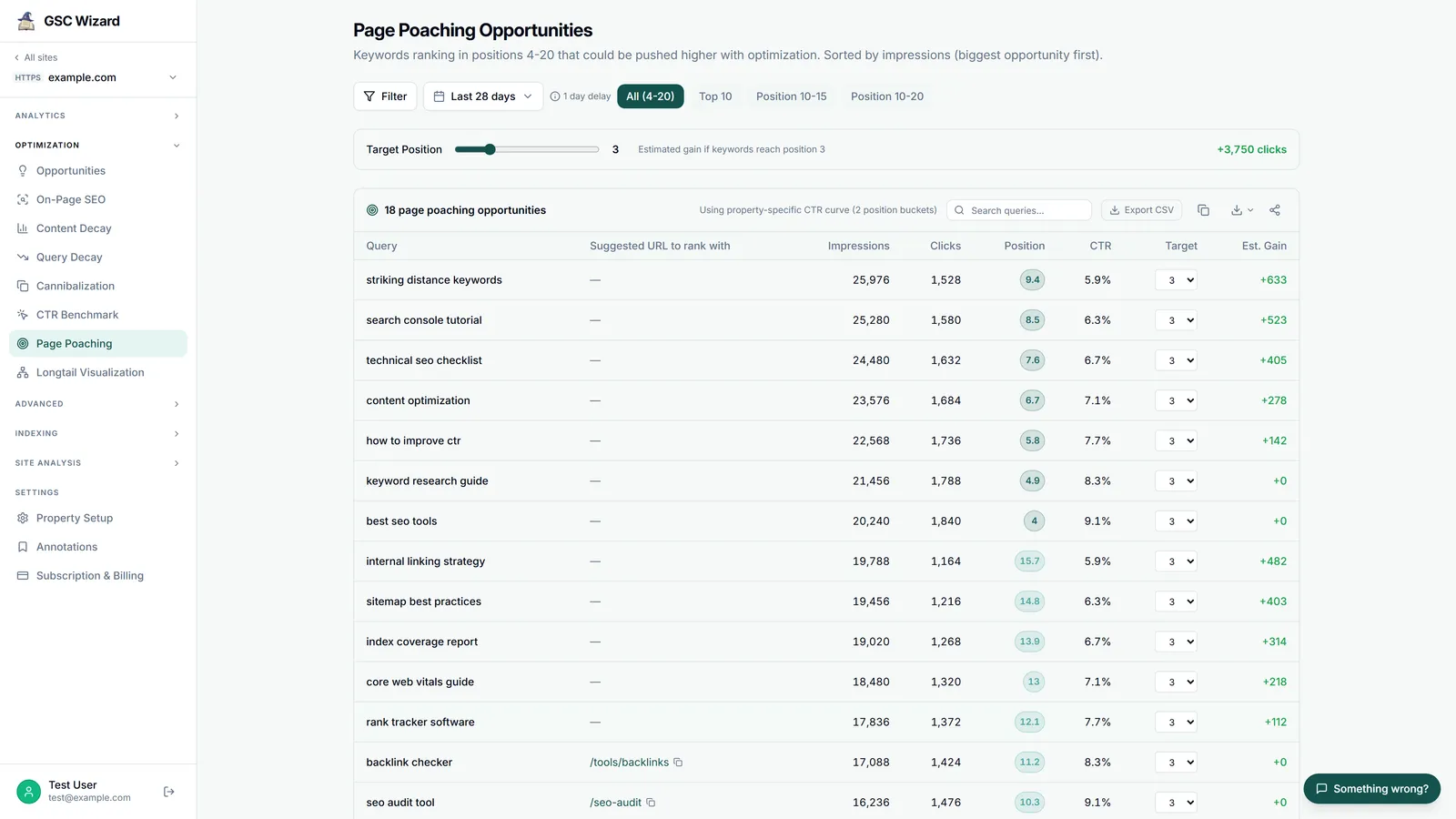
1. Find Low-Hanging Fruit (Positions 4–20)
Filter the Queries tab by position: look for keywords where you rank between 4 and 20. These pages are close to the top and relatively small improvements (better content, more links) can push them into positions 1–3, significantly boosting traffic.
2. Find High-Impression / Low-CTR Queries
Sort by impressions descending, then look for queries with a low CTR relative to their position. These represent opportunities to improve your title and meta description.
3. Discover Keywords You Did Not Know About
Sort queries by clicks or impressions and look for unexpected keywords. These can inspire new content pages or inform how to expand existing content.
4. Page-Level Keyword Analysis
Click the Pages tab, select a specific page, then click Queries to see all keywords that page ranks for. This helps you understand the full keyword footprint of any page.
Tip: GSC Wizard automates this keyword opportunity analysis, surfacing your best ranking opportunities and content gaps directly in the dashboard.