Google Search Console offers several ways to export your data for deeper analysis:
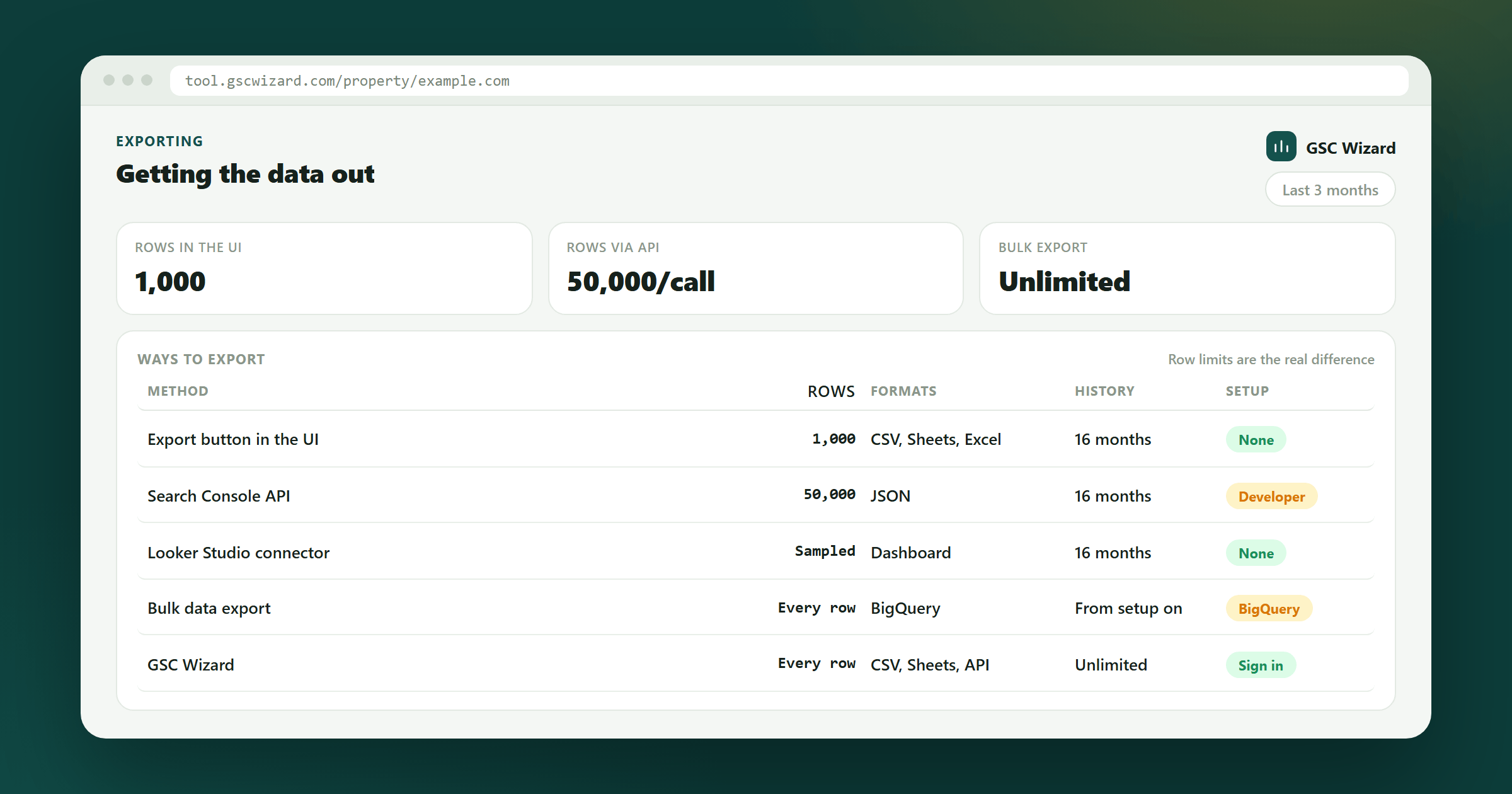
1. Export Button (CSV or Google Sheets)
In any report (Performance, Pages, Links, etc.), click the Export button in the top-right corner. Choose:
- Download CSV - Downloads the data as a .csv file you can open in Excel or Google Sheets
- Open in Google Sheets - Creates a new Google Sheet with the data
- Download Google Sheets - Downloads a .xlsx file
2. Search Console API
For automated or bulk exports beyond what the UI shows, use the Search Console API. It allows you to pull up to 25,000 rows per request.
3. Looker Studio Connection
Connect Search Console to Looker Studio (formerly Data Studio) for live, automated dashboards. See the dedicated guide for setup instructions.
4. Bulk Data Export (BigQuery)
Google has a Bulk Data Export feature that sends data to BigQuery for large-scale analysis. Available for properties with significant traffic.