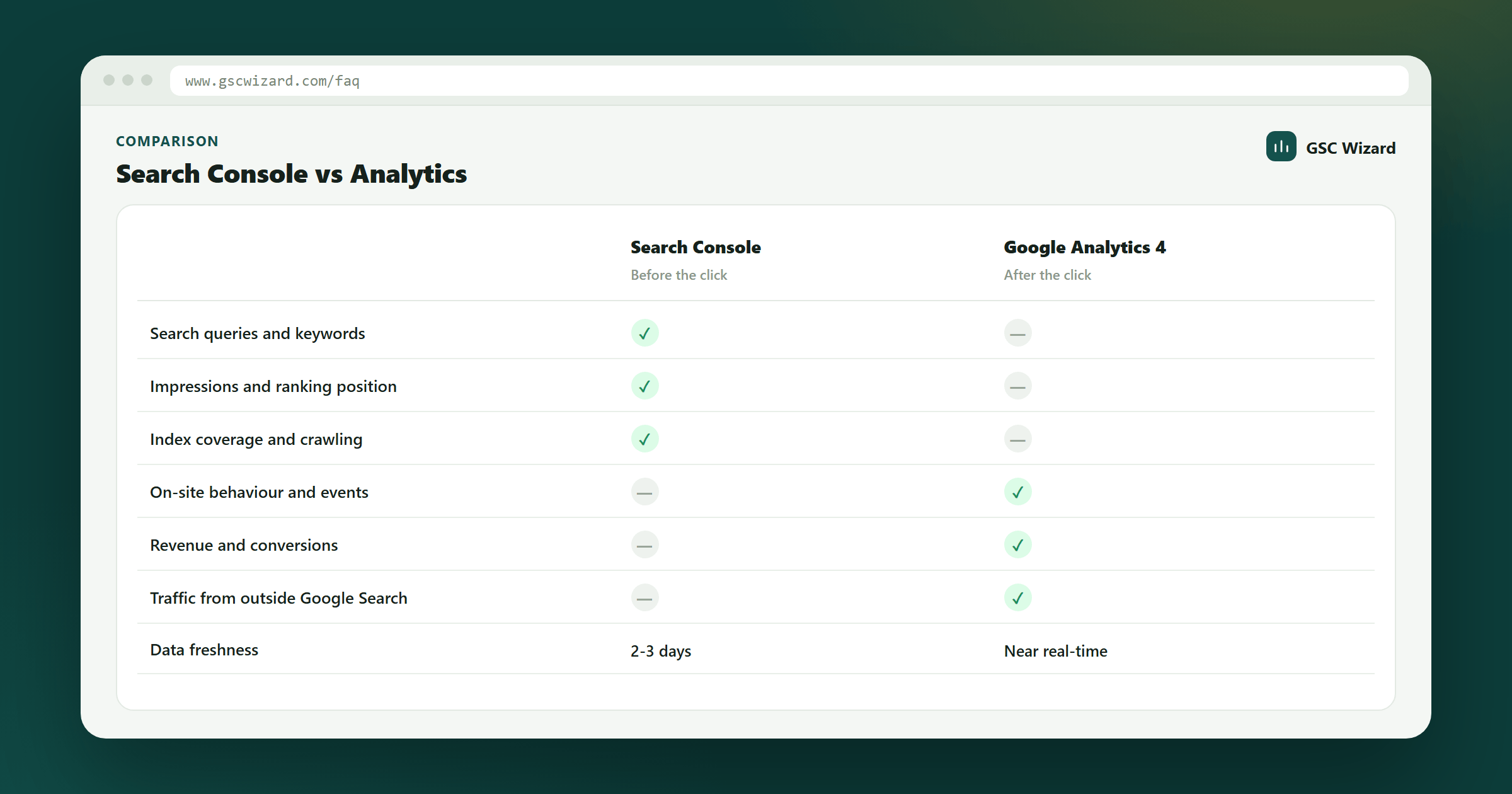
Both tools are free and essential, but they serve different purposes:
| Feature | Google Search Console | Google Analytics |
|---|---|---|
| Focus | Pre-click search data | Post-click user behavior |
| Keyword data | Full (not provided) | Mostly "not provided" |
| Shows | Rankings, impressions, CTR | Sessions, conversions, pages/session |
| Indexing data | Yes | No |
| Technical errors | Yes | No |
Use Them Together
Connect both tools in Google Analytics 4 to see Search Console data alongside on-site behavior. This lets you see not just which queries drive clicks, but which ones lead to conversions.
What is the difference between Google Analytics and webmaster tools?
"Webmaster tools" usually means one of two things, and neither is an analytics tool. Google Webmaster Tools is the old name of Google Search Console, which Google renamed in 2015, so the difference with Google Analytics is the one in the table above: search data before the click against visitor behavior after it (see Google Webmaster Tools vs Google Search Console). Bing Webmaster Tools is Microsoft's free counterpart for Bing, with its own clicks, impressions, crawl data and Copilot citations, and like Search Console it says nothing about what visitors do once they land on your site. How the two webmaster tools differ from each other is in Bing Webmaster Tools vs Google Search Console.