What is the difference between Bing Webmaster Tools and Google Search Console?
Google Search Console and Bing Webmaster Tools are free webmaster tools that show you your own site through a search engine's eyes, and each one only reports on its own engine. Search Console shows clicks, impressions, CTR and position in Google Search, counts AI Overviews and AI Mode inside its Web search type, and summarises them as impressions in a separate Generative AI performance report. Bing Webmaster Tools shows the same four metrics for Bing, counts links in Copilot chat answers together with web results, and adds tools Google does not offer: IndexNow submission, a Keyword Research tool with search volumes, an on-demand Site Scan audit, a backlink report you can compare with two other sites, and an AI Performance report for citations in Copilot.
Because neither tool can see the other engine, the practical answer to "which one should I use" is both. Bing Webmaster Tools can import your verified sites straight from Search Console, so setting up the second one takes a few minutes. I checked every row below against Google's and Microsoft's own documentation, and where that documentation is silent or out of date I say so.
Written by Jan-Willem Bobbink · Published November 4, 2026 · Updated November 5, 2026
Bing Webmaster Tools vs Search Console at a glance
| Feature | Google Search Console | Bing Webmaster Tools |
|---|---|---|
| Price | Free | Free |
| Data freshness | A 24-hour view with hourly, preliminary data; fresh daily data is replaced by final data after a few days | No fixed delay stated for Search Performance; a newly added site takes a few days to show data; AI Performance refreshes daily |
| History window | 16 months | 16 months for Search Performance since October 2024, counted from the day you add the site (no backdated data); the API has been returning about 16 months of traffic, query and page rows, but six months of crawl stats and keyword data |
| Query and page rows | 1,000 rows in the interface and exports; API up to 25,000 rows per request and 50,000 per day per site per search type; Bulk Data Export to BigQuery for the rest | No row cap published for the website tables; the API returns only top queries, dated by week (100 per week on a large site); keywords and pages only for Web traffic, not for Chat, News, Images or Videos |
| Countries and devices | Countries and Devices dimensions in the Performance report and the API | Country and device data in Search Performance (named in Microsoft's 2024 comparison post, not in its help article); Keyword Research filters by country, language and device |
| Crawl data | Crawl Stats report: requests by response, file type, purpose and Googlebot type, plus host status (root-level properties only) | Crawl requests, crawl errors and indexed pages next to clicks in Search Performance; Site Explorer per folder |
| Index coverage and URL inspection | Page indexing report; URL Inspection with the indexed version and a live test, including a rendered view | URL Inspection with Index, SEO and Markup cards plus a Live URL tab; Site Explorer counts indexed, error, warning and excluded URLs |
| IndexNow | No (Google is not an IndexNow participant) | Yes, with a dashboard of submitted URLs and their crawl and index status |
| Keyword research | No tool; only the queries you already appear for | Keyword Research tool: search volumes, trends, related and question keywords, last six months |
| Site audit | No on-demand crawler | Site Scan: on-demand crawl with errors, warnings and notices, within a monthly quota |
| Backlinks | Links report: a sample of external and internal links, tables limited to 1,000 rows | Backlinks report: referring domains, pages and anchor texts, plus a comparison with up to two other sites |
| AI search data | AI Overviews and AI Mode count under Web in the Performance report (no AI filter there); Generative AI performance report with impressions only, by page, country, device and date, no queries | AI Performance report (introduced as a public preview in February 2026): citations in Copilot, AI summaries in Bing and partner experiences, cited pages and grounding queries, no clicks; Copilot chat links also count in Search Performance under Web and Chat |
| Image and visual search | Image search type (Google Images tab); Web: multimodal covers Google Lens, Circle to Search and Chrome image search | Images source: clicks, impressions and CTR from image answers, Bing Images and image detail pages; no position and no keywords; Bing Visual Search is not listed as its own source |
| APIs | Search Console API (Search Analytics, URL Inspection, Sitemaps, Sites) and Bulk Data Export to BigQuery | Bing Webmaster API: rank and traffic stats, link details, keyword details, crawl stats, URL and sitemap submission; its query and traffic calls take only a site URL, so there is no country or device split |
Data freshness and history window
Search Console's Performance report has a 24-hour view in which each data point is an hour and the newest numbers are preliminary, and Google's own announcement of fresh data says you can see data "as recent as less than a day old", with each fresh data point replaced by the final number after a few days. Microsoft states no fixed delay for Bing's Search Performance data; when I checked on November 5, 2026, the newest day its API returned was November 2. Both tools now keep 16 months of search performance history. Google has offered 16 months since it relaunched Search Console in 2018, and Microsoft extended Bing's Search Performance to 16 months in October 2024, although its help article still mentions the older six months.
The Bing Webmaster API is less well documented: Microsoft's API reference gives a period only for crawl stats ("List of crawl statistics for the last 6 months") and says nothing about how far back traffic, query and page data go. In practice, GSC Wizard reads these same API calls and gets about 16 months of daily traffic rows and weekly query and page rows on long-established sites, while crawl stats and keyword volumes stop at about six months. My own site is too young to show the 16-month limit, because its Bing traffic only starts in March 2026, but its crawl rows on November 5, 2026 reached back to May 5, 2026, which matches Microsoft's six months. Treat all of this as observed behaviour rather than a promise from Microsoft.
One difference matters for a new site: Microsoft says Bing collects data from the moment you add your site, and you cannot see backdated data, so the earlier you verify in Bing Webmaster Tools, the more history you will have a year from now. More on Google's side in Search Console data delay and Search Console data retention.
Query and page row limits
Search Console's interface and its exports stop at 1,000 rows, which Google describes as "representative examples of your data". The Search Analytics API returns up to 25,000 rows per request, Google puts its upper limit at 50,000 rows per day per site per search type, and only the Bulk Data Export to BigQuery gets past that limit, still without anonymized queries. Microsoft does not publish a row cap for the Bing Search Performance tables, but its help article does say that keywords and pages are only available for Web traffic and that the table can differ from the chart totals "because of certain omissions". Its API is narrower than the website: Microsoft's reference describes GetQueryStats as "detailed traffic statistics for top queries", and on a large site it has returned 100 queries for each weekly date. If the 1,000-row ceiling is what sent you looking, read the Search Console 1,000-row limit and Bulk Data Export.
What Bing Webmaster Tools has that Search Console does not
- IndexNow. IndexNow lets you tell search engines that a URL was added, updated or deleted instead of waiting for a crawl. The participating engines listed on indexnow.org are Amazon, Bing, Naver, Seznam.cz, Yandex and Yep; Google is not one of them, so for Google you still rely on sitemaps and URL Inspection. Bing Webmaster Tools has an IndexNow dashboard that counts your submissions, names their source (your own code, a CMS plugin or Cloudflare) and shows the crawl and index status of recently submitted URLs.
- Keyword Research. A free tool that takes a root keyword and returns Bing search volumes, the trend over time, related keywords, question keywords and newly discovered keywords, filtered by country, language and device for any period in the last six months. It also lists the top 10 URLs ranking for the keyword.
- Site Scan. An on-demand site audit that crawls your site as Bingbot and lists technical SEO errors, warnings and notices, with a monthly page quota and up to five stored scans.
- Backlinks for other sites. Bing's Backlinks report covers referring domains, anchor texts and linking pages for your site, and lets you compare your backlink profile with up to two other sites, including the domains that link to them but not to you.
- AI Performance. A report of how often your pages are cited in Copilot and other Microsoft AI answers, explained in my guide to the Bing AI Performance report.
What Search Console has that Bing Webmaster Tools does not
- Google's data. Nothing in Bing can tell you how you rank in Google, which is the reason almost every site starts with Search Console.
- Bulk Data Export. A daily export of all your performance rows into BigQuery, apart from anonymized queries.
- Hourly fresh data. The 24-hour view lets you see a launch or an outage on the same day.
- A detailed Crawl Stats report. Googlebot requests broken down by response code, file type, purpose and Googlebot type, plus host status for robots.txt, DNS and connectivity.
- A rendered page view. Microsoft's own comparison post points out that Search Console's URL Inspection shows the rendered page, including loaded resources and JavaScript output.
AI search data: Generative AI performance vs Bing AI Performance
Google counts AI Overviews and AI Mode in the Performance report under the Web search type, and that report's search type filter offers Web, Image, Video and News with no AI option, so a click from an AI Overview is mixed in with every other web click. As of August 31, 2026 Google has also rolled out a separate Generative AI performance report to all websites, which shows impressions in AI Overviews and AI Mode grouped by page, country, device and date. It has no clicks and no queries, and the usual 1,000-row limit applies. Bing's AI Performance report, introduced as a public preview in February 2026, takes a different angle: it counts how often your pages are cited in Copilot, AI-generated summaries in Bing and select partner experiences, lists the cited pages, and shows grounding queries, which Microsoft describes as grouped phrases rather than the questions people typed. Microsoft is explicit that a citation is not a click and that the data is a sample, and it has since added preview views such as Topics and Intents, which group those phrases by theme and by query intent. Put together, Google tells you which pages are seen in its AI features, and Bing tells you which pages are cited and roughly on which topics. To check both for your own site, see how to check if your website shows up in AI search.
Image search and Bing Visual Search
In Search Console, the Image search type covers results in the Google Images tab, and the Web: multimodal type covers searches that start from an image, such as Google Lens, Circle to Search, uploaded images and Chrome image search. Bing Webmaster Tools has an Images source that counts image answers on the results page, Bing Images results and the image details page, with clicks, impressions and CTR but no average position and no keyword or page table.
Bing Visual Search is the consumer side of this: it lets people search the web with an image instead of text, by selecting the camera icon in Bing Images and then dragging in a picture, uploading a file, pasting an image or URL, or taking a photo, and Bing returns pages that use the image, related images, products and other information. For site owners there is less to see than the name suggests. Microsoft's Webmaster Tools documentation does not list Visual Search as a source or offer a report or setting for it, so you cannot see which images people searched with or which visual searches showed your pages; the most you get is the clicks and impressions from Bing's image results and image detail pages in the Images source.
Why use both webmaster tools
Each engine only reports what happened on its own results pages, so a site verified in only one of them has a blind spot. Bing Webmaster Tools also covers ground Search Console does not: Copilot citations, IndexNow and keyword volumes all come for free, and its 16-month history only starts counting once you add the site, so it is worth setting up today even if Bing is a small share of your traffic. The import from Search Console copies your verified sites, up to 100 at a time, and verifies them automatically. Together the two tools are also the cheapest way to watch your rankings, as I explain in free rank tracking with Search Console and Bing. And if you are wondering how either tool relates to Google Analytics, that comparison is in Google Search Console vs Google Analytics.
How GSC Wizard shows Google and Bing together
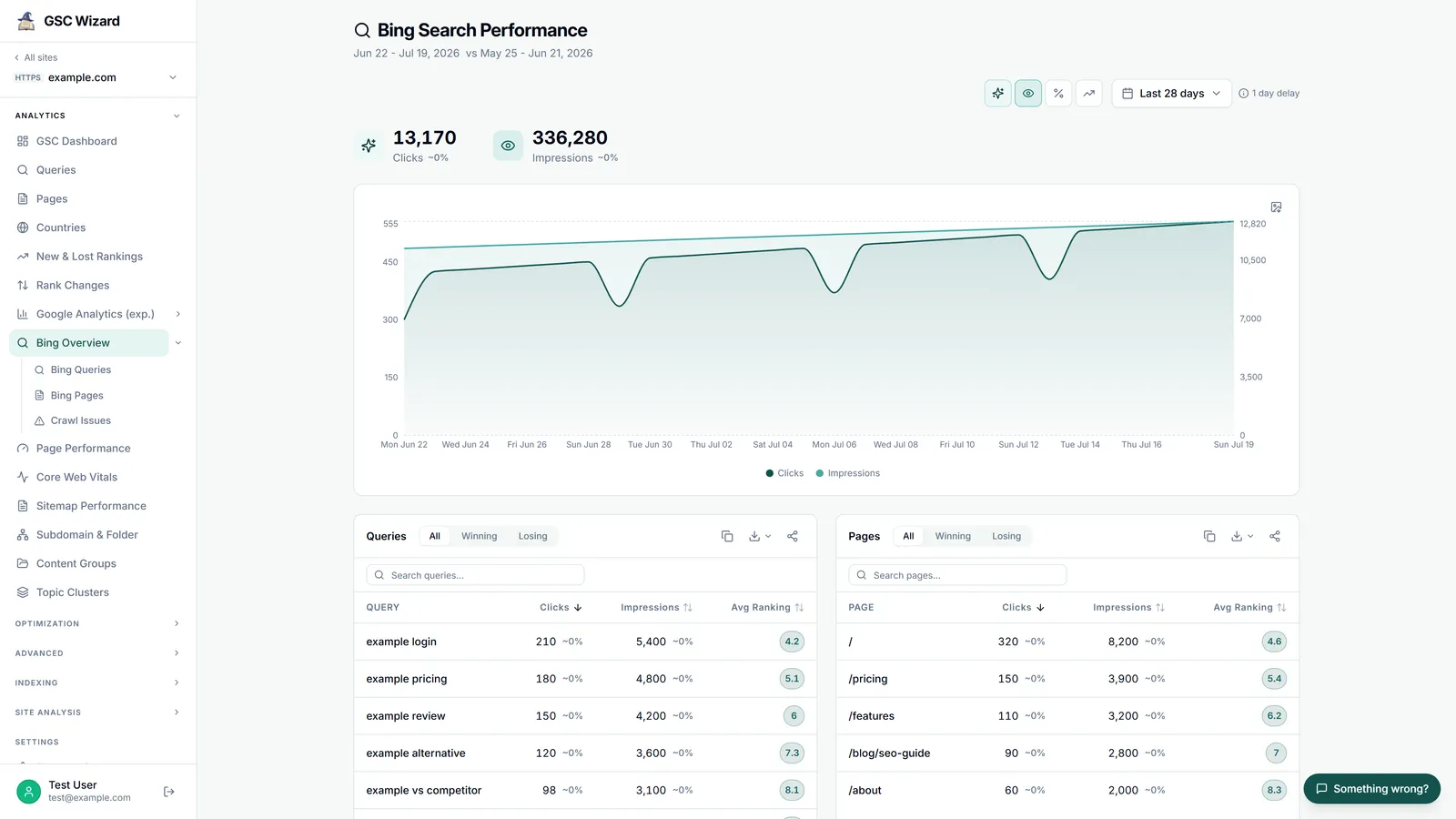
GSC Wizard reads Search Console through your Google sign-in and Bing through a Bing Webmaster Tools API key, which you save once per Google account in Account settings. With the key in place, every property that is also in your Bing account gets a Bing Overview with clicks, impressions, CTR and position over time, query and page tables, new rankings, top linked pages, the URL submission quota and a crawl-health panel (pages in index, inbound links, pages crawled, blocked by robots, crawl errors), plus separate Bing Queries, Bing Pages and Bing Crawl Issues reports. The home dashboard shows a Bing section under your Google properties, open to every signed-in user, and the IndexNow page submits changed URLs to Bing, Yandex and Naver. The same Bing data, including Bing's weekly impression volume for a keyword, is available to AI assistants through the Bing Webmaster Tools MCP server. Because all of this comes from Bing's API, it carries the API's limits described above: about 16 months of traffic, query and page history, six months of crawl history, and query and page tables built from Bing's weekly top rows rather than from daily data.
There are things GSC Wizard does not do. It does not import Bing's AI Performance report or Search Console's Generative AI performance report, it does not reproduce Bing's Keyword Research suggestions or run a Site Scan, and it has no Bing Visual Search data, so for those you open Bing Webmaster Tools or Search Console directly. Every plan includes the Bing reports and starts with a 7-day free trial; see pricing and the Bing documentation.
Frequently asked questions
Is Bing Webmaster Tools the same as Google Search Console?
No. They are separate products from different companies. Google Search Console reports on Google Search and Bing Webmaster Tools reports on Bing, including links in Copilot answers. Google Webmaster Tools, the old name you may still see, is Search Console itself: Google renamed it in 2015, as explained in Google Webmaster Tools vs Google Search Console.
Is Bing Webmaster Tools free?
Yes. Bing Webmaster Tools is free, and so is Google Search Console. You can sign in to Bing Webmaster Tools with a Microsoft, Google or Facebook account.
Can I import my sites from Google Search Console into Bing Webmaster Tools?
Yes. Bing Webmaster Tools can import your verified Search Console sites, with their sitemaps and user roles, up to 100 sites at a time, and the imported sites are verified automatically.
Does Google Search Console support IndexNow?
No. Google is not one of the search engines participating in IndexNow. Submitting through IndexNow reaches Bing and the other participating engines, while Google still finds changes through crawling, sitemaps and the URL Inspection tool.
Does Bing Webmaster Tools show Copilot traffic?
Partly. Clicks and impressions from links in Copilot chat answers on Bing are counted together with web results in the Search Performance report, and the separate AI Performance report shows how often your pages are cited in Copilot and other Microsoft AI answers. Citations are not clicks, so the AI Performance report does not show traffic.
Does Google Search Console show AI Overviews and AI Mode?
Yes, in two places. Clicks and impressions from AI Overviews and AI Mode are counted under the Web search type in the Performance report, without a filter to separate them, and the Generative AI performance report shows their impressions by page, country, device and date. Neither shows which queries triggered the AI answer.
Can I see Bing Visual Search data in Bing Webmaster Tools?
Not as its own report. Microsoft's documentation does not list Visual Search as a source in Bing Webmaster Tools. Clicks and impressions from Bing's image results and image detail pages appear in the Images source of the Search Performance report.
Which is better for keyword research, Bing Webmaster Tools or Search Console?
They answer different questions. Search Console shows the real queries you already appear for in Google, while Bing's Keyword Research tool shows search volumes and new keyword ideas from Bing, including keywords you do not rank for yet. Using both is covered in how to use Google Search Console for keyword research.