You can add any website you own to Google Search Console. Here is how:
- Log in to Google Search Console
- Click the property selector dropdown (top left) and choose "Add property"
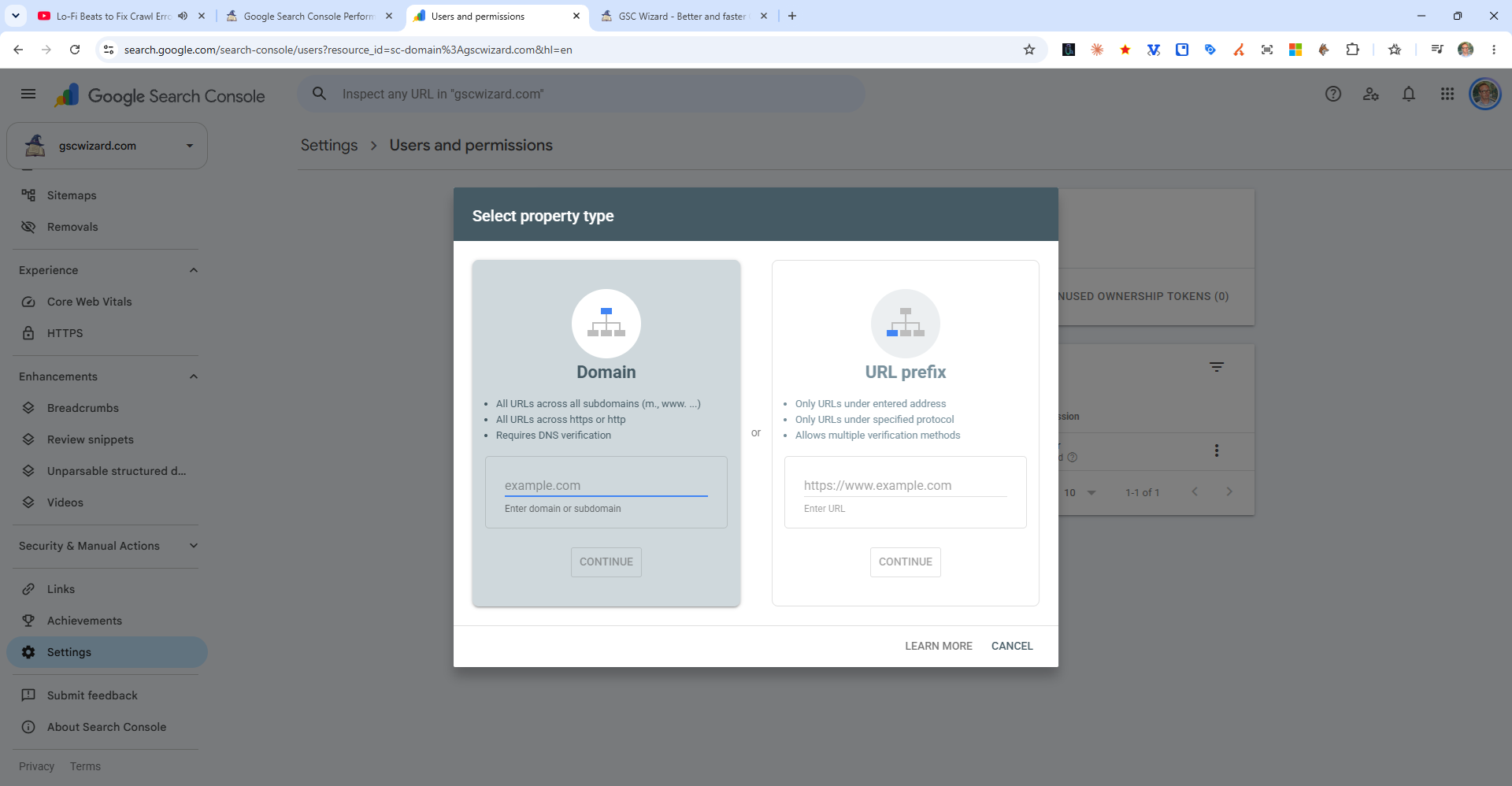
- Choose your property type:
- Domain - Covers all subdomains (www, blog, shop, etc.) and both http/https. Requires DNS verification.
- URL prefix - Covers only pages under the exact URL you enter. Offers more verification options.
- Enter your website URL and click Continue
- Follow the verification instructions for your chosen method
Once verified, Google will begin collecting data. The Performance report typically shows data within 2–3 days, while the Pages (coverage) report may take longer to fully populate.