ChatGPT connectors for Google Search Console data in 2026
OpenAI has renamed this feature twice in eighteen months, and there has never been an official Google Search Console connector. This playbook cuts through the naming, shows the four routes that actually carry GSC data into ChatGPT today, and tells you which one to pick for your plan and your site size.
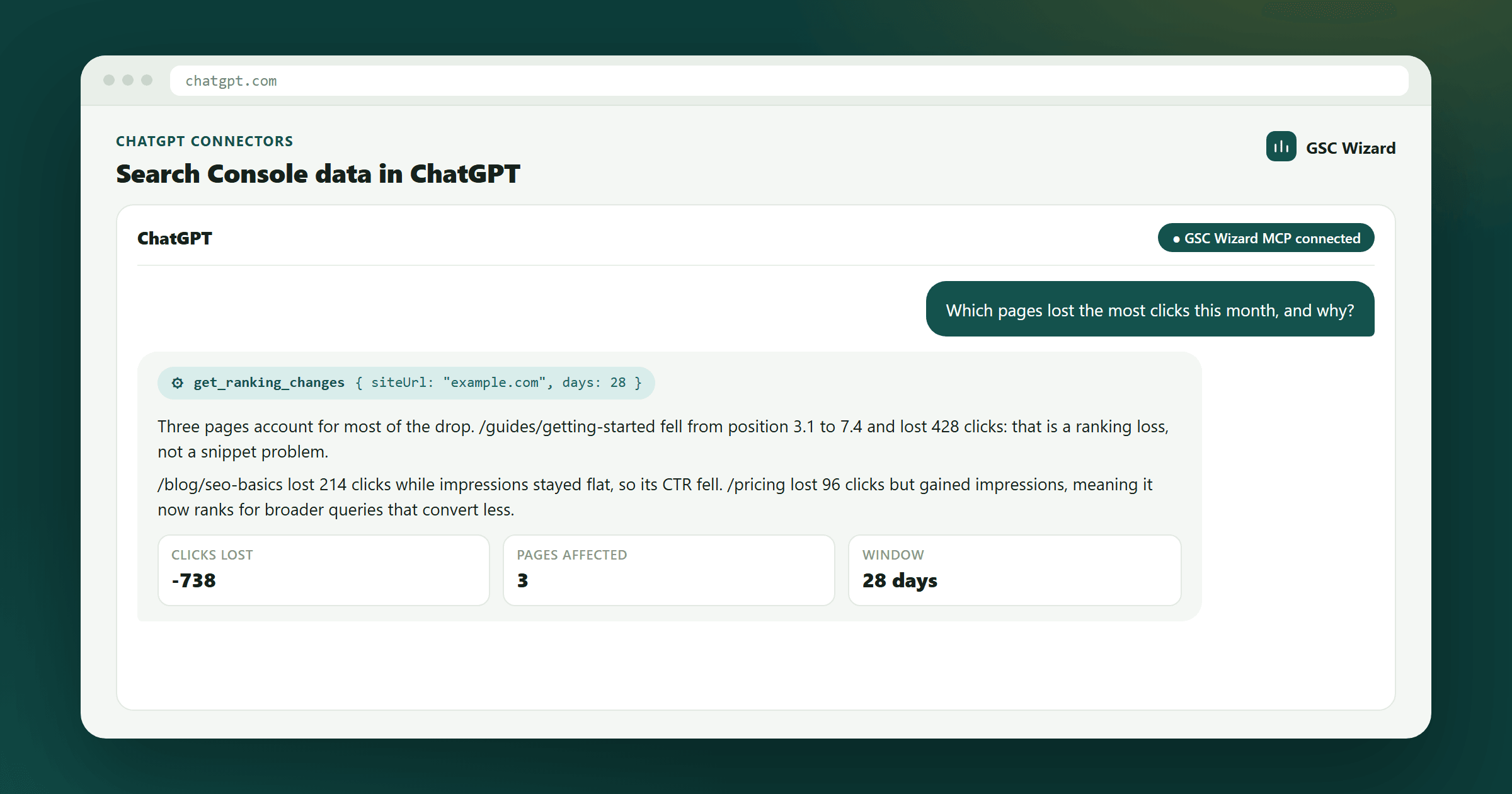
There is no first-party OpenAI or Google connector for Search Console. To get GSC data into ChatGPT in 2026 you install a third-party app from the ChatGPT plugin directory (works on every plan, including Free), or add a remote MCP server as a custom connector in developer mode (needs Plus, Pro, Business, Enterprise or Edu). Both routes are the same underlying mechanism: a remote MCP server over HTTPS, authorised once with OAuth. The built-in file connectors behind company knowledge and deep research cannot read Search Console at all.
Get live, queryable Search Console data inside ChatGPT without hitting a row ceiling or building an OAuth app.
About 2 minutes for the directory route, 5 for a custom connector, an afternoon if you self-host.
A Search Console property you own, and a ChatGPT account. Developer mode needs a paid plan.
Connectors, apps, plugins: the same wiring, three names
Most of the confusion around this topic is vocabulary, not technology. If you search for "ChatGPT connectors" you will find guides that use three different words for the same thing, written at three different moments:
| When | What OpenAI called it | What actually changed |
|---|---|---|
| 2025 | Connectors | Built-in data sources (Drive, SharePoint, Slack) plus, later, custom MCP servers under an Advanced toggle. |
| December 2025 | Apps | A rename. Apps gained interactive UI cards via the Apps SDK, which is itself built on MCP. Existing connections kept working. |
| July 2026 | Plugins | The app directory became the plugin directory, shared across ChatGPT and Codex. A plugin can bundle skills, apps and templates. Apps remain the integration layer underneath. |
Note what is not in that right-hand column: the connection itself. Through all three names, an integration is a remote Model Context Protocol server sitting on a public HTTPS endpoint, authorised with OAuth. A 2025 tutorial about "adding a connector" and a 2026 tutorial about "installing a plugin" are describing identical steps with different labels. When you evaluate a Search Console integration, ignore the noun and ask what the server on the other end actually returns.
There is no official Search Console connector, and there probably won't be
Two things people expect to exist, and don't:
- An OpenAI-built Search Console connector. OpenAI's built-in connectors are document and messaging sources. There is no first-party Google Search Console entry, and nothing in OpenAI's roadmap suggests marketing APIs are the direction.
- A Google-built one. Google has shipped managed MCP services for several of its products, but Search Console is not among them. The Search Console API is old, stable, and quietly under-invested in, and Google has no obvious incentive to make its performance data trivially portable into a competitor's assistant.
So every route below is third-party by definition. That is not a warning sign; it is simply the shape of the market. What matters is what sits between the Search Console API and the model, and how much work it does before the model sees anything.
The four routes, compared
| Route | Plans | Setup | Best for |
|---|---|---|---|
| Directory app / plugin | Free, Go, Plus, Pro, Business+ | ~2 min, no config | Almost everyone |
| Custom MCP connector | Plus, Pro, Business, Enterprise, Edu | ~5 min, paste a URL | Full tool catalogue, incl. write tools |
| Responses API | Any API account | A tools array entry | Scripts, cron jobs, your own agents |
| Built-in file connectors | Business, Enterprise, Edu | Already on | Not usable for GSC |
Route 1: install an app from the plugin directory
The lowest-friction option, and the only one that works on Free and Go. You open the directory inside ChatGPT, find a Search Console integration, install it, and sign in with Google once. No Google Cloud project, no OAuth consent screen of your own, no OpenAPI schema.
This is how GSC Wizard for ChatGPT is distributed. Because apps built on the Apps SDK can render their own UI, results come back as interactive cards and sortable tables rather than a wall of JSON, which matters more than it sounds when you are looking at 200 queries.
The catch: you get the tools the publisher chose to expose in the app surface, which is usually a curated subset rather than everything their server can do. If you want the complete catalogue, use Route 2 instead.
Route 2: add a custom MCP connector in developer mode
This registers any remote MCP server directly, and exposes every tool that server offers, reads and writes alike. It needs developer mode, which is a paid-plan feature.
1. Turn on developer mode. The toggle has moved between releases: it has lived under Settings → Connectors → Advanced, under Settings → Apps, and under Settings → Security and login. If a guide sends you to the wrong place, search your settings for "developer mode" rather than assuming the feature is gone. On Business, Enterprise and Edu, a workspace admin controls it under Permissions & Roles, and may have disabled it or allowlisted specific servers.
2. Add the server URL. For GSC Wizard that is https://mcp.gscwizard.com/mcp. Set authentication to OAuth and leave the client ID and secret blank — the server supports dynamic client registration, so ChatGPT registers itself.
3. Sign in once. Approve the consent screen and the tools appear in the composer for any chat. ChatGPT will ask you to confirm before any write action, every conversation — that prompt is a feature, not a misconfiguration.
The catch: ChatGPT only accepts remote servers on a public HTTPS endpoint. A local stdio server launched with npx or python — the way most open-source GSC MCP servers ship — will not register. Those work in config-file clients like Claude Desktop, not here. To use one in ChatGPT you must deploy it yourself and put OAuth in front of it. There is also no API-key field anywhere in this flow, by design: ChatGPT cannot present a static bearer token to a remote server.
Route 3: the Responses API
For scripts, scheduled jobs and your own agents, skip the ChatGPT UI entirely. The Responses API accepts a remote MCP tool with a headers object, so here you can pass a key directly:
{
  "type": "mcp",
  "server_label": "gsc-wizard",
  "server_url": "https://mcp.gscwizard.com/mcp",
  "headers": { "Authorization": "Bearer gscw_live_..." }
}
This is the route for a daily SEO agent that posts a summary to Slack every morning, or any workflow where a human is not present to click through an OAuth screen.
Route 4: built-in file connectors (why this one fails)
Worth stating plainly, because it is the most common wasted hour. The connectors behind company knowledge and deep research — Google Drive, SharePoint, Slack, GitHub, Gmail, Notion, and the rest — index documents and messages. They search files. Search Console is a metrics API with no document surface, so it will never appear in that list no matter how long you wait.
The workaround people reach for is exporting a GSC report into Drive so company knowledge can read it. That technically works and is almost always a mistake: you are now querying a frozen snapshot, capped at whatever the export gave you, that goes stale the moment Google's data updates. If the answer to "why is this query down?" depends on data older than your last export, you will get a confidently wrong answer.
The row ceiling nobody mentions until you hit it
This is the single biggest difference between connectors that look identical in a feature table, and it only shows up on real sites.
Most Search Console connectors are thin wrappers: they authenticate to the API, call searchAnalytics.query, and hand the rows to the model. If that is what yours does, you inherit Google's limits exactly:
| Limit | Value | What it costs you |
|---|---|---|
| Default rows per request | 1,000 | Silent truncation unless the connector sets rowLimit |
| Maximum rows per request | 25,000 | Anything bigger needs pagination the connector has to implement |
| Rows per day, per site, per search type | 50,000 | A hard wall. Three exploratory questions on a large site can exhaust it. |
| GSC UI export (if you paste CSVs) | 1,000 | Your long tail is gone before ChatGPT sees it |
There is a second, subtler cost. When a connector returns raw rows, the model does the arithmetic. It sums clicks, averages positions, compares periods and spots patterns by reading numbers in its context window. That is slow, expensive in tokens, and the single most common source of quietly wrong figures in AI-assisted SEO reporting. A weighted average position is not the mean of a column of positions, but a model reading a table will happily treat it as one.
The alternative is a connector that computes server-side. GSC Wizard runs each analysis against its own data warehouse first and returns a finished result — the decay list, the cannibalisation pairs, the CTR-versus-position curve — so the model reads a conclusion rather than recomputing one. It is the difference between asking a colleague for the numbers and asking them for the analysis.
What to ask once it's connected
Plain language works. These all resolve to a single tool call returning a computed answer:
Each one maps onto a manual workflow you can also run by hand: striking-distance queries, content decay, cannibalisation, CTR recovery. Reading the playbook first is worth it — it tells you what a good answer looks like, so you can tell when the assistant hands you a bad one.
The other connectors in this space
Several third parties publish Search Console integrations for ChatGPT. They fall into two camps, and the camp matters more than the brand:
- Data pipes. Windsor.ai, Coupler.io and similar ETL platforms treat Search Console as one source among dozens of ad and marketing APIs, piping it into ChatGPT, Sheets or a BI tool. Excellent if you already centralise a dozen platforms and want GSC on the same pane of glass. They are not SEO tools: you get clicks, impressions, CTR and position, not decay detection or cannibalisation analysis.
- SEO-specific connectors. A smaller group, including GSC Wizard, is built around SEO mechanics rather than generic metric streaming. The useful question to ask any of them: does it return rows, or does it return an analysis? That one question predicts token cost, answer latency and numerical accuracy better than any feature list.
And the DIY floor: a self-hosted open-source GSC MCP server, or a Custom GPT Action you build yourself against the Search Console API. Both are free, both are readable line by line, and both make you the ops team — your own Google Cloud project, your own OAuth consent screen, your own public HTTPS deployment, plus Google's app-verification queue if you ever want to hand it to a client. We compare all of these side by side in five ways to connect Search Console to ChatGPT, and rate the broader ecosystem in the best SEO MCP servers.
Troubleshooting
| Symptom | Cause and fix |
|---|---|
| No developer mode toggle | You are on Free or Go, or a workspace admin disabled it. Install a directory app instead, which needs no developer mode. |
| Server URL rejected | The endpoint is not publicly reachable over HTTPS, or it is a local stdio server. ChatGPT accepts remote servers only. |
| Nowhere to paste an API key | Expected. Custom connectors use OAuth 2.1. Use the Responses API if you need key-based auth. |
| Tools do not appear in the composer | The OAuth flow did not complete, or the connector is enabled but not selected for this chat. Re-authorise, then check the composer's tool list. |
| Numbers disagree with the GSC UI | Usually truncation or model arithmetic over raw rows. Check whether your date range crosses the ~2-day reporting delay, and whether the connector returned all rows or the first 1,000. |
| Confirmation prompt on every write | By design. ChatGPT re-asks per conversation for write-capable tools. |
Frequently asked questions
Is there an official OpenAI connector for Google Search Console?
No. OpenAI ships no first-party Search Console connector, and Google's list of managed MCP services does not include Search Console either. Every working route is third-party.
Are connectors, apps and plugins different things?
Not for this purpose. Connectors became apps in December 2025, and the app directory became the plugin directory in July 2026. The underlying connection — a remote MCP server over HTTPS with OAuth — never changed.
Which ChatGPT plan do I need?
Installing an app from the directory works on Free and Go as well as Plus and Pro. Custom MCP connectors need developer mode: Plus, Pro, Business, Enterprise or Edu, subject to admin policy on the business plans.
Can company knowledge or deep research read my Search Console?
No. Those connectors index documents and messages. Search Console is a metrics API with no document surface. Exporting reports to Drive so they can be indexed gives you stale snapshots, not live data.
How many rows can a connector return?
A thin API wrapper inherits Google's ceilings: 1,000 rows per request by default, 25,000 maximum per request, and 50,000 per day per site per search type. Connectors that precompute analysis server-side return a finished answer instead of the rows, so the per-request ceiling binds differently.
Can I use a local open-source GSC MCP server?
Not in ChatGPT. It only accepts remote HTTPS servers, so a local stdio server started with npx or python will not register. Deploy it publicly with OAuth in front, or use it in a config-file client like Claude Desktop instead.
Does this work in Bing Copilot or other assistants too?
The same MCP endpoint works in any MCP-capable client. We have step-by-step guides for Claude, Gemini, Grok and any MCP client.
Next steps
If you want the fastest working setup: install the GSC Wizard app for ChatGPT (open it in ChatGPT), or follow the step-by-step ChatGPT connection guide → which walks all three routes with screenshots.
If you are still deciding: five ways to connect Search Console to ChatGPT weighs CSV exports and DIY builds against hosted options on cost and effort.
Once it is connected, put it to work with the Week 1 quick wins checklist →, or wire it into a recurring daily SEO agent. New to the underlying metrics? Start with clicks vs. impressions and the SEO glossary.
Written by Jan-Willem Bobbink · Published September 19, 2026