Google's Google Ads MCP server vs GSC Wizard
Google publishes its own open-source MCP server for the Google Ads API. It is free, it can run any GAQL query against any account your credentials reach, and if you are comfortable running a Python service with your own Google Cloud project, it is the most flexible way to put Google Ads in an AI assistant. GSC Wizard's MCP server is hosted, read-only and built on reports that already join Google Ads with Search Console, GA4 and Merchant Center. This page says when each is the better choice, and for a developer who wants raw access, the answer is Google's.
Disclosure: I make GSC Wizard, so read this as one side's account. To keep it useful, the section on where Google's own MCP server is the better choice comes first and is written as carefully as the one about GSC Wizard. Facts about other products come from each vendor's own website, checked November 22, 2026, and every source is linked at the bottom. Spot an error? Tell me.
On this page
You are a developer or have one, you want any GAQL query on live data, you want the data to go only between Google, your server and your AI client, and you do not need organic search next to it.
You want nothing to host or apply for, answers built on paid and organic data together, and an assistant that cannot change the account even by mistake.
A developer wants raw queries for one-off questions and the rest of the team wants ready-made reports. Most AI clients connect to several MCP servers at once.
GSC Wizard vs Google Ads MCP server at a glance
Facts about Google's server come from its GitHub repository and README and from Google's developer integration guide, read on November 22, 2026. The last column says who has the edge on that row.
| Compared on | GSC Wizard | Google Ads MCP server | Edge |
|---|---|---|---|
| Price | €17 a month ($19), with the rest of GSC Wizard | Free and open source; you pay for hosting source | Google Ads MCP |
| Where it runs | Hosted at mcp.gscwizard.com; nothing to run | You run it: locally over stdio, or remotely on Cloud Run source | GSC Wizard |
| What setup takes | Sign in, connect Google Ads once in the web app, add the server URL | A Google Cloud project, an OAuth client, and production API access approved for the project source | GSC Wizard |
| What you can ask | 16 report tools; no raw GAQL | Any GAQL query on any field the API exposes source | Google Ads MCP |
| Data | A stored copy: 16 months on link, last 14 days re-read daily | Live from the Google Ads API on every call source | Google Ads MCP |
| Accounts | Accounts you link to a property, including client accounts under a manager | Every account your credentials can access, manager accounts included source | Google Ads MCP |
| Writes | None | Assets, videos and labels after a confirm step; can be switched off source | Depends |
| Organic data next to Ads | Search Console, GA4, Bing and Merchant Center in the same server, with joined reports | Google Ads only | GSC Wizard |
| Analysis done for you | Paid vs organic overlap, replaceable spend, health check, product matrix, landing-page scorecard | None; the assistant writes the queries and the analysis | GSC Wizard |
| Google Ads API quota | Questions read the stored copy and use none | Every read calls the API with your project source | GSC Wizard |
| Audit log of tool calls | Not offered | Structured audit events for every tool call source | Google Ads MCP |
| Who maintains it | Me, as part of GSC Wizard | Google, in the open, under Apache 2.0 source | Depends |
Edge count: Google Ads MCP 5, GSC Wizard 5, tie or depends 2. I chose the rows, so weigh them by what you actually need, not by the tally.
Where Google's own MCP server is the better choice
For a developer, Google's server is hard to beat, and it costs nothing. These are the points where it is the better choice.
It is free and open source
The server is on GitHub under the Apache 2.0 licence, and Google documents it on its developer site. You pay only for where you run it, which can be your own laptop over stdio, and for the AI client you already use. GSC Wizard's server comes with a GSC Wizard plan, from €17 ($19) a month.
Any question the API can answer
Its search tool runs any GAQL query, and a metadata tool tells the assistant which fields a resource can select, filter and sort by, so the assistant can reach every report and field in the Google Ads API: auction-time segments, audiences, demographics, assets and whatever Google adds next. That is a far wider surface than GSC Wizard's 16 tools.
GSC Wizard deliberately has no raw query tool. The Google Ads Developer Policies do not let it re-expose Google Ads capabilities through its own API, so its tools answer fixed questions from its stored copy. If your question is not one of those, Google's server is the one that can answer it.
Live data, and every account you can reach
Its read tools query the Google Ads API directly, so an answer reflects the account as it is right now, and it can list and query every account your credentials can access, including client accounts through a manager account. GSC Wizard reads a copy that is refreshed daily, for the accounts you have linked to a property.
Your data stays between you and Google
When you run it yourself, account data travels between Google, your own server and your AI client, with no other company in between. It also writes a structured audit record of every tool call, which a security team may require. GSC Wizard stores a copy of your Ads reporting data in its own warehouse in Germany; that is how its reports work, but it is one more party holding the data.
Small writes, when you want them
It can create assets, upload videos and manage labels, each through a propose-and-confirm step with a checksum, and you can switch those tools off for a read-only server. GSC Wizard writes nothing at all. If you want an assistant to tag campaigns with labels or add a sitelink, Google's server can and GSC Wizard cannot.
Where GSC Wizard is the better choice
GSC Wizard's server is built for people who want answers rather than queries, and for the questions where organic search matters. These are the points where it is the better choice.
Nothing to host, nothing to apply for
Google's guide asks for a Google Cloud project with the Google Ads API enabled, an OAuth client, and production access: enabling the API only grants test access, and real accounts need Explorer, Basic or Standard access approved for the project. A remote, shared server means deploying it, for example on Cloud Run. With GSC Wizard you connect Google Ads once in the web app and add https://mcp.gscwizard.com/mcp to your assistant, with OAuth sign-in or an API key.
Organic search in the same answer
The same server has the Search Console, GA4, Bing and Merchant Center tools, and several Ads tools are joins: get_paid_vs_organic matches paid terms to Search Console queries, get_replaceable_spend estimates the paid spend organic would likely replace, and get_search_scorecard compares each landing page's paid and organic performance with GA4 outcomes. Google's server sees Google Ads only, so the assistant would have to combine it with another source itself.
The analysis is already done
Tools such as get_google_ads_health (a score and 13 checks with the spend affected) and get_product_matrix (every product against its campaigns' target ROAS) return finished results, calculated the same way every time and on the property's own thresholds. With raw GAQL, the assistant writes the query, picks the thresholds and does the arithmetic itself, which is flexible and also where answers drift from one month to the next.
No API quota per question, and read-only by design
GSC Wizard's tools read its stored copy, so a long conversation uses no Google Ads API operations; the sync runs on its own schedule. And the server has no tool that can change the account, so there is nothing to switch off. Google's server is read-mostly and can be configured read-only, which is a fair answer too; GSC Wizard simply never had the write tools.
Works where you already are
The GSC Wizard MCP server works in Claude, ChatGPT through a developer-mode connector, Gemini, Cursor, VS Code and other clients that accept a remote MCP server. One caveat: the Microsoft-certified Copilot connector does not include the Google Ads tools, so in Copilot Studio you add the full server by hand, as the Google Ads in Copilot guide shows.
What each one costs
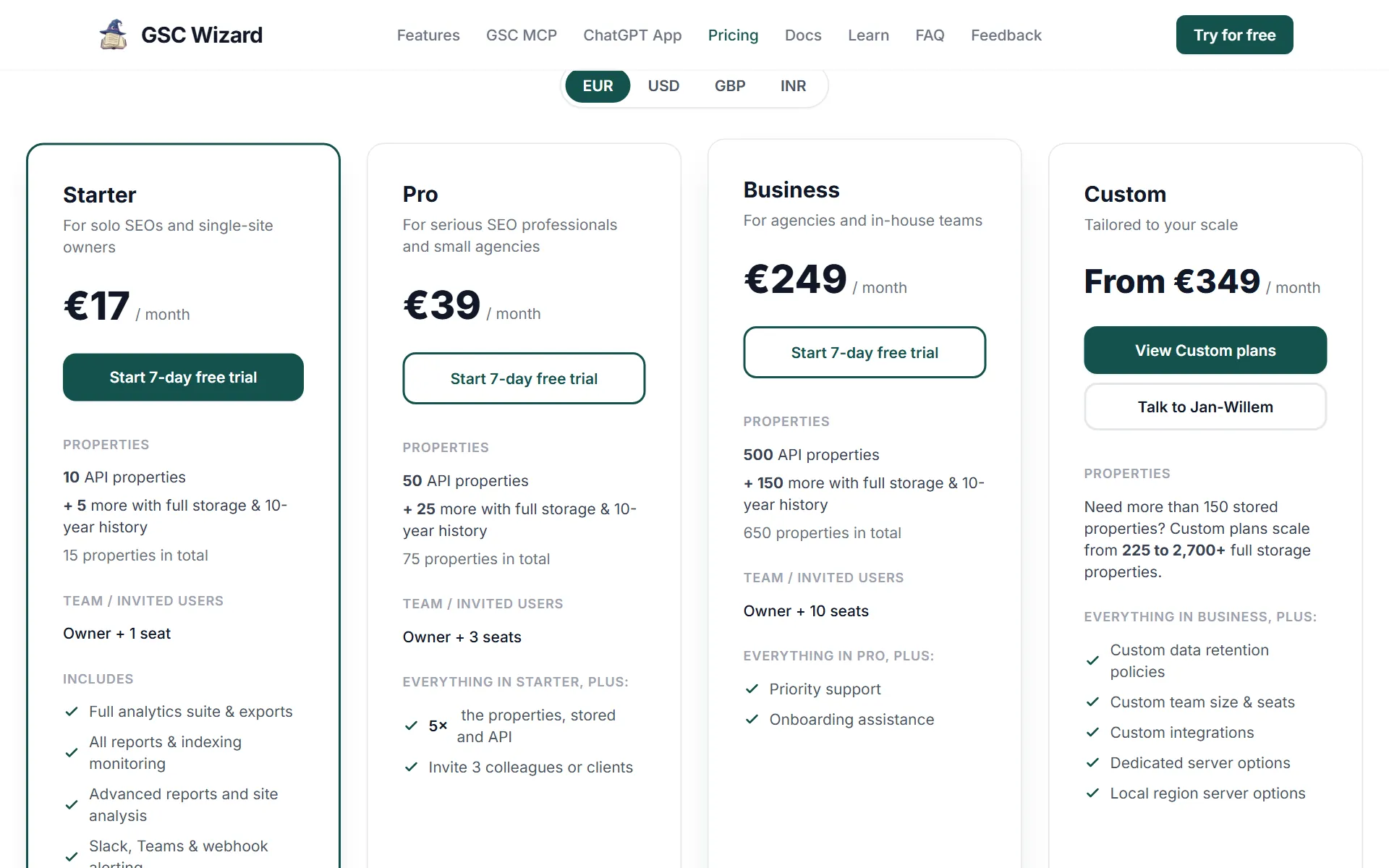
Google's server is free software you run yourself. GSC Wizard's is part of a plan priced by Search Console properties and seats. What each costs to use:
| Situation | GSC Wizard | Google's server |
|---|---|---|
| One person, one account, on a laptop | $19 a month (Starter) | Free (runs locally over stdio) |
| A team sharing one remote server | $19 to $49 a month (Starter or Pro), nothing to host | Free software plus your Cloud Run costs |
| An agency asking about 20 client accounts next to their SEO data | $49 a month (Pro) | Free, plus a separate source for Search Console |
GSC Wizard prices on November 22, 2026, before any VAT; €17, €39 and €249 a month in euros. Google publishes no price for its server because there is none: the costs are your hosting, the time to set it up and keep it running, and the Google Ads API access your Cloud project needs.
Using both servers
Most AI clients accept several MCP servers, so the two can sit side by side. GSC Wizard's tools answer the recurring questions with paid and organic data together, and Google's server is there for the one-off question that needs a field GSC Wizard does not store.
If you connect both, give the assistant a hint about which to use: GSC Wizard's answers come from a copy refreshed daily, and Google's come live from the API, so the two can differ for the most recent days.
Which one should you pick?
A developer who wants full access
Google's server. Free, live, any GAQL query, and data that only passes through your own infrastructure.
A marketer who wants answers
GSC Wizard. Hosted, read-only, and built on reports that already join Google Ads with Search Console.
A team with both
Both. Connect the two to the same assistant and let it pick per question.
Frequently asked questions
Is there an official Google Ads MCP server?
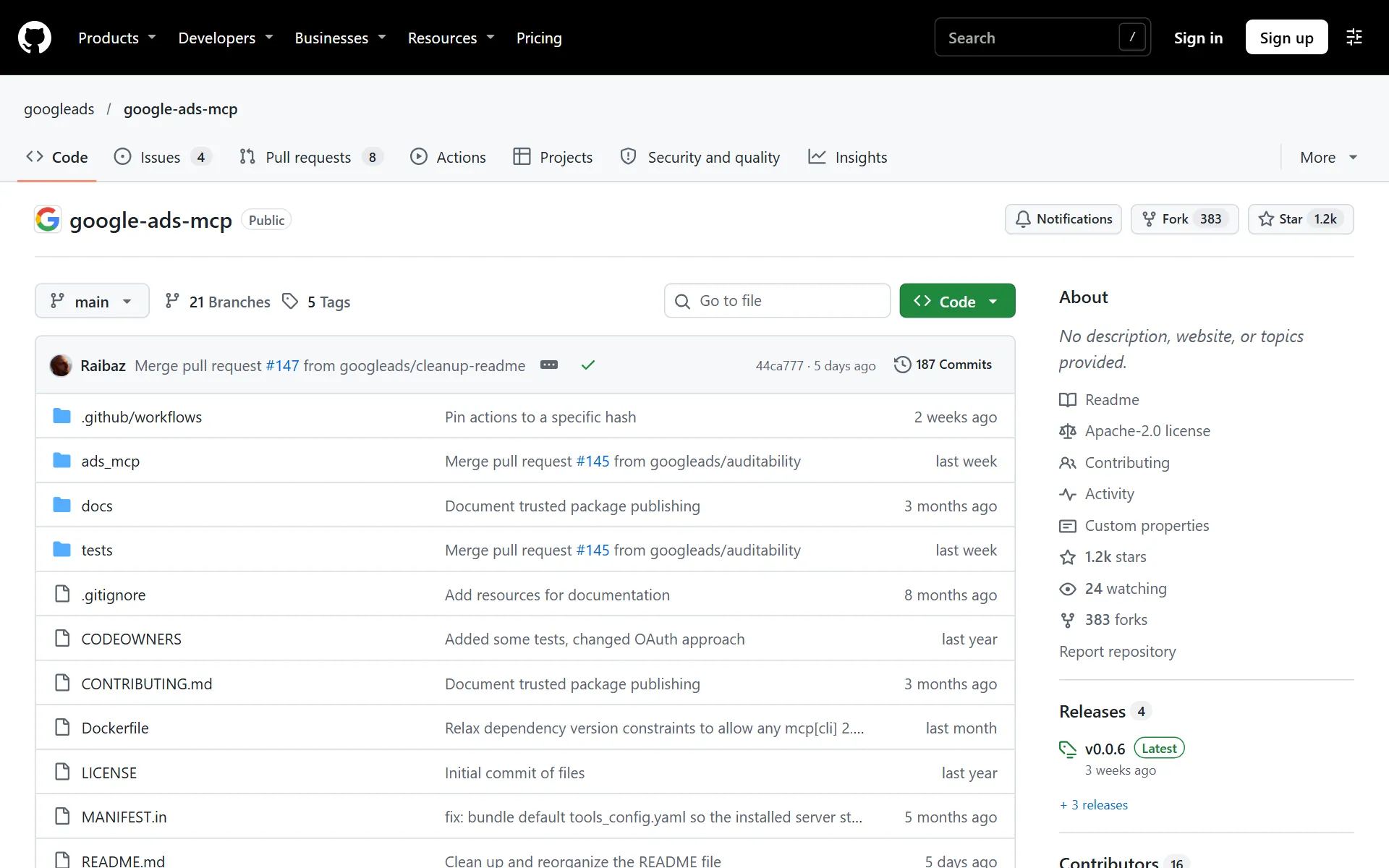
Yes. Google publishes one as open source at github.com/googleads/google-ads-mcp and documents it in its Google Ads API developer guide. It offers GAQL queries, an account list and field metadata as read tools, and asset, video and label tools as guarded writes.
Do I need a developer token for the Google Ads MCP server?
Not any more. Google's guide says developer tokens were retired on September 9, 2026; access now comes from the Google Cloud project that owns your OAuth client, and production accounts need Explorer, Basic or Standard access approved for that project. GSC Wizard's server needs none of this from you.
Can the Google Ads MCP server change my campaigns?
It cannot create or edit campaigns, budgets or bids. Its write tools create assets, upload videos and manage labels, each after a propose-and-confirm step, and they can be switched off. GSC Wizard's server has no write tools for Google Ads at all.
Why does GSC Wizard not offer raw GAQL queries?
The Google Ads Developer Policies do not allow a tool to re-expose Google Ads capabilities through its own API. GSC Wizard's tools therefore answer fixed reporting questions from its stored copy, and never call the Google Ads API on your behalf during a conversation.
Which one is the best Google Ads MCP server?
It depends on who asks. The guide to Google Ads MCP servers compares seven, from Google's own to tools that can change campaigns with your approval.
Sources and method
Every fact about another product on this page comes from that vendor's own website (pricing page, documentation or product announcements), read on November 22, 2026. Prices are quoted in the currency the page showed. Vendors change plans often, so check the linked page before you buy. Claims about GSC Wizard come from my own pricing and documentation.
GSC Wizard
- Pricinggscwizard.com/pricing.html
- Featuresgscwizard.com/features.html
- Documentationgscwizard.com/docs.html
- Privacy policy (data hosting)gscwizard.com/privacy.html
Google Ads MCP server
- Repositorygithub.com/googleads/google-ads-mcp
- README (tools, setup, read-only mode)raw.githubusercontent.com/googleads/google-ads-mcp/main/README.md
- Developer integration guidedevelopers.google.com/google-ads/api/docs/developer-toolkit/mcp-server
GSC Wizard for Google Ads
- Google Ads documentationgscwizard.com/docs/google-ads.html
- Google Ads overviewgscwizard.com/ads/index.html
- Connecting and syncing Google Adsgscwizard.com/docs/google-ads/sync-and-data.html
- Paid vs organic reportgscwizard.com/docs/google-ads/paid-vs-organic.html
- Brand Savingsgscwizard.com/docs/google-ads/brand-savings.html
- Ads Health Checkgscwizard.com/docs/google-ads/health-check.html
- Ads change historygscwizard.com/docs/google-ads/change-history.html
- Ads alertsgscwizard.com/docs/google-ads/alerts.html
- Google Ads in AI assistantsgscwizard.com/docs/google-ads/ai-assistants.html
All sources read on November 22, 2026.
Found something that is wrong or out of date? Tell me and it gets corrected. That includes the vendors named here: if I have described your product unfairly, I want to know.
Written by Jan-Willem Bobbink · Published November 22, 2026 · Facts and prices checked November 22, 2026