Google Ads in AI assistants
Ask your assistant about Google Ads spend, search terms, products and account health, joined with your organic data.
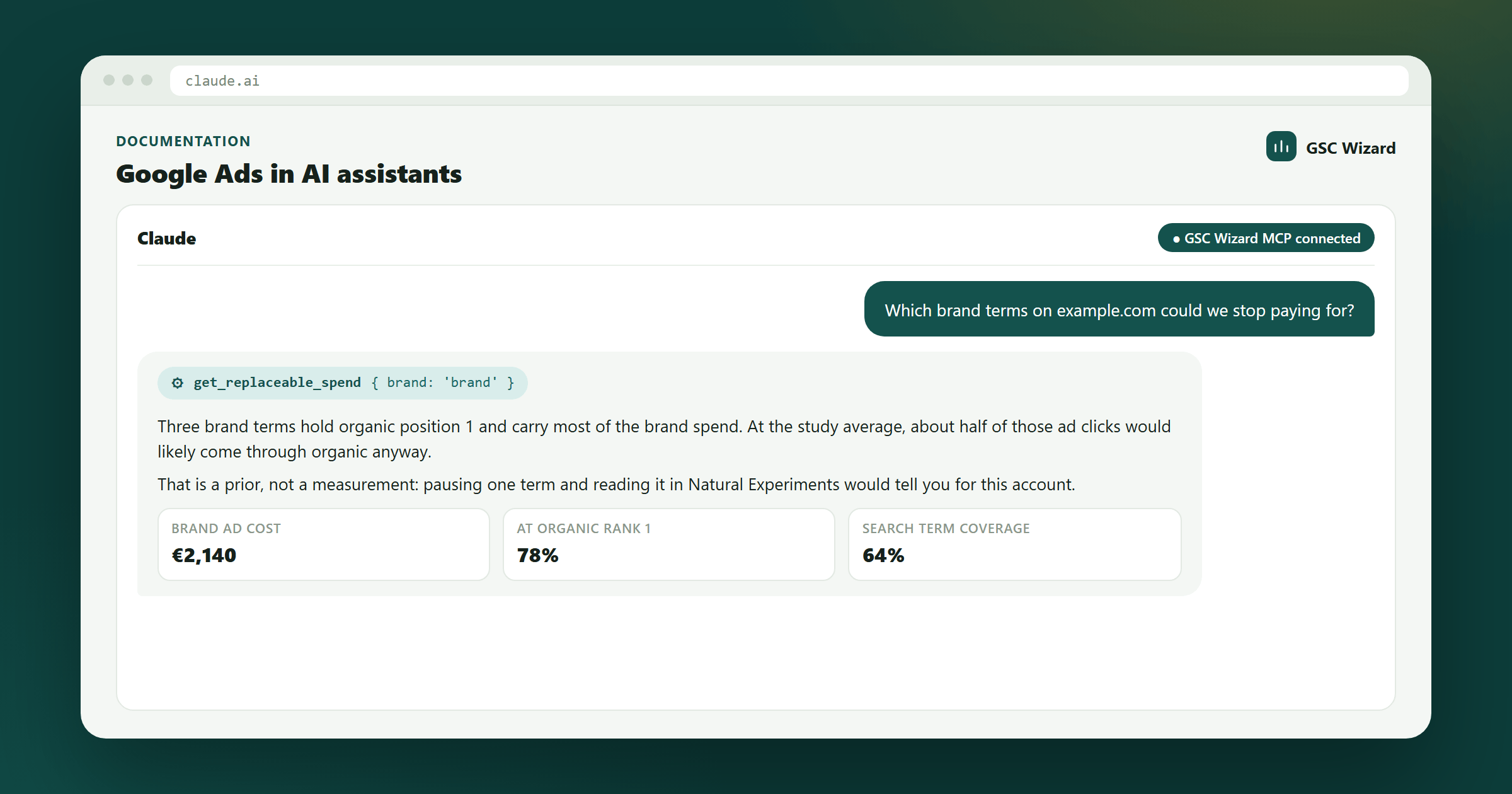
The GSC Wizard MCP server at https://mcp.gscwizard.com/mcp has 16 Google Ads tools, so you can ask Claude, ChatGPT, Gemini, Copilot or any other MCP client about your Ads accounts next to your Search Console, GA4 and Merchant Center data. None of them can change a Google Ads account: 13 read data, and 3 (link, unlink and sync) manage the connection inside GSC Wizard. If you have connected an assistant to GSC Wizard before, there is nothing new to set up: the tools are on the same server.
The MCP server never calls the Google Ads API. The report tools read the same warehouse copy as the web app, with the same queries. The account tools (list, link, unlink, sync) go through GSC Wizard’s own code, exactly like the buttons in the app. No tool changes anything in a Google Ads account, and there is no tool for raw Google Ads queries.
Before you start
- An assistant connected to GSC Wizard: Connecting AI assistants explains the server address, OAuth sign-in and API keys.
- A Google login with Ads access connected once in the web app, on a property’s Google Ads Overview (Connecting Google Ads). Google’s consent step cannot run inside an assistant. After that, an assistant can list, link and sync accounts itself.
- For linking, unlinking and syncing, write access: a read-and-write API key, or a sign-in with changes allowed. A read-only connection can use every report tool.
- On a property shared with you, the owner has to turn on Google Ads for you in Team Management, as in the web app.
The 16 tools
You never need the names: ask in your own words and the assistant picks the tool. They help when you want to steer it, or when you call the REST API.
| Tool | What it answers |
|---|---|
get_google_ads_setup | Which accounts are linked to a property, their sync state, the stored date range and the last error. Assistants call it first for any Google Ads question. |
get_google_ads_overview | Spend, clicks, conversions and ROAS against the previous period, spend by campaign type, the campaigns (with impression share bounds) and an optional daily series. |
get_google_ads_search_terms | Search terms across Search, Shopping and Performance Max, filtered to converting or non-converting terms, or mined into 1, 2 or 3-word n-grams, with the share of campaign cost the terms cover. |
get_google_ads_keywords | Search keywords with their Quality Score and its three components, optionally only those with a below-average landing page experience, plus the weighted Quality Score per day. |
get_google_ads_landing_pages | Paid landing pages with cost and conversions next to their organic clicks and position, and the organic clicks valued at the paid CPC. |
get_google_ads_shopping | Paid Shopping and Performance Max performance per product (Merchant Center offer id), optionally only products without conversions or clicks. |
get_google_ads_change_history | Structural changes to campaigns, budgets, ad groups, keywords and ads, kept beyond Google’s 30 days, with who made each change and with which tool. |
get_google_ads_health | The 0-100 health score and its 13 checks, each with the finding, the fix, the affected campaigns or URLs and their spend, including paid pages Google does not index. |
get_paid_vs_organic | Paid search terms joined to the same Search Console queries, by where the site ranks (both in the top 3, positions 4 to 20, below 20, paid only, organic only), with organic clicks priced at your own CPC. |
get_product_matrix | Every advertised product in a bucket (hero, sidekick, villain, zombie, below target) against its campaigns’ target ROAS, with one-call what-ifs for the target and the bucket rules. |
get_replaceable_spend | Paid cost weighted by the published incrementality prior for the organic position held, split brand and non-brand. An estimate at the study average: only a pause test measures it. |
get_search_scorecard | Landing pages with paid cost, Search Console clicks and position, and GA4 sessions and key events per search channel, flagging pages with spend and no organic visibility and pages where paid converts worse. |
list_google_ads_accounts | The Google Ads accounts your connected Google logins can reach, including client accounts under a manager, and which of them can be linked. |
link_google_ads_account | Links an account to a property and starts the 16-month import, then the daily refresh. Write access. It skips the domain check the web app runs, but like the web app it links only when Google confirms, at that moment, that your Google login can read the account. |
unlink_google_ads_account | Unlinks an account and deletes the Google Ads data stored for that property; other properties keep theirs. Write access, and marked destructive, so clients ask before running it. |
sync_google_ads | Imports pending history now, newest month first, for about 40 seconds per call, and reads the daily window when it is due (the same days only a few times a day; otherwise it says the data is already up to date); the background sync continues from there. Write access. |
Every report tool takes an optional start and end date, shows money in the property’s report currency, converted like the reports and named in each answer, and gives CTR and conversion rate as percentages. When no Ads account is linked to the property, a tool answers notConfigured with the reason, and the fix is in the web app. sync_google_ads counts as five calls against the MCP rate limit.
What to ask
Name the property when you have more than one. A few prompts per kind of question:
- Setup and freshness: “Which Google Ads accounts are linked to example.com, and how current is their data?” “Link the Ads account 123-456-7890 to example.com and start the import.”
- Performance: “Summarise Google Ads for example.com over the last 30 days against the 30 days before, by campaign type.” “Which budget changes were made last month, and by whom?”
- Search terms and keywords: “List the 50 most expensive search terms without a conversion, and the two-word n-grams behind them.” “Which keywords have a below-average landing page experience?”
- Paid and organic: “Which paid terms do we also rank in the top 3 for organically? Brand terms only.” “How much of our brand spend would organic likely replace, and how sure is that estimate?” “Which landing pages get ad spend but have no organic visibility?”
- Shopping: “Which products are villains against a target ROAS of 400%?” “Which Shopping products had clicks and no conversions this quarter?”
- Audit: “Run the Google Ads health check for example.com and list the failed checks with the spend they affect.”
Which clients show the tools
The Google Ads tools are on the full server at https://mcp.gscwizard.com/mcp. Most clients show them as soon as you connect; a few need a note.
- Claude (app, Claude Code, Desktop, Agent SDK), Codex, Gemini and Grok show every tool: see the Claude, Codex, Gemini and Grok guides.
- ChatGPT: the GSC Wizard app from the ChatGPT App Store carries the Google Ads tools, and a developer-mode connector gets every tool the server has. See the ChatGPT guide.
- Microsoft Copilot: the certified connector in Copilot Studio and Microsoft 365 Copilot has a fixed set of 24 tools without Google Ads. Connect the full MCP server by hand to get them, as the Copilot guide describes.
- Cursor and VS Code: Cursor keeps only the first 40 tools of a listing and VS Code sends at most 128, so the Google Ads tools can fall outside what the client gives the model. If the assistant does not see them, turn off tools you do not need in the client’s tool settings. See Cursor, VS Code & other clients.
- The reduced endpoints,
/mcp/core(25 tools) and the Rank Checker server, do not include the Google Ads tools.
REST API
Every tool is also a REST call: POST https://mcp.gscwizard.com/v1/tools/{name} with an API key, for example /v1/tools/get_google_ads_overview with { "siteUrl": "sc-domain:example.com" }. The public OpenAPI spec lists the Google Ads tools with the rest. n8n & REST API covers authentication, errors and rate limits.
Troubleshooting
A Google Ads tool says notConfigured
No Ads account is linked to that property yet, or it was unlinked. Link one in the web app, or ask the assistant to list your accounts and link one if the connection has write access.
The assistant cannot find the Google Ads tools
The client is on a reduced tool set: the certified Copilot connector, the core endpoint, or a client that cuts long tool lists. Connect the full server address, or turn off tools you do not need.
Linking or syncing returns 403
The connection is read-only. Create a read-and-write key, or reconnect with changes allowed, or use the buttons in the web app. On a property shared with you, it can also mean the owner has not turned on Google Ads for you, or that your access is read-only.
The numbers stop a day or two before today
The reports read the warehouse copy, refreshed daily for the last 14 days. get_google_ads_setup says when each account was last synced.
Part of Google Ads. Related: Connecting AI assistants, Workflows, Connecting Google Ads.