Ads Change History
Structural account changes, kept beyond Google’s 30 days. Read them next to a traffic change before blaming an algorithm update.
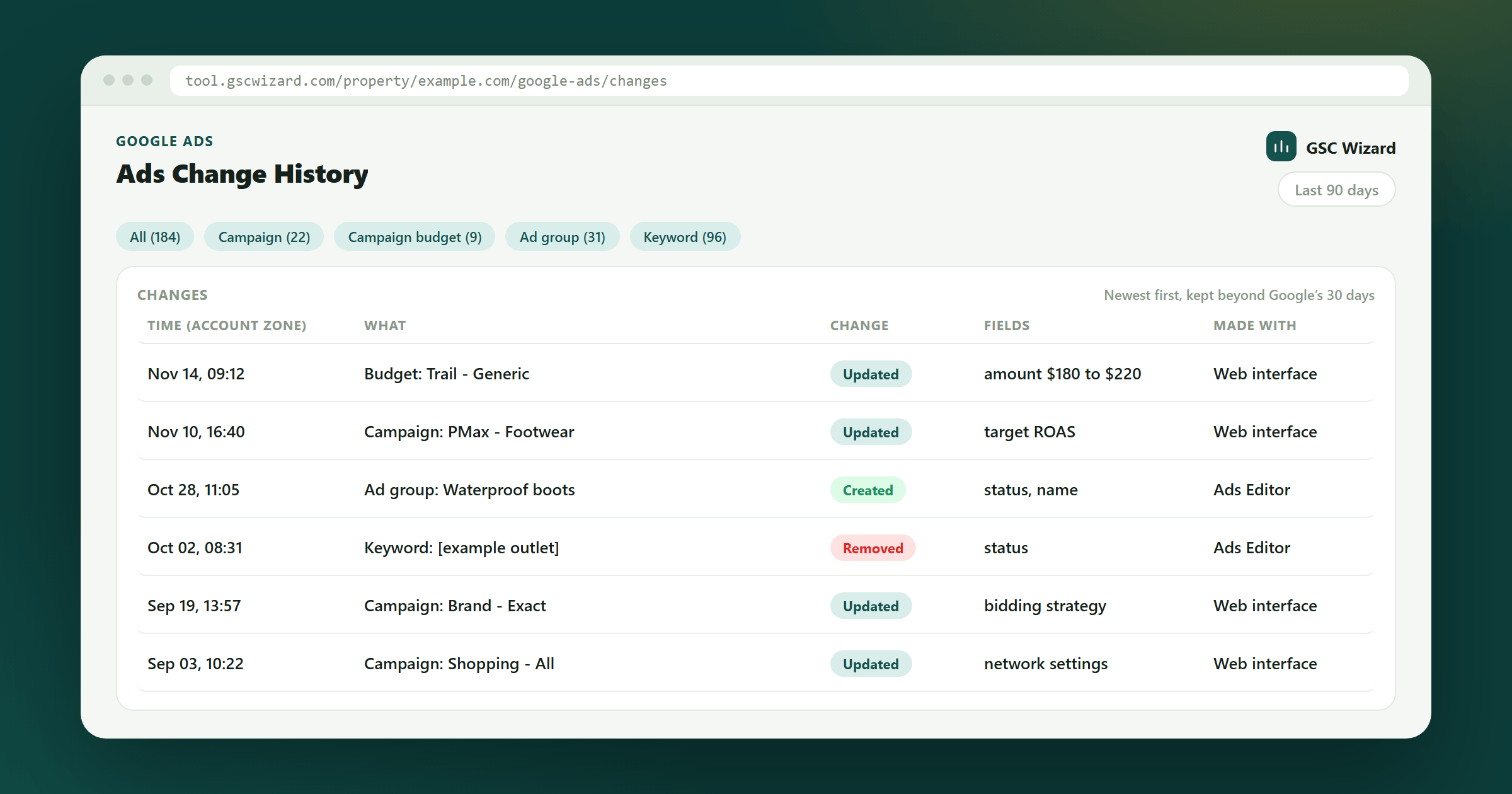
Google Ads keeps its change history for 30 days. GSC Wizard copies it on every sync and keeps it from the first sync on, so months later you can still see which budget or bid strategy changed the week traffic moved.
Open a property and click Ads Change History under PAID SEARCH in the left sidebar (/property/<site>/google-ads/changes). It reads GSC Wizard’s stored copy of your Ads data, never Google live, and the stamp under the title says when each account last synced (Sync, history & data).
What you see
Tabs
All, then one tab per resource type with its count: campaigns, budgets, ad groups, keywords, ads and bid modifiers.
Changes
Newest first, up to 2,000 per period: the time in the account time zone, what was changed, the change, the fields, the tool it was made with (for example the Google Ads web interface, Google Ads Editor or the API) and who made it.
Controls and exports
- Date range and a Filter box.
- The Accounts chips and the report currency work as on every Google Ads report (shared controls).
- Tables sort, hide columns and export CSV (shared controls).
How to act on it
- When a report shows a step change, open the change history for the same days before looking for an outside cause.
- Use Ads Change Analysis to see which factor moved, and the annotations on your Search Console charts to mark the change for later.
Caveats
- History starts about 30 days before the first sync, because that is all Google still has then.
- Asset and feed-tool churn is filtered out at sync, so the list stays readable.
- The email address of the Google Ads user who made each change is stored, as the privacy policy explains.
In AI assistants: the get_google_ads_change_history tool of the GSC Wizard MCP server returns the same changes, beyond Google’s 30 days, with who made them and the tool used; resourceType narrows it to, say, CAMPAIGN_BUDGET. See Google Ads in AI assistants.
Part of Paid search reports. Related: Ads Change Analysis, Budgets and Targets.