How to check if your website shows up in AI search, using your own data
You can check whether your website shows up in AI search without buying a tracker, because three first-party reports already measure it. Google Search Console's Generative AI performance report shows which of your pages got impressions in AI Overviews and AI Mode, Bing Webmaster Tools' AI Performance report shows which pages Microsoft Copilot and Bing's AI answers cited and for which grounding queries, and GA4's AI Assistant channel shows the visits that ChatGPT, Gemini, Copilot and other assistants sent you. Add a look at the conversational queries in your own Search Console data and you know where you appear, where you rank well but stay invisible to AI, and whether your keyword strategy is moving either number.
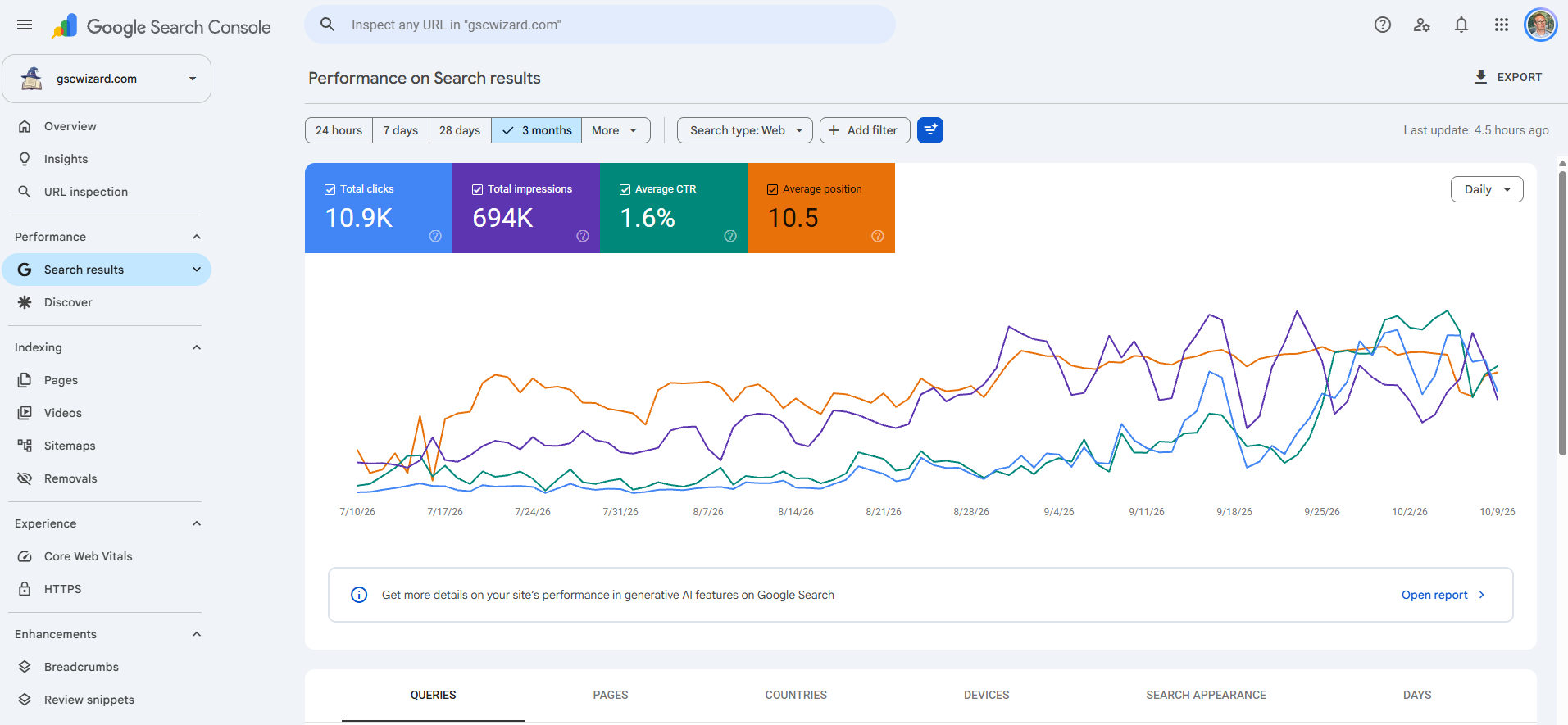
A page-level view of where your site appears in Google, Bing and assistant answers, from measured data only.
About an hour the first time, 20 minutes a month after that.
Search Console, Bing Webmaster Tools and GA4 access for the site, and a spreadsheet.
The three checks at a glance
Each check sees a different surface and counts a different thing, which is why the table below lists the metric before anything else. None of them is complete on its own, and together they still leave out answers that never link to you.
| Check | AI surfaces covered | What it counts | Breakdowns | Queries? |
|---|---|---|---|---|
| Search Console, Generative AI performance report | AI Overviews and AI Mode, combined | Impressions only, no clicks | Page, country, device, date | No |
| Search Console, Performance report (Web) | AI Overviews and AI Mode, blended into all web results | Clicks, impressions, CTR, position | Query, page, country, device, date | Yes, but not labelled as AI |
| Bing Webmaster Tools, AI Performance | Microsoft Copilot, AI summaries in Bing, select partners | Citations, cited pages, citation share | Page, grounding query, intent, topic, date | Yes, a sample of grounding queries |
| GA4, AI Assistant channel | ChatGPT, Gemini, DeepSeek, Copilot, Grok and similar; not AI Overviews or AI Mode | Sessions, engagement, key events | Source, landing page, anything GA4 has | No |
How to check if your website is optimized for AI search
Start with eligibility, because a page that cannot appear will not show up in any of the reports below. Google's guide to AI features and your website is unusually direct about it: "There are no additional requirements to appear in AI Overviews or AI Mode, nor other special optimizations necessary." The one technical condition is that "a page must be indexed and eligible to be shown in Google Search with a snippet". The same guide adds that you do not need "new machine readable files, AI text files, or markup to appear in these features".
So the readiness check is short. Run URL Inspection on the pages you care about and confirm they are indexed, make sure robots.txt and your CDN let Googlebot and Bingbot crawl them, and look for nosnippet, data-nosnippet or a low max-snippet value that you did not mean to set, since Google names those as the controls that limit what is shown from your pages. Everything after that is measurement, and that is what the rest of this playbook covers.
Check 1: AI Overviews and AI Mode in Google Search Console
How Google counts AI Overviews and AI Mode in the Performance report
Your AI Overview and AI Mode traffic is already in the Performance report you use every day. Google's guide says sites appearing in AI features "are included in the overall search traffic in Search Console", and "they're reported on in the Performance report, within the 'Web' search type". The counting rules for each surface are worth knowing before you read any number from it:
- AI Overviews: a click on a link to an external page counts as a click, standard impression rules apply, and "an AI Overview occupies a single position in search results, and all links in the AI Overview are assigned that same position."
- AI Mode: clicks and impressions follow the standard rules and position "follows the same methodology as a Google Search results page." The important line is about follow-ups: "If a user asks a follow-up question within AI Mode, they are essentially performing a new query." Each follow-up is counted under its own query, which is why conversational fragments turn up in your query report.
- Search Labs: "Search Console doesn't include data from experiments in Search Labs."
What you cannot do in the Performance report is filter for these surfaces. The list of Search appearance types has no AI Overview or AI Mode entry, and the Search Analytics API offers no AI search type either. AI clicks sit inside your Web totals and cannot be separated from them there.
Step-by-step: the Generative AI performance report
Google announced a separate report in June 2026, and its help page notes that "as of August 31, 2026, we've rolled out these insights to all websites worldwide." It is the closest thing Google offers to a direct answer to "does my site show up in AI search".
- Open the report. In Search Console, go to Performance and open the Generative AI performance report for Search. If it is missing, Google's explanation is that this "usually happens when your site hasn't received enough impressions in generative AI features," or that you excluded the site from those features. A missing report is an answer in itself.
- Read what it counts. The report shows impressions for AI Overviews and AI Mode together, defined as "how many times links to your site were shown to a user in a generative AI feature on Google Search." There are no clicks and no queries. Discover has its own generative AI report, separate from this one.
- Open the Pages tab. This is your list of pages that appeared in AI answers, by the canonical URL. Switch to Countries and Devices to see where those impressions came from.
- Export it. The export downloads the chart and the table. The usual table limit of 1,000 rows applies, and the report is not in the Search Analytics API, so the export button is the only way out.
Find pages where organic rankings are strong but AI visibility is weak
Because the Generative AI report "includes data from the Web search type in the Performance report", you can put the two side by side per page and get the share of each page's impressions that came from AI features. That one ratio answers the question most AI visibility dashboards are bought for.
- Export the Pages tab of the Performance report and the Pages tab of the Generative AI report for the same date range and the same search type (Web text-based is the usual choice).
- Match the two on URL and divide AI feature impressions by Web impressions for each page.
- Sort by Web impressions and look at pages with a good average position whose share is low or zero. Those rank in classic results and are rarely shown in AI Overviews or AI Mode.
- Read those pages against the queries that bring them traffic. A page whose first screen answers the query in a sentence that names the product, place or version tends to be easier to quote than a page that warms up for three paragraphs, but treat that as a hypothesis to test, not a rule from Google.
The Performance side of that join is where Search Console's own limits bite, because the UI table stops at 1,000 rows. GSC Wizard gives you page rows beyond that 1,000-row limit, with clicks, impressions, CTR and position, and up to 10 years of history on a property in full storage. It does not read the Generative AI report itself, so that half of the join stays a manual export.
Spot AI-Mode-style conversational queries in your own query data
The Generative AI report tells you which pages appeared, but not for what. The query report can fill part of that gap, because AI Mode follow-ups are logged as queries of their own and they look nothing like typed keywords: a bare "yes", a "what about the cheaper one", a question addressed to a listener. In Search Console you can surface them with a query filter. Choose + Add filter → Query → Custom (regex) and try these one at a time (Search Console uses RE2 syntax and matches case-insensitively by default):
^(what about|how about|and what about)\b
^(can you|could you|would you|tell me|show me|give me|explain)\b
^(is it|does it|can it|is this|is that)\b
(\S+\s+){9,}\S+
The first three catch pivots, requests to an assistant and questions without a subject. The last one matches queries of ten words or more, the long tail where prompt-like searches collect. Compare the filtered clicks and impressions with the same filter a year earlier and you have a rough growth number for conversational demand on your site.
Regex gets tedious across languages and months, which is why I built the Query Analysis report into GSC Wizard. Open Queries → Query Analysis, pick a period and press Run Analysis (nothing is fetched before you do). It sorts every query into a shape: reply artefacts, pivot follow-ups, conversational questions, LLM tracker probes, agent harnesses, search operators, pasted strings, long uncategorised queries and conventional keywords, using marker patterns in English and 26 other languages. The replies, pivots and conversational questions are collected in a table called Potential AI Mode / AI Overviews follow-ups, with the signals that matched and the top landing page for each query, and that table exports as an "AI Mode query candidates" CSV with the date range in the file name. At the bottom, a trend chart splits monthly clicks or impressions into AI-shaped and conventional queries over 3, 6, 12 or 16 months, with the AI-shaped share drawn as a line.
Two limits are worth stating. The classifier judges how a query looks, not what the searcher meant, so it produces candidates rather than proof, and Google anonymises many rare queries, so you see the visible part of conversational demand, not all of it. Coverage also depends on the property: on a property in full storage the whole long tail is scanned, while on a property read live from Google's API the report classifies the top 25,000 query rows, and each month in the trend chart is classified from its top 50,000. The report is included in every plan, and the same analysis is available to AI assistants through the MCP server as analyze_query_shapes and get_query_shape_trend.
Check 2: Bing and Copilot, the AI Performance report
Bing Webmaster Tools has had an AI Performance report since February 2026. Microsoft's announcement says it shows "how publisher content appears across Microsoft Copilot, AI-generated summaries in Bing, and select partner integrations": total citations, average cited pages per day, page-level citation counts and grounding queries, which are "the key phrases the AI used when retrieving content that was referenced in AI-generated answers." Microsoft adds that the grounding query data "represents a sample of overall citation activity." In June 2026 Bing added intents, topics, a period comparison and Citation Share, the percentage of all citations for a grounding query that went to your site.
This is also the only first-party answer to "which AI search queries overlap with my existing keywords". Export the grounding queries, export your Bing queries and your Search Console queries, and match them. Grounding queries that you also rank for are the overlap; grounding queries you have no ranking for are AI demand your keyword list missed; queries you rank well for that never appear as grounding queries are the Bing version of strong organic, weak AI. GSC Wizard holds your Bing queries and pages, but it does not import the AI Performance report, so the grounding queries come from Bing's own export. The full walkthrough of the report is in the Bing AI Performance report explained.
Check 3: AI assistant referral traffic in GA4
The third check measures visits rather than visibility. GA4's default channel group now has an AI Assistant channel, described as the channel "by which users arrive at your site from sources like ChatGPT, Gemini, Deepseek, Copilot, or Grok." Two lines in that definition matter for this playbook. GA4 assigns the channel "if the referrer matches a list of AI Assistants", so a visit that arrives without a referrer cannot land there. And the channel "excludes Google's AI Overviews and AI Mode", which GA4 counts as Organic Search instead.
To check it, open Reports → Acquisition → Traffic acquisition, look for the AI Assistant row, then add landing page as a secondary dimension to see which pages assistants send people to. GSC Wizard's LLM Traffic report does the same per assistant, matching referrer domains and known UTM sources for ChatGPT, Perplexity, Copilot, Gemini, Claude and more than a dozen others, combined with GA4's own AI Assistant channel. Reading it page by page, and what to do with the result, is covered in AI referral traffic in GA4.
How to read the three together, and why they never reconcile
The first time you put these reports next to each other, the numbers will not match, and they are not supposed to. They measure different events on different products, and the gaps between them are information rather than errors.
| Why they differ | What it means in practice |
|---|---|
| Different events | Google counts impressions (a link shown), Bing counts citations (a source shown), GA4 counts sessions (a visit that loaded your tag). One AI answer can produce one of these, two, or all three. |
| Different surfaces | Google's report covers AI Overviews and AI Mode, Bing's covers Copilot and Bing, GA4's AI Assistant channel covers the assistants and explicitly not Google's AI features. |
| Google AI clicks hide in Organic Search | A click from an AI Overview is a Web click in Search Console and an Organic Search session in GA4. Neither labels it as AI. |
| Missing referrers | An assistant visit without a referrer cannot match GA4's list of AI assistants, so it is counted in another channel, and your AI Assistant number is a floor. |
| Sampling and thresholds | Bing's grounding queries are a sample, Google hides anonymised queries and stops UI tables at 1,000 rows, and sites with few AI impressions may not get Google's report at all. |
| Time zones and delay | Search Console reports days in Pacific Time and usually has data in 2–3 days; GA4 uses your property's time zone. Compare weeks or months, never single days. |
The practical consequence is to join the reports at page level and keep every column labelled with its source and metric, instead of adding them into one "AI visibility" score. A page with Google AI impressions, Bing citations and AI Assistant sessions is visible everywhere you can measure. A page with impressions but no sessions is being shown and not clicked, which is normal for an answer that already satisfies the question. A page that ranks well and has none of the three is the one to work on first.
How keyword strategy affects AI search visibility, in numbers you can measure
Claims that a keyword strategy "drives AI visibility" are cheap, and your own data lets you test them. Google's position is that the same SEO fundamentals apply and no special optimization is needed, so the useful question is not whether to target conversational queries in general but whether doing it on your pages changed anything measurable. Four numbers make that testable:
- AI-shaped share of impressions. The share of your Search Console impressions that comes from conversational queries, month by month, from the regex filters above or the Query Analysis trend. If it grows while your pages stay the same, demand is shifting; if it grows after you rewrote pages around questions, you may be capturing some of it.
- AI feature impressions per page. From the Generative AI report, before and after a change, for the pages you changed and for a comparable set you did not touch.
- Citations and Citation Share per grounding query. From Bing's AI Performance report, using its compare view over the same windows.
- AI Assistant sessions per landing page. From GA4, to see whether any of the visibility turns into visits.
Keep a control group, change one thing at a time and give it four to eight weeks, because AI answers vary from run to run and a single good week proves little. The same discipline applies to the claims an agency makes about your AI visibility: if they cannot show it in these reports, ask why. The guide to choosing an AI SEO agency turns that into questions to ask before you sign.
What a prompt tracker adds that first-party data cannot
A prompt tracker runs a fixed set of prompts that you choose against assistants such as ChatGPT, Gemini, Perplexity and Google's AI features on a schedule, and records whether your brand or your URLs appear in the answers. That gives you something none of the three reports above can: answer presence without a click, including mentions of your brand that do not link to you, on assistants for which this playbook has no first-party report. It also shows which competitors appear next to you, which first-party data never does.
The trade-off is that the result is a sample. It covers the prompts you picked rather than what people actually asked, answers vary between runs, locations and accounts, and the visibility percentage depends on the prompt set as much as on your content. Those scheduled prompts can also reach Google and show up in your own Search Console data; Query Analysis puts them in a separate LLM tracker probes bucket so they do not pollute keyword research. GSC Wizard is not a prompt tracker and does not run prompts. If you want one next to your first-party data, the comparison of AI tools for GA4, GSC and AI visibility sorts the options by which of these data layers they cover, and ChatGPT rank tracking tools lists the trackers with their prices and limits.
Can you see AI search visibility, GA4 and Search Console in one place?
Partly, and it is worth knowing exactly which part. GSC Wizard holds your Search Console performance data, your GA4 data (including the LLM Traffic report and a blended GSC and GA4 view by landing page), your Bing Webmaster queries and pages, and the Query Analysis report, all for the same property and readable by an AI assistant through the MCP server. It does not import Google's Generative AI performance report, which Google's Search Analytics API does not expose, or Bing's AI Performance report, and it does not track prompts. For those two reports, the monthly export and the page-level join described above are the honest workflow, in GSC Wizard or in a spreadsheet.
Frequently asked questions
How do I check if my website is optimized for AI search?
Google says there are no extra requirements for AI Overviews or AI Mode: a page has to be indexed and eligible to show with a snippet. Check that with URL Inspection, then measure instead of guessing. Search Console's Generative AI performance report shows which pages got impressions in AI Overviews and AI Mode, Bing Webmaster Tools' AI Performance report shows which pages Copilot and Bing's AI answers cited, and GA4's AI Assistant channel shows visits from ChatGPT, Gemini, Copilot and similar assistants. If a page ranks well in classic search but is missing from those reports, that page is where to work.
Can I see AI Overviews and AI Mode in Google Search Console?
Yes, in two ways. Clicks and impressions from AI Overviews and AI Mode are included in the regular Performance report under the Web search type, but there is no filter that separates them. Since August 31, 2026 every site can also open the Generative AI performance report, which shows impressions only, for AI Overviews and AI Mode combined, by page, country, device and date. It has no clicks and no queries.
Which platforms can show me the overlap between AI search queries and my existing SEO keyword universe?
The only first-party list of AI search queries is the grounding queries in Bing Webmaster Tools' AI Performance report, which is a sample of the phrases Copilot and Bing's AI answers used when they cited your pages. Export it and match it against your Bing and Google query exports to see the overlap. Google's Generative AI performance report has no query dimension, so on Google you can only approximate it: classify your Search Console queries by shape and look at the conversational ones, which GSC Wizard's Query Analysis report does. Prompt trackers show overlap for prompts you chose yourself, which is a different list.
What is the best way to integrate AI search visibility data with GA4 and Google Search Console?
Join the three at page level, because the URL is the only key they share. Take impressions per page from the Search Console Performance report, AI feature impressions per page from the Generative AI performance report, citations per page from Bing's AI Performance report, and AI Assistant sessions per landing page from GA4. Keep each column labelled with its source and metric, because impressions, citations and sessions are different things and never add up to one number.
How do I find pages where organic rankings are strong but AI visibility is weak?
Export the Pages tab of the Search Console Performance report and the Pages tab of the Generative AI performance report for the same dates and search type. For each page, divide AI feature impressions by Web impressions. Pages with a strong average position and many impressions but a low or zero share are the ones that rank in classic results and are rarely shown in AI Overviews or AI Mode. Do the same on Bing with the Pages report and AI Performance citations.
Does keyword strategy affect AI search visibility?
It can be measured rather than assumed. Track four numbers before and after you change which queries a page targets: the page's AI feature impressions in Search Console's Generative AI report, its citations and citation share in Bing's AI Performance report, its AI Assistant sessions in GA4, and the share of your Search Console impressions that comes from conversational, AI-shaped queries. Treat any change as a correlation unless you compare against pages you left alone.
Next playbook
Bing's report is the one with queries in it, so it rewards a closer look. The Bing AI Performance report explained →
See the conversational queries in your own Search Console
Run Query Analysis on your property and export the AI Mode candidates. 7-day free trial, no credit card needed.
Written by Jan-Willem Bobbink · Published November 4, 2026 · Updated November 4, 2026