The quickest way to get Search Console data into Google Sheets is the Export button at the top right of a report. Choose Google Sheets and Search Console opens the data you are looking at in a new spreadsheet. That export stops at 1,000 rows per table and is a one-off copy that never updates. For more rows, or a sheet that refreshes itself, connect Sheets to the Search Console API, either with an add-on such as Search Analytics for Sheets or with a short Apps Script, and run it on a schedule. If the sheet only exists to feed a dashboard, the Looker Studio connector reads the same API without a sheet in between.
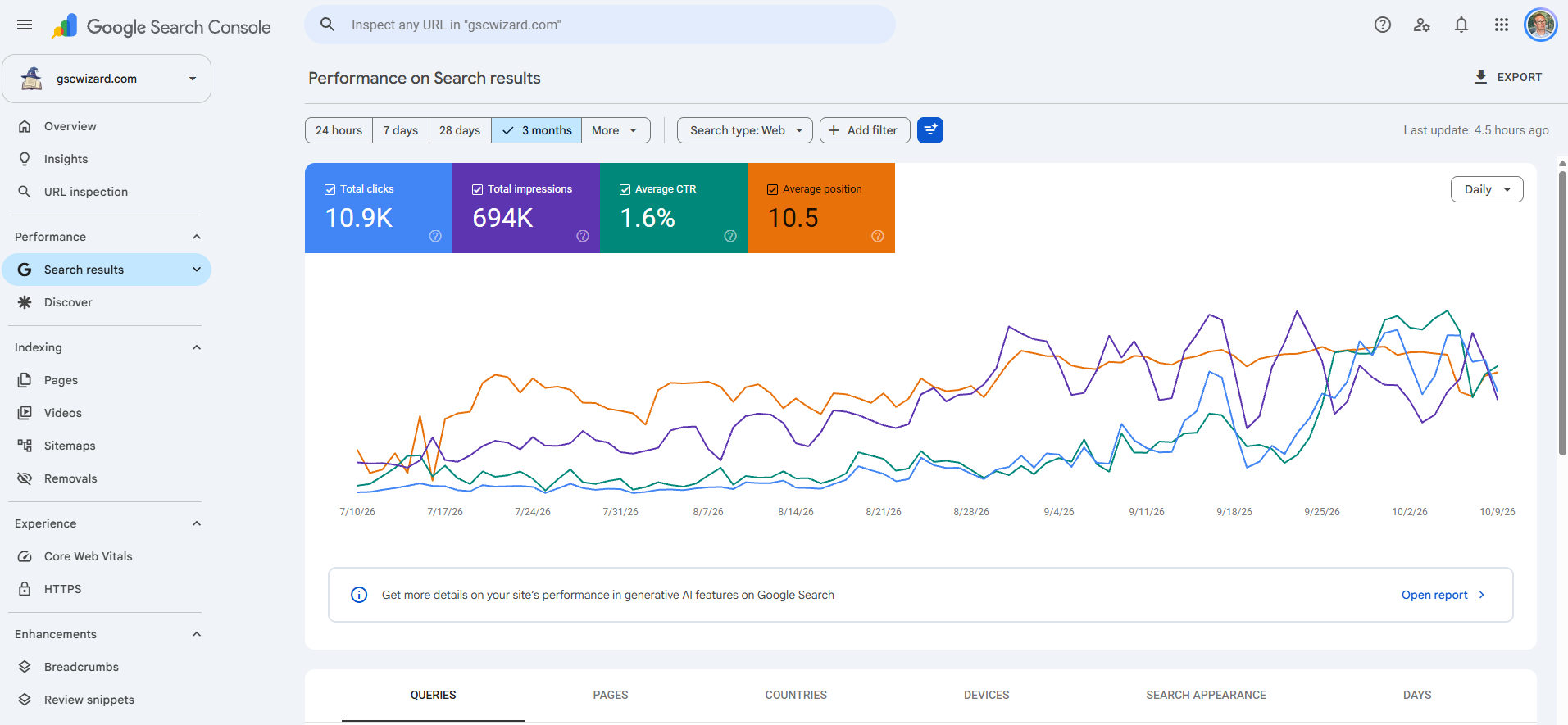
Export to Google Sheets with the Export button
Most Search Console reports can be exported, and Google currently offers three formats: Google Sheets, Microsoft Excel and CSV. For the Performance report it works like this:
- Open Performance > Search results (or Discover, or Google News) and set the date range, the search type and any filters first, because the export contains exactly what the report shows, with the filters applied.
- Click Export at the top right of the report.
- Choose Google Sheets. Search Console puts the data in a new spreadsheet in your Google account. Download Excel and Download CSV give you the same data as a file instead.
Google exports both the chart and the table data, so a Performance export holds the daily totals as well as the queries, pages, countries, devices and search appearance, each on its own sheet, with a sheet that lists the filters you used. Values that the report shows as ~ or -, meaning not available or not a number, come out as zeros, so a zero in the sheet does not always mean nothing happened.
The 1,000-row limit on the Google Sheets export
Google's help says plainly that, in an export, "Data is truncated to 1,000 rows of representative examples of your data." The totals are not cut, because Google adds that the "Totals shown are actual totals, not totals with any row limits applied", so on a larger site the rows of the queries sheet add up to less than the total clicks next to them. Anonymized queries widen that gap further, since Search Console leaves them out of every table. Countries and devices fit easily within 1,000 rows; queries and pages are where the limit bites.
Every way around the cap goes through the Search Console API, the Looker Studio connector or the BigQuery bulk export. How to get more than 1,000 rows out of Search Console compares all of them, and the two sections below show how to bring the API into Google Sheets.
The Search Analytics for Sheets add-on
Search Analytics for Sheets is a third-party Google Sheets add-on made by Mihai Aperghis. It is not a Google product, although it reads Google's Search Console API with your own Google account. You install it from the Google Workspace Marketplace, open it from the Extensions menu of a spreadsheet, pick a property, a date range, dimensions and filters, and it writes the rows into the sheet. Its site also describes scheduled backups that download data at daily or monthly intervals, which turns a one-off export into a sheet that keeps growing.
The add-on has a free plan and paid plans that raise the number of rows per request, and its pricing page lists the current limits per plan. Because it goes through the API, it is also bound by the API's own ceiling: Google's help says that "Performance report data is limited to 50K rows of data per day per type", per property, and anonymized queries never appear in any row.
Connect Google Sheets to the Search Console API with Apps Script
If you would rather not install an add-on, Apps Script, which every Google Sheet has under Extensions > Apps Script, can call the Search Analytics API directly. The function below asks for one month of query and page rows, up to 25,000 in one request, and writes them to a sheet called GSC. For a larger site, repeat the request with startRow raised by 25,000 until a response comes back empty, and ask for one day at a time, as Google recommends.
function exportSearchConsole() {
  const site = 'sc-domain:example.com';
  const url = 'https://www.googleapis.com/webmasters/v3/sites/' +
      encodeURIComponent(site) + '/searchAnalytics/query';
  const response = UrlFetchApp.fetch(url, {
    method: 'post',
    contentType: 'application/json',
    headers: { Authorization: 'Bearer ' + ScriptApp.getOAuthToken() },
    payload: JSON.stringify({
      startDate: '2026-10-01',
      endDate: '2026-10-31',
      dimensions: ['query', 'page'],
      rowLimit: 25000
    })
  });
  const rows = (JSON.parse(response.getContentText()).rows || [])
      .map(r => [...r.keys, r.clicks, r.impressions, r.ctr, r.position]);
  const sheet = SpreadsheetApp.getActiveSpreadsheet().getSheetByName('GSC');
  sheet.clearContents();
  sheet.appendRow(['query', 'page', 'clicks', 'impressions', 'ctr', 'position']);
  if (rows.length) sheet.getRange(2, 1, rows.length, 6).setValues(rows);
}
The script needs permission to read Search Console. In the Apps Script editor, open Project Settings, tick Show "appsscript.json" manifest file in editor, and add the scopes below to the manifest. The first run asks you to approve them with the Google account that has access to the property. If Google answers that the Search Console API has not been used in the project or is disabled, link the script to a standard Google Cloud project with the Google Search Console API turned on, also under Project Settings.
"oauthScopes": [
  "https://www.googleapis.com/auth/webmasters.readonly",
  "https://www.googleapis.com/auth/script.external_request",
  "https://www.googleapis.com/auth/spreadsheets.currentonly"
]
How to keep the sheet updated automatically
A sheet made with the Export button never changes, so keeping it current means exporting again by hand. The API routes can run on their own:
- Search Analytics for Sheets runs its scheduled backups daily or monthly, so the sheet fills up without you opening it.
- Apps Script runs on a time-driven trigger: open Triggers (the clock icon) in the editor, add a trigger for the function, choose a time-driven event and a day timer. Replace the fixed dates with dates the script works out itself, and append each day's rows instead of clearing the sheet if you want history to build up.
- Workflow tools such as n8n can fetch Search Console data on a schedule and append it to a sheet with their Google Sheets node.
Whichever route you take, ask for a day that is two or three days old rather than yesterday. Search Console data arrives with a delay, and the most recent days keep filling in for a while, as the Search Console data delay explains. A job that records yesterday every morning stores days that are still incomplete.
Looker Studio as an alternative to a sheet
When the sheet is only there to feed charts, you can leave it out. Connect Search Console to Looker Studio and the dashboard reads the API live each time it refreshes, with the same 50,000-rows-per-day ceiling as the add-on and the script. Google has renamed Looker Studio back to Data Studio, so you may see either name. Looker Studio can read a Google Sheet as a data source too, which is handy when you clean or enrich the rows in Sheets first.
Which method should you use?
| Method | Rows | Stays up to date | Cost and effort |
|---|---|---|---|
| Export button, Google Sheets | 1,000 per table | No, export again by hand | Free, one click |
| Search Analytics for Sheets | Per plan, within the API limits | Yes, scheduled backups | Free plan and paid plans; no code |
| Apps Script and the API | 25,000 per request; about 50,000 per day per search type | Yes, time-driven trigger | Free within the API quota; needs a script |
| Looker Studio connector | Same as the API | Yes, live | Free; no sheet needed |
| GSC Wizard | Every row of a table, stored beyond 16 months | Yes, through the REST API or n8n | Paid plans from €17/month, 7-day free trial |
Getting GSC Wizard data into Google Sheets
In GSC Wizard every table has a Copy table option that puts the rows on your clipboard ready to paste into Google Sheets, and a CSV export with all of the table's rows rather than the first 1,000, named with the date range it covers. The exporting docs describe both. For a sheet that refreshes itself, the REST API and the n8n community node return the same reports as the app, and the n8n node gives one item per row, which is the shape the Google Sheets node expects. Both need a GSC Wizard subscription or trial, whereas the Export button, Apps Script and Looker Studio cost nothing.
Frequently asked questions
Can I export more than 1,000 rows from Search Console to Google Sheets?
Not with the Export button, which truncates every table to 1,000 rows. Through the Search Console API, with an add-on such as Search Analytics for Sheets or with Apps Script, you can fetch up to 25,000 rows per request and about 50,000 rows per day per search type. For every row except anonymized queries, set up the bulk data export to BigQuery.
Does the Google Sheets export from Search Console update automatically?
No. The Export button creates a one-off copy of the report as it was at that moment. To keep a sheet up to date, use an add-on with scheduled backups, an Apps Script on a time-driven trigger, or a workflow tool that appends new rows on a schedule.
Is Search Analytics for Sheets made by Google?
No. Search Analytics for Sheets is a third-party Google Sheets add-on made by Mihai Aperghis. It reads the official Search Console API with your own Google account, so it sees the same properties and data you do, within the API limits.
Why do the rows in my sheet not add up to the total clicks?
The export keeps at most 1,000 rows per table, while the totals are the real totals for the whole property. Anonymized queries are also left out of every table but counted in the totals, so the query rows add up to less even when the table has fewer than 1,000 rows.
Can I connect Google Search Console to Google Sheets without code?
Yes. The Export button needs no setup at all, and an add-on such as Search Analytics for Sheets connects a spreadsheet to the Search Console API through menus. If the goal is a dashboard, the free Looker Studio connector reads Search Console directly without a sheet.
Sources
- Search Console Help: Export data directly from a Search Console report
- Search Console Help: Export Search Console data using the Search Console API
- Search Console API: Search Analytics query
- Search Analytics for Sheets
- Search Analytics for Sheets: pricing