n8n and the REST API
Search Console and GA4 data in your workflows, scripts and backends, without a chat in between.
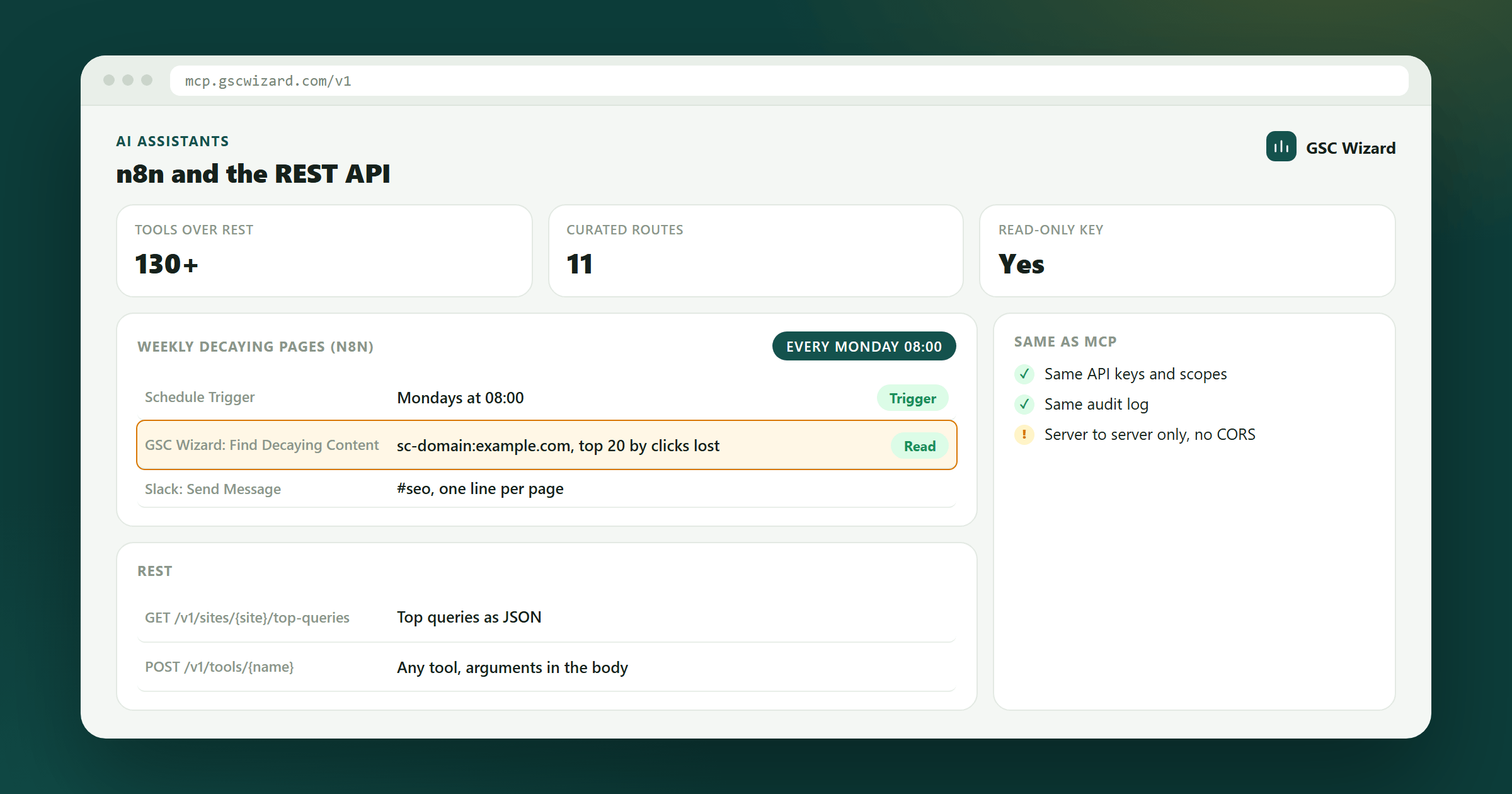
Not every workflow needs a chat. The GSC Wizard community node puts Search Console and GA4 data into n8n workflows, and the REST API serves the same tools as plain HTTP and JSON for your own scripts, dashboards and backends. Both use the API keys from the MCP API keys page, with the same scopes, rate limits and audit log as the MCP server.
Before you start: you need a GSC Wizard subscription or trial, and your properties connected in the app at tool.gscwizard.com, not in the workflow. The setup overview explains both.
The n8n community node
The node is n8n-nodes-gsc-wizard, an n8n community node that talks to the GSC Wizard REST API.
- In n8n, open Settings → Community Nodes, select Install, enter
n8n-nodes-gsc-wizardand confirm. - On the MCP API keys page in GSC Wizard, create a key. Give it Read & write access if the workflow creates annotations, submits sitemaps or sends IndexNow URLs; a read-only key runs every read operation.
- In n8n, create a GSC Wizard API credential and paste the key. n8n checks it against your account when you save.
- Add the GSC Wizard node to a workflow, pick an operation and a property. Pick the property from the list, or enter it as
sc-domain:example.comorhttps://www.example.com/.
The operations cover the account and its properties, performance summaries, top queries, pages, countries and devices, custom Search Console reports with filters, page and query trends, ranking changes, anomalies, cannibalization, decaying content, opportunity scoring, GA4 overviews and reports, URL inspection, sitemaps, IndexNow and annotations. List-shaped reports return one n8n item per row, which is what a Google Sheets, Airtable or Slack node expects, and the n8n AI Agent can use every operation as a tool.
Three example workflows, a weekly list of decaying pages, inspecting and submitting a page when your CMS publishes it, and annotating every deploy on the performance chart, are in the node’s repository.
n8n Cloud only offers community nodes that n8n has verified. If the GSC Wizard node is not offered on your n8n Cloud workspace yet, use a self-hosted n8n, or call the REST API below from n8n’s HTTP Request node with the key as a bearer header.
The reverse direction, GSC Wizard calling n8n when an alert fires, is done with outbound webhooks.
The REST API
The REST API lives at https://mcp.gscwizard.com/v1 and runs every request through the same code as the MCP server, so the answers are identical. Send the key as Authorization: Bearer gscw_live_...; a read-only key cannot call a tool that changes something.
| Route | Returns |
|---|---|
GET /v1/sites | The properties connected to your account |
GET /v1/account | The account, its connected Google accounts and the subscription |
GET /v1/sites/{site}/summary | Clicks, impressions, CTR and position against the previous period |
GET /v1/sites/{site}/top-queries | Top queries |
GET /v1/sites/{site}/top-pages | Top pages |
GET /v1/sites/{site}/countries | Performance by country |
GET /v1/sites/{site}/devices | Performance by device |
GET /v1/sites/{site}/page-performance | Daily performance of one page |
GET /v1/sites/{site}/query-performance | Daily performance of one query |
GET /v1/sites/{site}/ranking-changes | New, lost, improved and declined queries or pages |
GET /v1/sites/{site}/ga4/overview | The GA4 overview of the linked GA4 property |
POST /v1/tools/{name} | Any of the more than 130 tools, with its arguments as the JSON body |
{site} is the URL-encoded property, such as sc-domain%3Aexample.com. Other inputs go on the query string (?startDate=2026-10-01&limit=50); anything that does not fit a query string, such as GA4 filters, goes through the generic POST /v1/tools/{name} route.
# a curated GET
curl -H "Authorization: Bearer gscw_live_..." \
  "https://mcp.gscwizard.com/v1/sites/sc-domain%3Aexample.com/top-queries?limit=25"

# any tool by name
curl -X POST -H "Authorization: Bearer gscw_live_..." \
  -H "Content-Type: application/json" \
  -d '{"siteUrl":"sc-domain:example.com","limit":25}' \
"https://mcp.gscwizard.com/v1/tools/query_top_queries"- The spec.
GET /v1/openapi.jsonis an OpenAPI 3.1 document generated from the same schemas the server validates against, and it needs no key, so you can read it before you sign up.GET /v1/toolslists every tool with its scope and route. - Errors come back as
{ "error": { "code", "message" } }with a matching status: 400 for a bad request, 401 for a missing or revoked key, 402 when there is no active subscription or trial, 403 for a scope or sharing limit, 404, 429 with aRetry-Afterheader, and 502 when Google or another upstream failed. - Rate limits are 180 calls a minute and 2,000 an hour per account, counted separately from the MCP server.
- Server to server only. The API sends no CORS headers, so a key cannot be used from a web page, where anyone could read it. For a client portal, fetch on a schedule from your backend and render from your own store.
Troubleshooting
Every call returns 401
With a key, check that the header is exactly Authorization: Bearer gscw_live_... with the full key, that the key has not been revoked on the MCP API keys page, and that the account still has an active subscription or trial. With a sign-in, connect again.
A tool that changes something returns 403
The key or the sign-in is read-only. Create a read-and-write key, or connect again and leave the box that allows changes ticked, or make the change in the app instead.
429 Too Many Requests
The workflow went over the rate limit. Wait the number of seconds in the Retry-After header; in n8n, turn on Retry On Fail in the node settings. A workflow that loops over every page usually needs one analysis call instead.
A property is missing
The assistant only sees properties that are connected and active in GSC Wizard. Add the property in the app first, then ask for the list of properties again. Domain properties carry the sc-domain: prefix.
Part of Connecting AI assistants. Related: Claude, ChatGPT, Codex, Gemini, Cursor & VS Code, Grok, Microsoft Copilot.