Exporting data
Almost every table and chart in GSC Wizard can leave the app, in whatever shape you need.
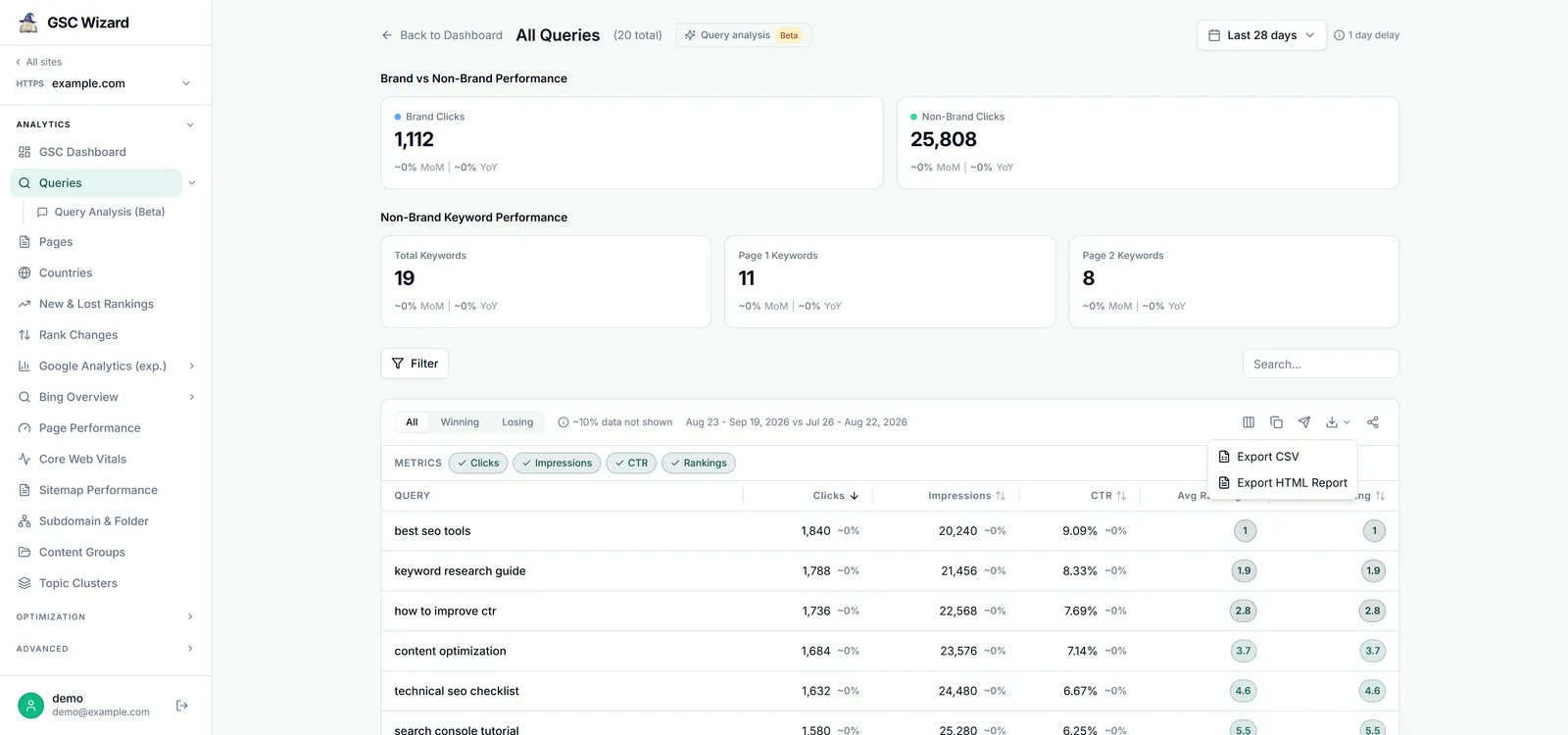
CSV export
Downloads the full table as CSV. It honours your chosen dialect (standard, or European with semicolons), your date format, adds a UTF-8 marker so Excel opens it cleanly, and guards against spreadsheet formula injection. Comparison periods export as current, previous, and change columns.
HTML report
A self-contained, interactive HTML file with summary cards, charts, and a sortable, searchable, paginated table. Open it in any browser or hand it to a client; no login needed to view the file itself.
Copy table
Copies the current table to your clipboard as spreadsheet-friendly text, ready to paste into Google Sheets or Excel.
Export chart to PNG
Rasterises a chart to a high-resolution PNG entirely in your browser, with the export controls and tooltips left out of the image.
Filename convention
Exports name themselves so you can tell them apart later. A CSV filename includes the report, the property, the current date range, any comparison range, and a timestamp, for example:
queries_example.com_2026-01-01_to_2026-01-31_vs_2025-12-01_to_2025-12-31_exported_2026-03-21T14-30-00.csv
Exports are available wherever you can view the underlying report: the query, page, country, rankings, page-performance, sitemap, content-group, forecast, internationalization, subdomain/folder, and every optimisation report. Save & share (see Sharing & team access) sits next to the export menu.