Google Analytics 4
Connect a GA4 property to see sessions, engagement, key events, e-commerce, and AI traffic next to your Search Console clicks.
Connecting GA4
GA4 is a separate, read-only Google connection you couple to each site individually – so you start by opening the property, not from your account settings.
- Open the property you want from My Sites.
- In the left menu, expand ANALYTICS and click Google Analytics (exp.).
- Choose Connect Google Analytics and grant the read-only
analytics.readonlyscope, once per Google account. GSC Wizard only reads your reporting data and never changes your Analytics setup. - Pick a GA4 property from the searchable list and Save to couple it to the site. Saving no property disconnects it again.
Screen by screen: the visual guide to connecting a GA4 property walks the four screens in order, and covers what to do when your property is not in the list.
GA4 reports the conversion metric as Key Events (GA4’s replacement for “conversions”). GA4 reports are owner-only by default: a property shared with you shows GA4 only if the owner’s grant includes GA4 access.
GA4 reports
Each report loads on view and shares the same filter panel, comparison period, and CSV/HTML export.
Connecting a GA4 property
The visual walkthrough: open a property, pick Google Analytics in the left menu, connect, then choose the GA4 property.
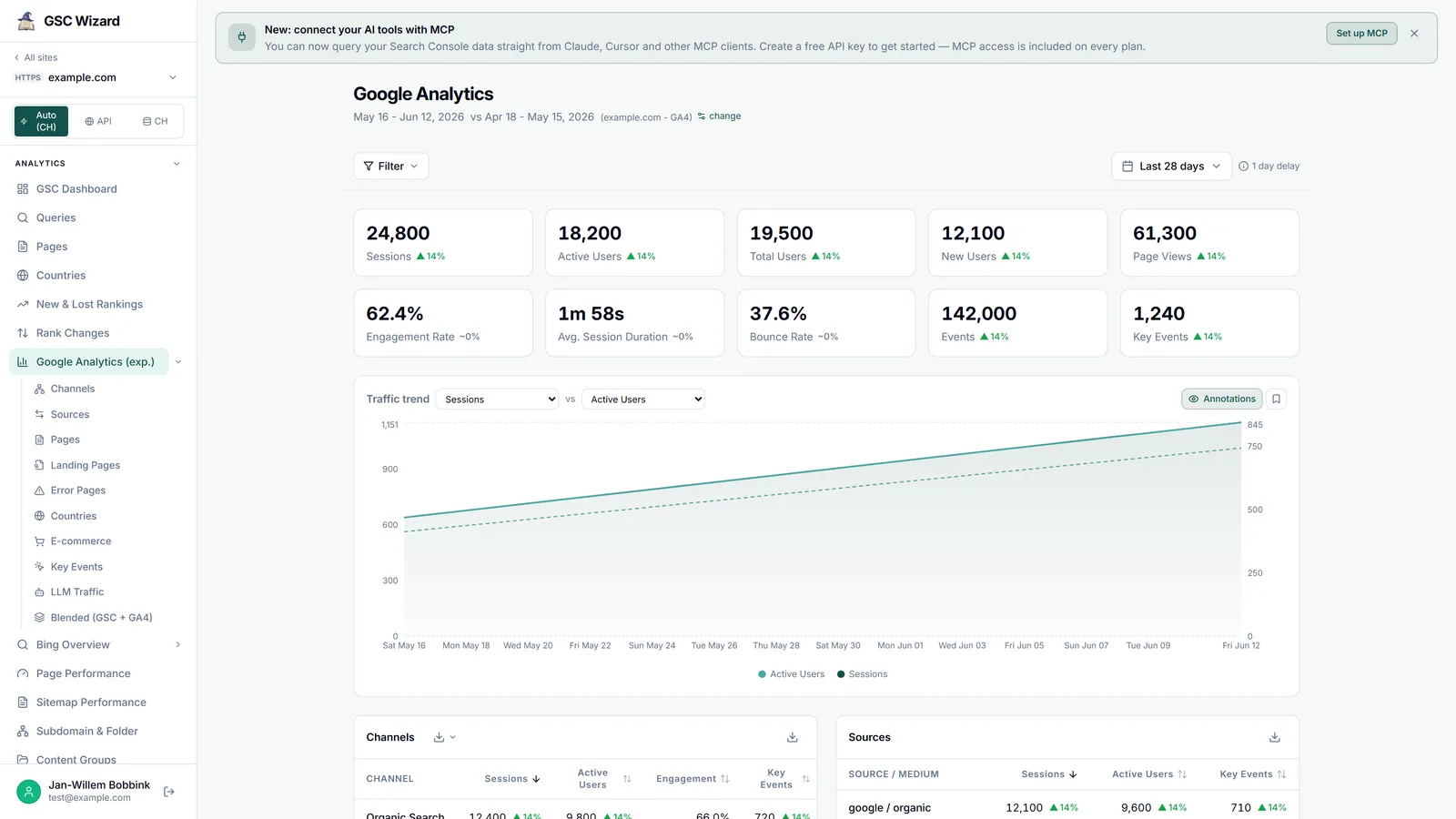
GA4 Overview
The GA4 traffic dashboard: summary cards, trend, and tables.
Channels
GA4 default channel grouping.
Sources
Source / medium breakdown.
Pages
Page-path report: views, sessions, engagement.
Landing Pages
Session-entry report with bounce rate and key events.
Error Pages
Pages GA4 treats as errors, matched by title patterns.
Countries
Sessions, users, and key events by country.
E-commerce
Revenue over time plus product and segment breakdowns.
Key Events
A deep dive on one key event and its breakdowns.
Custom Dimensions
Break traffic down by your own event parameters and user properties.
LLM Traffic
Sessions from AI assistants such as ChatGPT and Perplexity.
Blended (GSC + GA4)
One view joining Search Console with GA4, plus attribution.
More on the GA4 reports page.