Administration
Control which properties are active and stored, and create many properties at once.
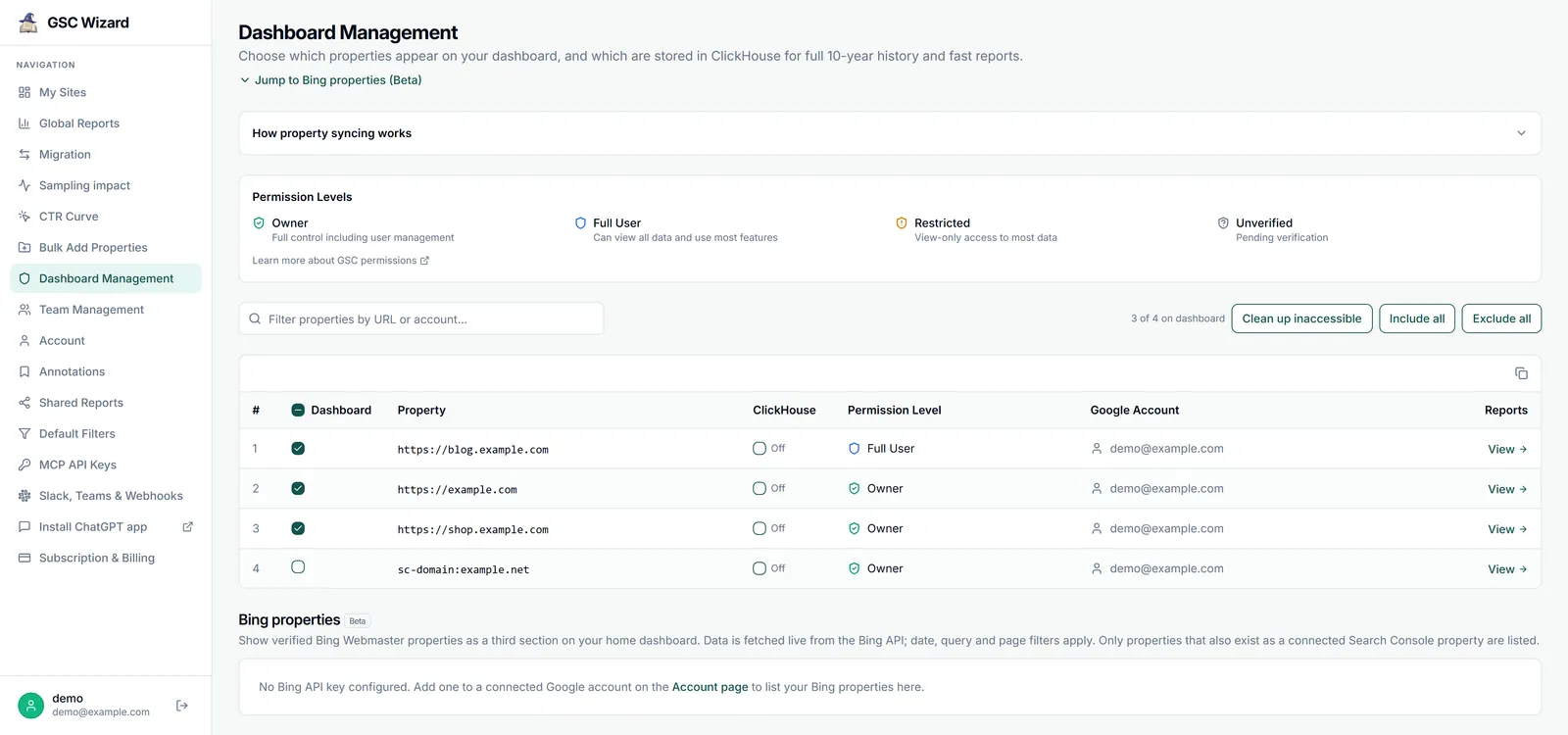
Dashboard Management
Decide which of your Search Console properties are live in GSC Wizard, and which are archived for the long term. Each property has two independent toggles. The full Dashboard Management guide walks through every status, limit and message.
Dashboard
Whether the property appears on your home dashboard and menu, served live from Google (about 16 months of history). This is subject to your plan’s dashboard-property limit.
ClickHouse (full storage)
Whether the property is stored in our ClickHouse data warehouse: up to 16 months immediately, then building toward a 10-year unsampled archive. Backfills run one property at a time, and stored properties power the faster reports.
- Bulk include/exclude, a text filter, and a “clean up inaccessible” action that hides properties you have lost Search Console access to.
- Turning off storage schedules that history for deletion after 30 days (with a confirmation first).
- A property already stored via another account shows as Free and uses no slot.
- Reaching your plan’s storage limit is shown inline; upgrade on the billing page.
Bulk Add Properties
Create many URL-prefix Search Console properties at once from a site’s folder structure.
Bulk Add Properties
Run analysisPick a source property and a period, run the analysis, and it builds a folder tree and suggests new URL-prefix properties for folders with enough pages, skipping ones that already exist. Select the suggestions you want and it registers them in your real Search Console account, with a per-URL success/failure summary. Newly added properties auto-verify only when you already own the parent domain property; otherwise verify them manually in Google.
Low-level operator tooling (warehouse ingest controls, MCP-usage dashboards) is internal to the GSC Wizard team and is not part of your account. If you hit a data issue with a stored property, contact support and we can act on it.