Filters, dates & privacy
A shared toolbar controls the date range, comparison, and filters on every report, so once you learn it once it works everywhere.
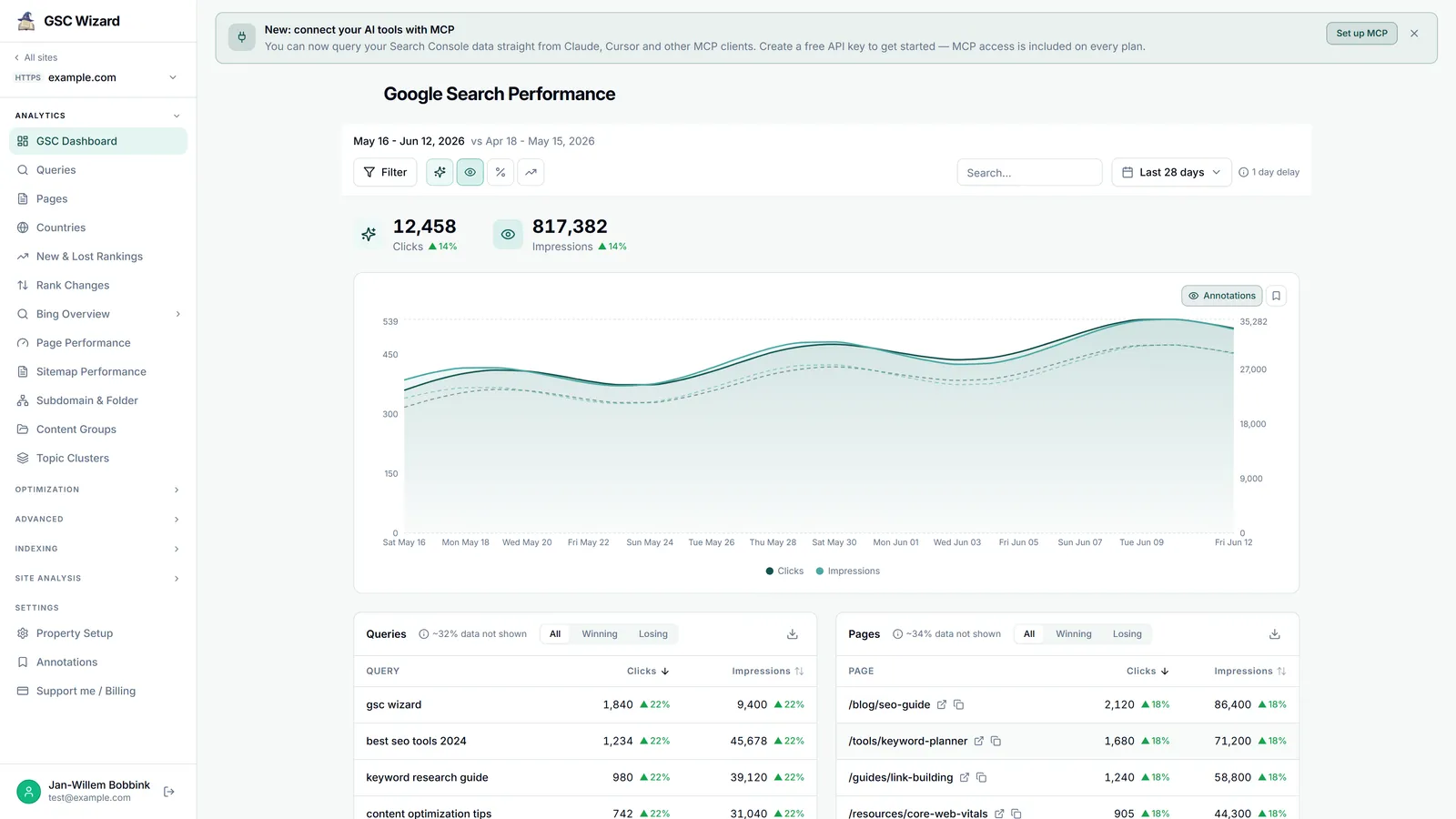
Date range & comparison
The time-period selector sets the current range and, optionally, a comparison period.
- Ranges include presets (last 7 / 28 days and more) and a custom range.
- Comparison modes: Previous period, Year-over-year, Previous month, Custom, or disabled.
- With comparison on, tables show per-metric change badges and winners/losers tabs. A few reports (Rank Changes, New & Lost Rankings) need a comparison period to show anything at all.
Google reports Search Console data with a 2 to 3 day delay, so the most recent couple of days will keep filling in.
Filtering
A shared filter panel narrows every report by dimension and persists as you move between pages.
Dimension filters
Filter by query, page, country, and device with operators such as contains, equals, not, and regex.
Branded / non-branded
Split traffic by your brand terms. This needs branded keywords configured in Property Setup; an inline warning appears if none are set.
Search type
Restrict to Web, Image, or Video search.
Search within results
Most tables add a box to filter the rows already on screen.
Saved filters
Any filter combination can be saved and reapplied later. Manage the list from Property Setup or the filter panel, using the Apply / Discard pattern so a change is never live until you commit it.
Account default filters
Set filters that auto-apply across your home dashboard and every property, so (for example) internal traffic or a staging path is always excluded.
Default Filters
Create named defaults with conditions on query, page, country, device, and branded status, and toggle each on or off. They apply everywhere but stay overridable per property. GSC Wizard warns when two enabled defaults set an exact match on the same dimension, because those combine with AND and can hide all data.
Manage them on the account-level filters page.
Privacy blur
For screenshots, demos, and screen-sharing, Privacy Blur (in the sidebar user menu) blurs sensitive numbers, queries, and URLs across the whole app until you toggle it back off.