Search analytics
Queries
Every search query that brought your site impressions, with the numbers you need to prioritise them.
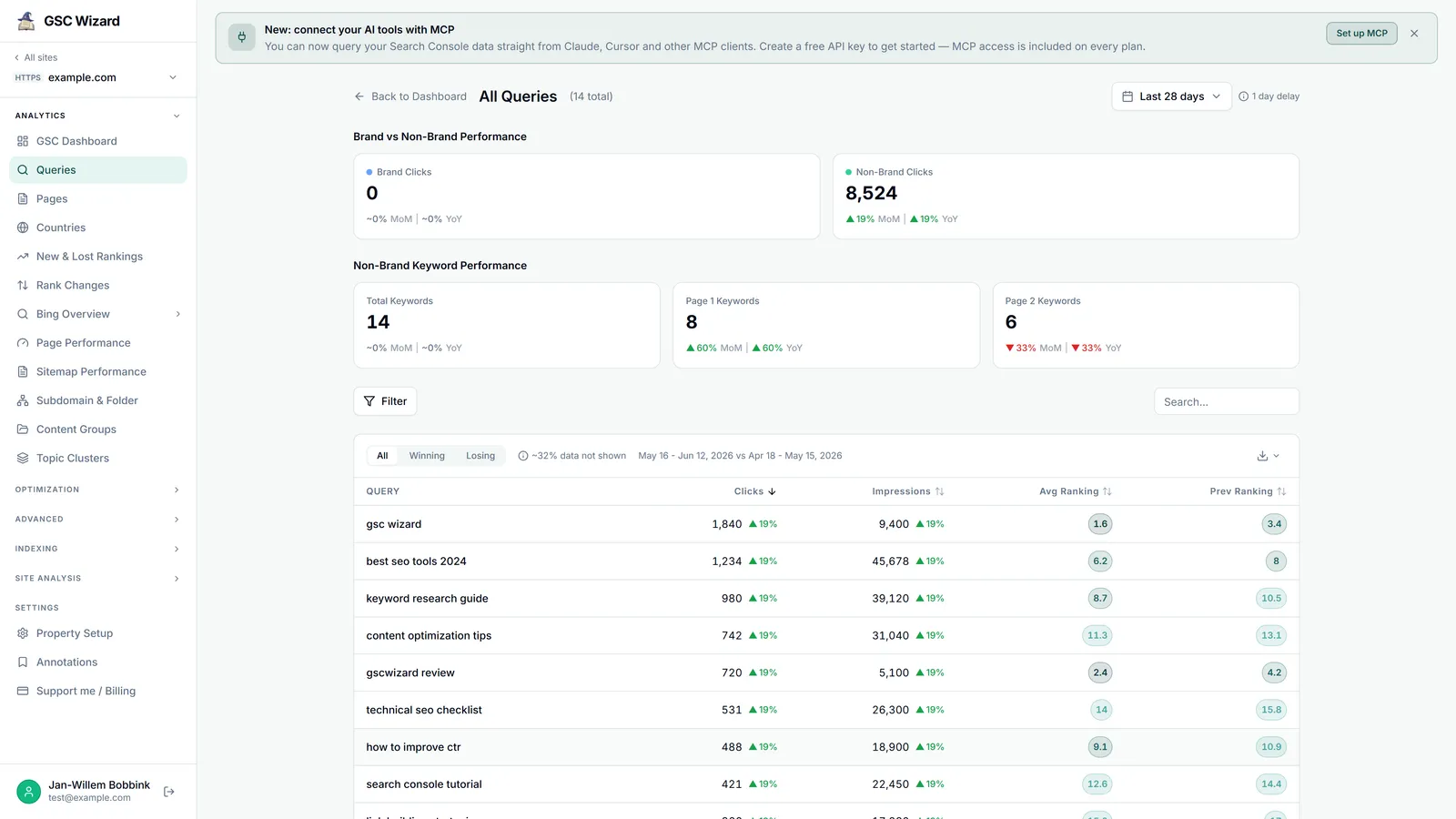
The Queries report shows each query with clicks, impressions, CTR, and average ranking. With a comparison period on, it adds the previous ranking and per-metric change badges. It loads as soon as you open it and fetches the full, uncapped query set, so counts are exact.
What you get
- Sortable columns with all / winning / losing tabs and 50-row pagination.
- Metric switches above the table for clicks, impressions, CTR and rankings, so the table carries only the numbers you are reading.
- A topic-cluster dropdown, regex query presets, and a “search within results” box.
- Click any row to reload the dashboard filtered to that query.
- Export to CSV or an interactive HTML report, plus Save & share.
Striking distance: sort or filter to positions 4–20. These are queries a small improvement can push onto page one, the highest-ROI keyword work you can do. See Page Poaching for a report built around this.
Part of Queries, Pages & Countries. Related: Query Analysis, Pages, Countries.