Yandex Webmaster
Yandex Indexing
How Yandex crawls and indexes the property, including the pages it added to and removed from its results.
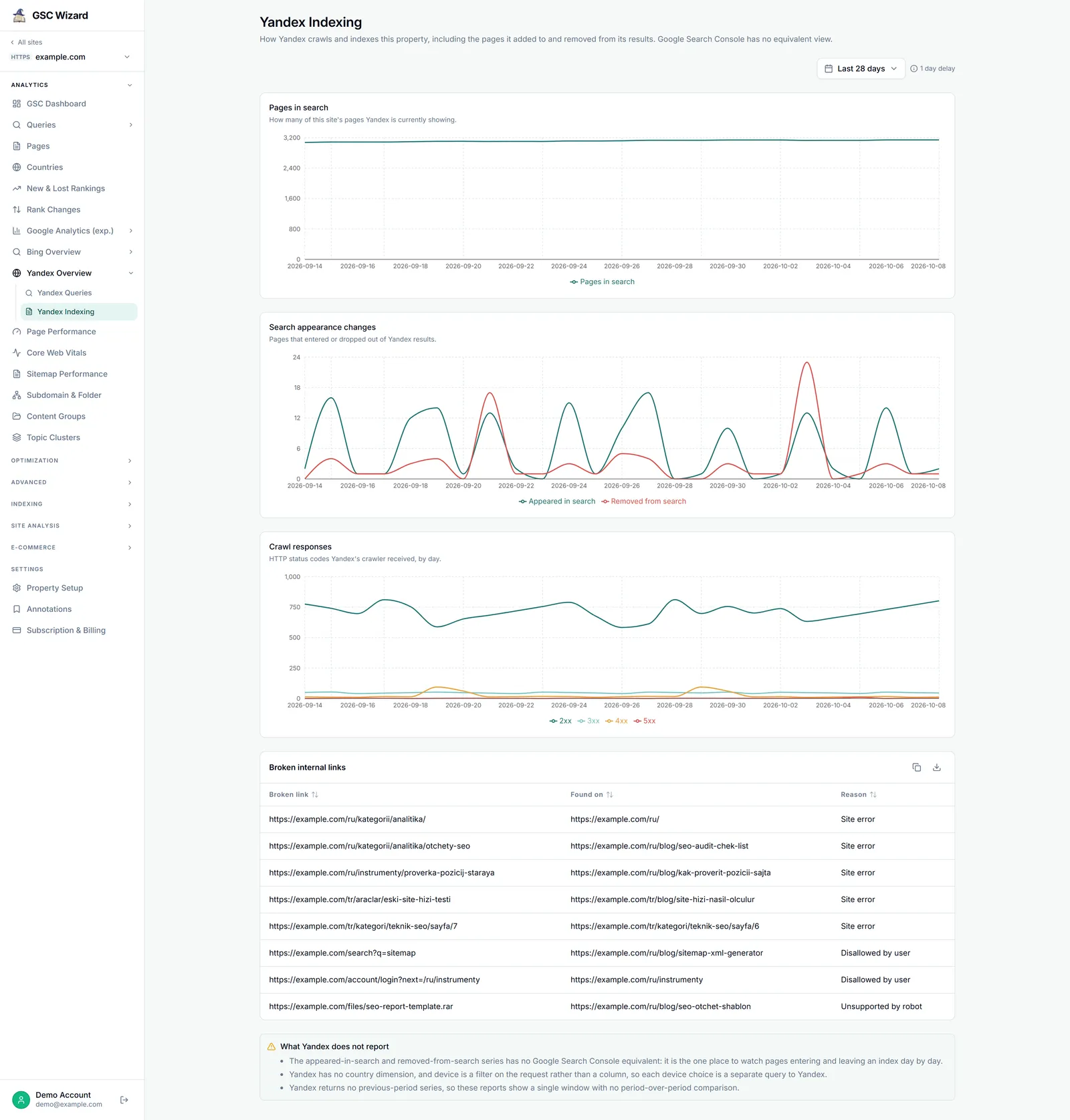
Requires Yandex connection Loads on arrival
The Search appearance changes chart has no Google Search Console equivalent: it is the one place to watch pages entering and leaving an index day by day.
What you get
- Pages in search: how many of the site’s pages Yandex is showing, over the selected range.
- Search appearance changes: pages that Appeared in search and pages Removed from search, per day.
- Crawl responses: the HTTP status codes Yandex’s crawler received, by day, as 2xx, 3xx, 4xx and 5xx.
- Broken internal links: each Broken link, the page it was Found on, and the Reason, with copy and CSV export. The table only shows when Yandex reports some.
- What Yandex does not report: the caveats that apply to this page.
How to use it
- Open a property, expand ANALYTICS, click Yandex Overview, then Yandex Indexing.
- Pick a date range. The report loads straight away.
- Match spikes in Removed from search against 4xx and 5xx crawl responses on the days before them.
Controls
- The date range. There is no device filter on this report, and no comparison period.
- Copy and CSV export on the broken links table.
Data source and freshness
- Read live from the Yandex Webmaster API, cached for 60 minutes per property and date range.
- Yandex’s last finished day is about four days behind Google’s.
Limits
- Broken internal links are a sample of up to 100, and are not filtered by the date range.
- Yandex has no country dimension, and returns no previous-period series to compare against.
Part of Yandex Webmaster. Related: Yandex Overview, IndexNow.