Yandex Webmaster
Yandex Overview
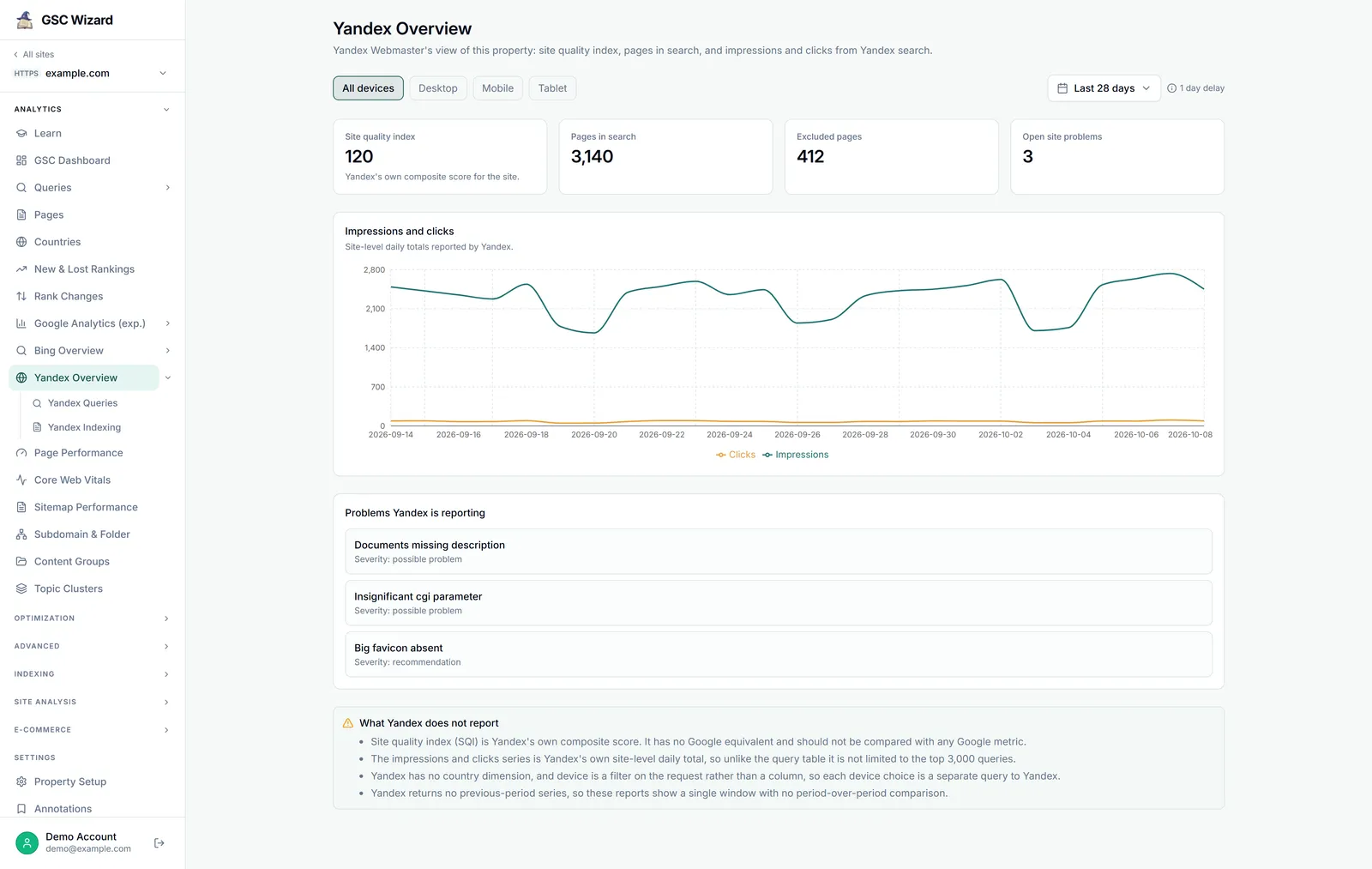
Yandex Webmaster’s view of the property: site quality index, pages in search, and impressions and clicks from Yandex search.
Requires Yandex connection Loads on arrival
What you get
- Four tiles: Site quality index (Yandex’s own composite score for the site), Pages in search, Excluded pages and Open site problems (the sum of Yandex’s counts per severity). They come from Yandex’s current summary and do not follow the date range.
- Impressions and clicks: the site-level daily totals Yandex reports, as a line chart for the selected range.
- Problems Yandex is reporting: each open problem with its severity, when there are any.
- What Yandex does not report: the caveats that apply to this page.
How to use it
- Open a property, expand ANALYTICS in the left sidebar, and click Yandex Overview.
- Pick a device and a date range. The report loads straight away and reloads when either changes.
- Use the problems list as a to-do list for Yandex, then check Yandex Indexing for crawl errors and pages leaving search.
Controls
- A device filter: All devices, Desktop, Mobile or Tablet.
- The date range, shared with the other reports so switching keeps the same window. There is no comparison period.
Data source and freshness
- Read live from the Yandex Webmaster API, through the property owner’s Yandex connection.
- Cached for 60 minutes per property, date range and device.
- Yandex’s last finished day is about four days behind Google’s.
Limits
- Site quality index is Yandex’s own composite score. It has no Google equivalent and should not be compared with any Google metric.
- Site problems and their severities are Yandex’s own taxonomy, reported against Yandex’s guidelines rather than Google’s.
- Unlike the query table, the impressions and clicks chart is not limited to Yandex’s top 3,000 queries.
- Yandex has no country dimension, and each device choice is a separate request to Yandex. There is no period-over-period comparison.
Part of Yandex Webmaster. Related: Yandex Queries, Yandex Indexing.