Search analytics
Page Performance
Check Search Console traffic for an exact set of URLs, not just the ones the dashboard surfaces on its own.
Run analysis
How to run it
- Supply URLs by picking a Search Console sitemap, pasting a list, or uploading a .txt / .csv file.
- Choose a time period (default: last 28 days vs the previous period).
- Run the analysis.
What you get
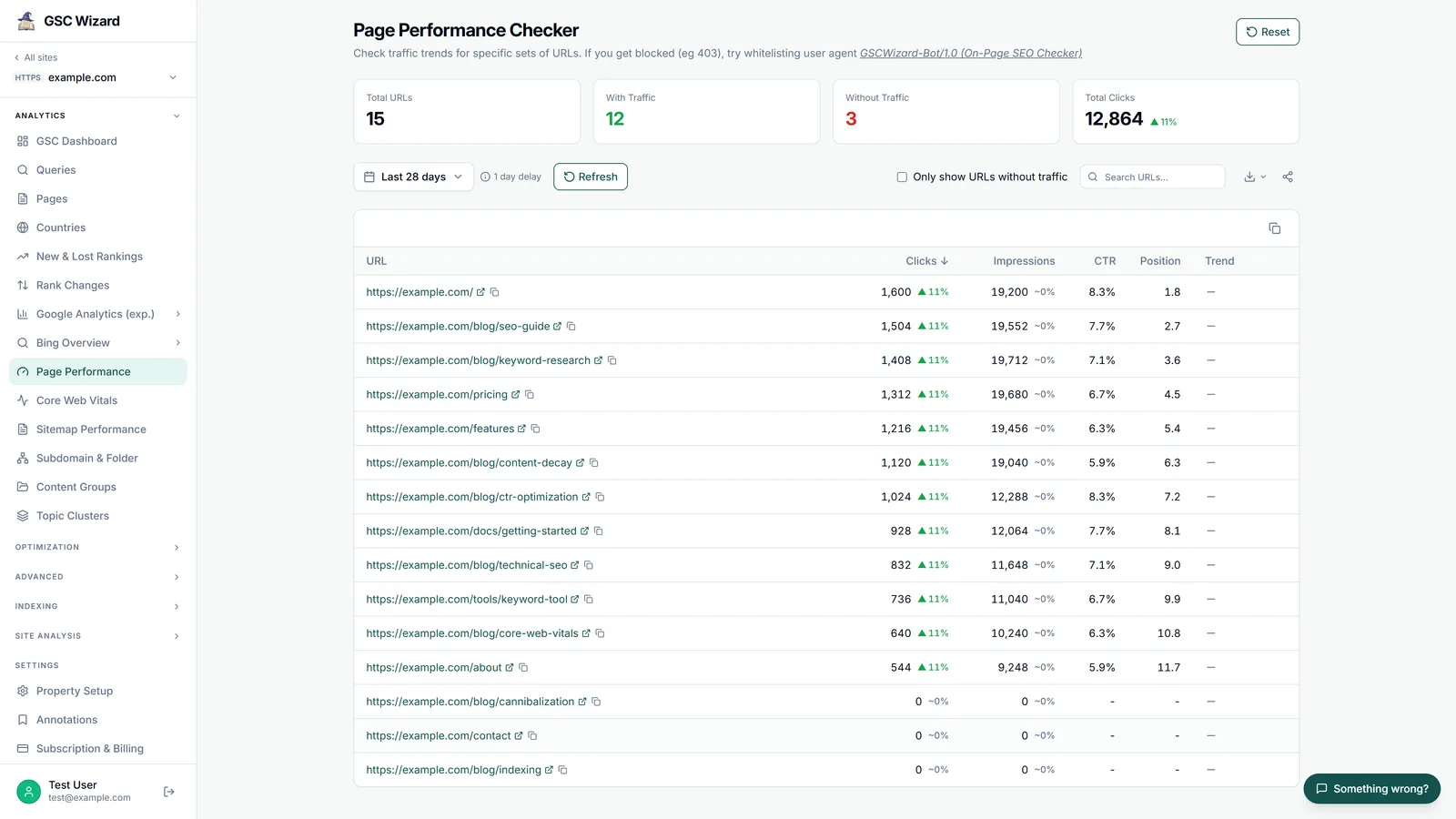
- Summary cards: total URLs, with traffic, without traffic, and total clicks.
- A table of clicks, impressions, CTR, position, and a click sparkline per URL.
- An “only URLs without traffic” filter to find dead pages, plus search, sort, and pagination.
- A refresh (cache-bypass) button, copy table, and CSV/HTML export.
Part of Performance & Core Web Vitals. Related: Sitemap Performance, Subdomain & Folder.