Search analytics
Subdomain & Folder
Roll your traffic up into the shape of your site: a tree by subdomain and folder.
Run analysis
After you run it, the report fetches all page URLs and builds a hierarchical tree, aggregating metrics at each level.
What you get
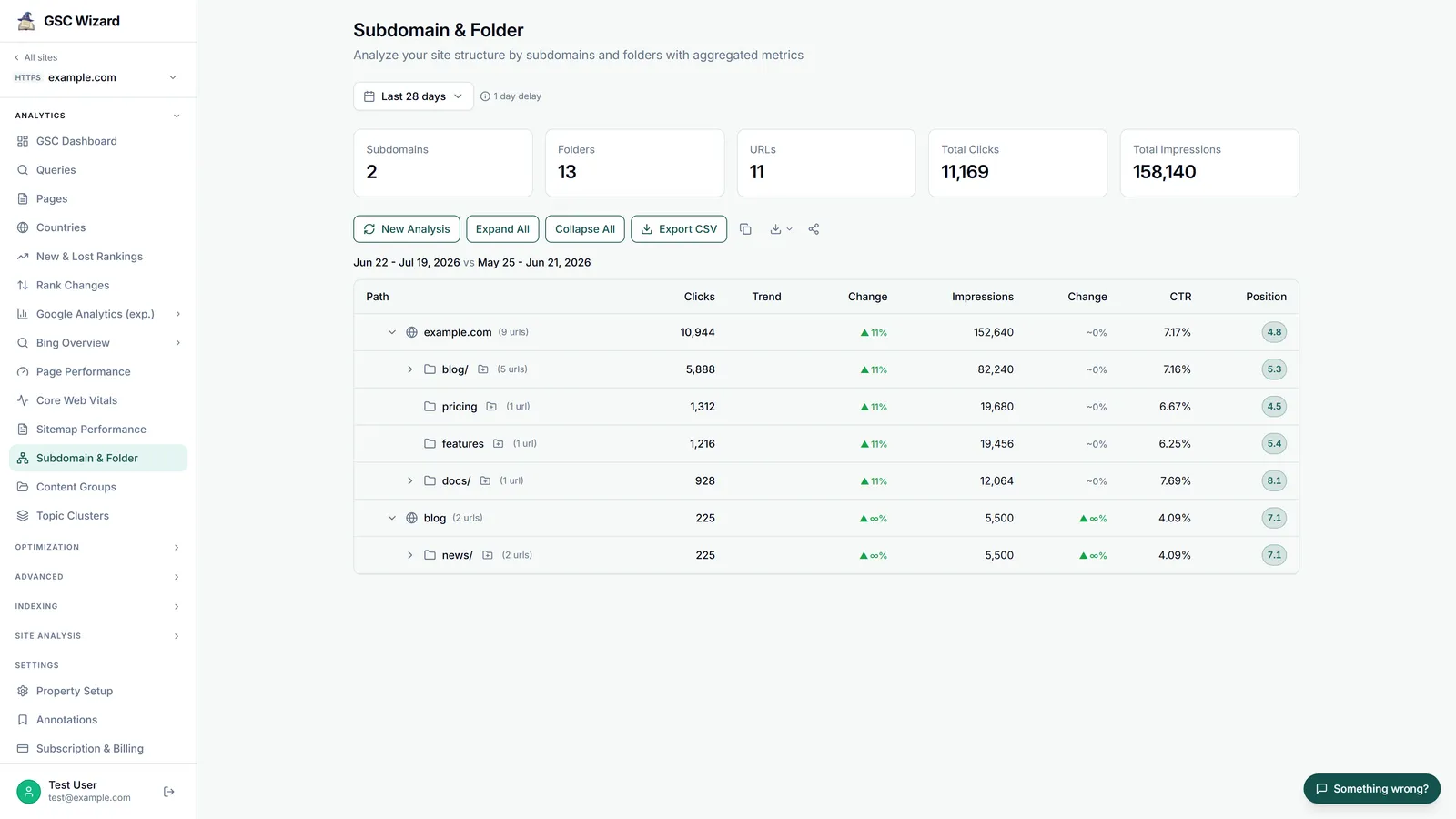
- Summary cards: subdomains, folders, URLs, and total clicks / impressions.
- An expandable tree of path, clicks (with change), a sparkline trend, impressions (with change), CTR, and position.
- Expand-all / collapse-all controls and a comparison period (default 28 days vs previous).
- An “add to content group” action on folder rows, plus copy and CSV/HTML export.
Sending a folder to a content group is the quickest way to start tracking a section over time. See Content Groups.
Part of Performance & Core Web Vitals. Related: Page Performance.