Search analytics
Sitemap Performance
Map each sitemap’s URLs onto Search Console traffic to see which sitemaps pull their weight.
Run analysis
How to run it
- Select Search Console sitemaps (sitemap-index files auto-expand) and/or paste sitemap URLs.
- Pick a period (default 28 days), then run the analysis.
What you get
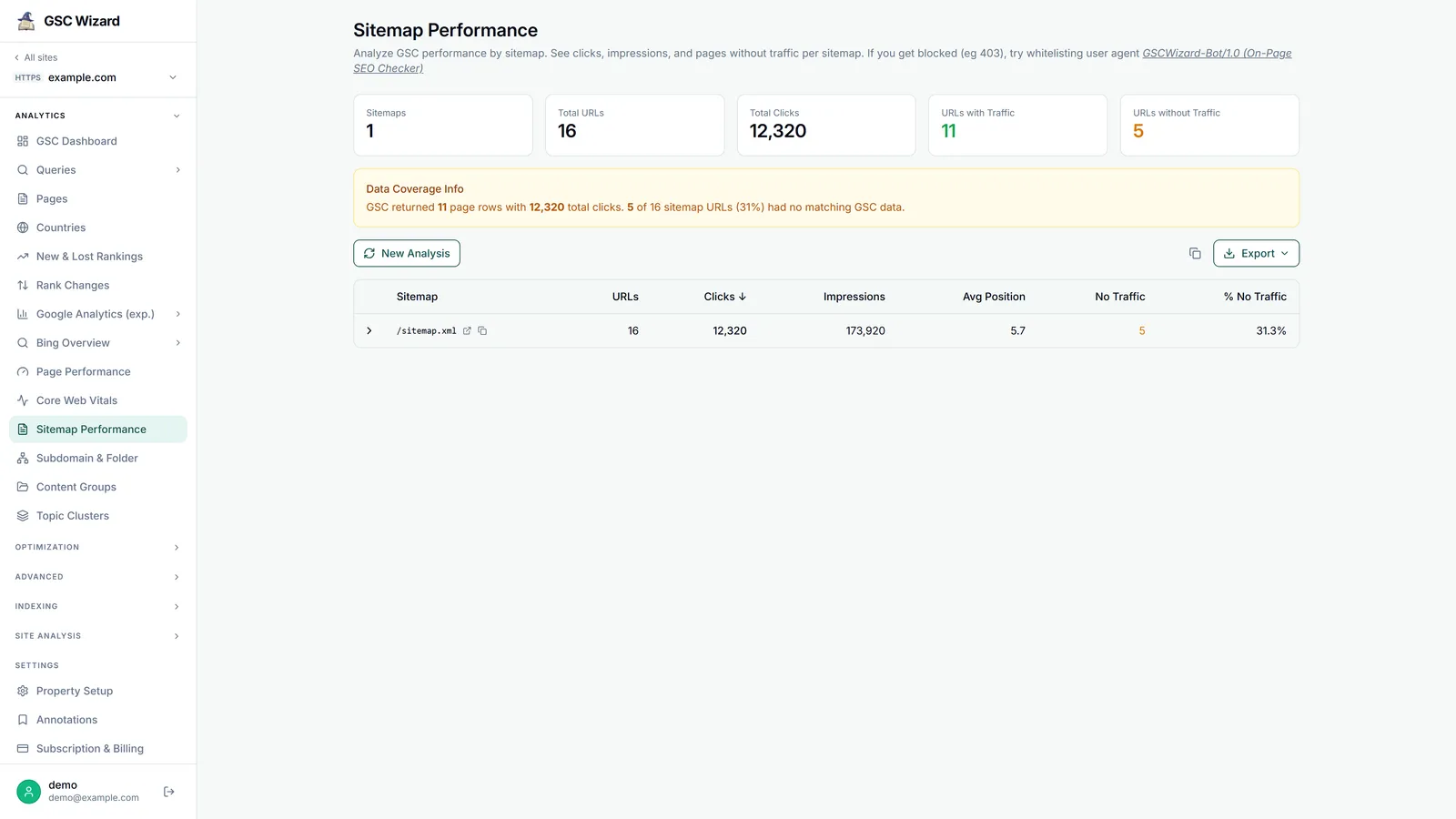
- Summary cards: sitemaps, total URLs, total clicks, and URLs with / without traffic.
- A per-sitemap table of URLs, clicks, impressions, average position, and no-traffic count and %.
- Rows expand to per-URL metrics (clicks, impressions, CTR, position), plus a coverage diagnostic for unmatched URLs.
- Four export options: an interactive HTML report, a combined URL-details CSV, one CSV per sitemap, and a summary CSV.
Part of Performance & Core Web Vitals. Related: Page Performance, Subdomain & Folder.