Outbound webhooks
The same alert events, delivered as JSON to any URL you control. No Slack required.
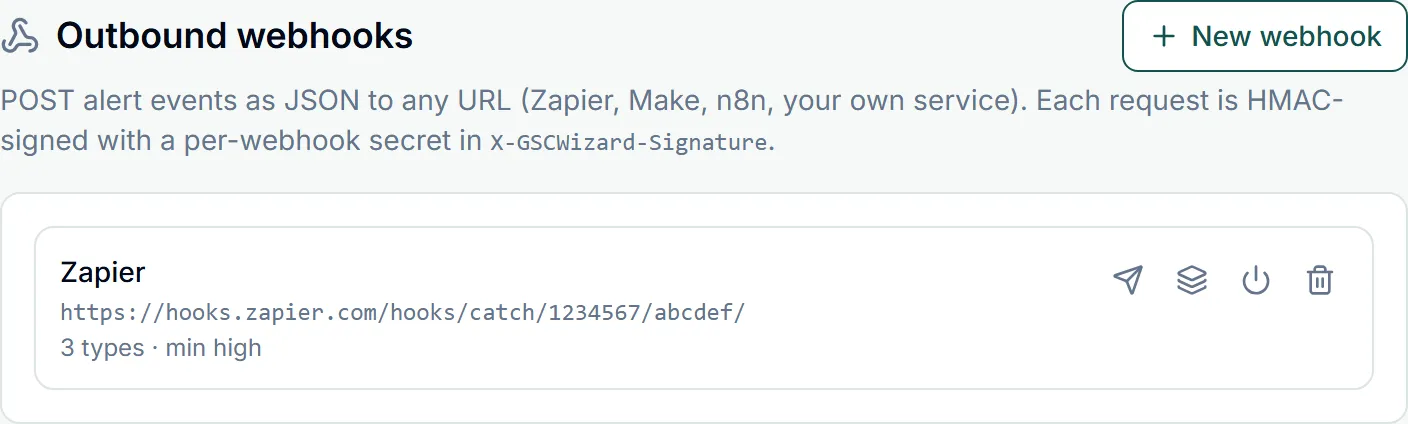
A webhook subscribes to alert events exactly the way a Slack channel does, and receives them as an HTTP POST instead of a message. Point it at Zapier, Make, n8n, an incident tool, or your own endpoint. Webhooks are managed at the bottom of Account → Slack, Teams & Webhooks and work whether or not a Slack workspace is connected.
Sending to Microsoft Teams? Use the Microsoft Teams section instead. Teams only renders its own card format and rejects the JSON below, so it has its own setup that needs no code.
Creating one
- Click New webhook and give it a name, for example Zapier.
- Paste the destination URL. It has to be a public endpoint: private and internal addresses are rejected, and every redirect is re-checked.
- Tick the alert types it should receive and set a minimum severity, the same choices an alerts subscription offers.
- Copy the signing secret shown once on creation and configure it in your receiver. It is never displayed again.
- Use the send icon for a single test event, or the icon beside it to POST four example events covering different event types, so you can build and test your handler before a detector ever fires. Examples carry
payload.sample: trueand asample-prefixed id.
What arrives
One POST per event, with Content-Type: application/json:
{
  "id": "<event uuid>",
  "event_type": "traffic_anomaly",
  "severity": "high",
  "site_id": "<property uuid, or null>",
  "occurred_at": "2026-08-29T06:00:00.000Z",
  "payload": { "siteUrl": "https://example.com/", "metric": "clicks", "...": "..." },
  "source": "gscwizard"
}
The payload object differs per event type and carries the specifics: the property, the metric, the dates, the affected URLs.
Verifying the signature
Every request carries X-GSCWizard-Signature: sha256=<hex>, an HMAC-SHA256 of the raw request body using that webhook’s secret. Compute the same HMAC over the raw bytes you received, before any JSON parsing, and compare the two in constant time. Requests also identify themselves with a GSCWizard-Webhook/1.0 user agent, but the signature is the thing to trust.
Delivery behaviour
- Deliveries run on the same job as Slack, which ticks every ten minutes, so a webhook fires within minutes of detection.
- Each request times out after ten seconds. Failures that look temporary are retried on a later run; a webhook that keeps failing is disabled, with the reason shown on its row.
- Respond 2xx as soon as you have the event and do the work asynchronously.
- Webhooks can be paused, edited, and deleted at any time. The secret cannot be revealed again: to rotate it, create a new webhook and delete the old one.
Part of Slack, Teams & webhooks. Related: Microsoft Teams, Alerts, Adding the Slack app.