Connecting Merchant Center to ChatGPT
Ask ChatGPT which products Google is holding back, how free listings performed, where your prices sit against the market, and whether a feed broke, and get answers from your own Merchant Center account.
ChatGPT cannot open Merchant Center by itself. GSC Wizard connects the two: its MCP server at https://mcp.gscwizard.com/mcp holds the Merchant Center access, and ChatGPT calls its shopping tools. Add the server directly as a developer-mode connector. That way ChatGPT reads the server’s tool list as it is today, so every Merchant Center tool is there, including the newest ones.
Before you start
- A GSC Wizard subscription or trial. MCP access is part of every plan.
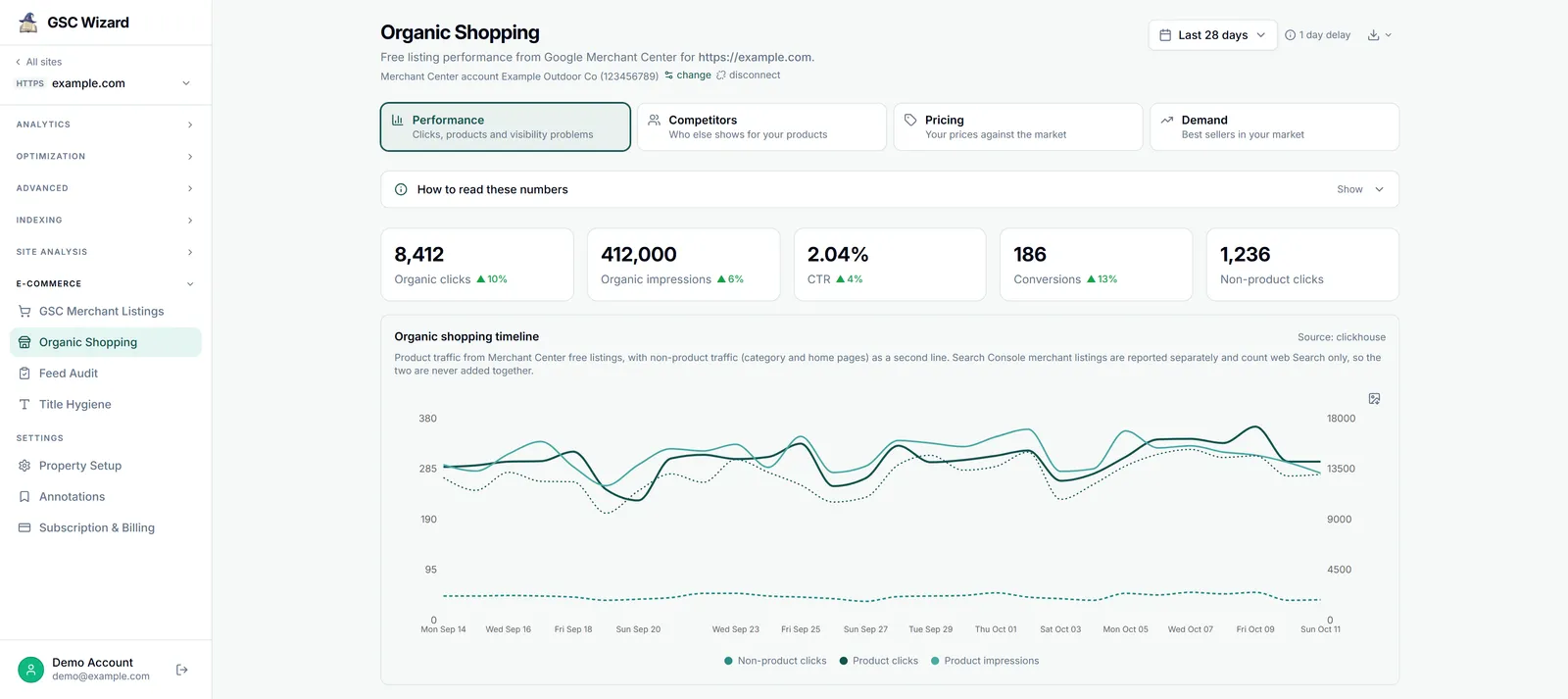
- Merchant Center linked to the property in the GSC Wizard app, not in ChatGPT: see Connecting Merchant Center. If the property’s Organic Shopping report shows numbers, ChatGPT can read them.
Already using GSC Wizard in ChatGPT for Search Console? There is nothing to add: the shopping tools are on the same server.
Use the connector, not the GSC Wizard app from the app directory. A directory app offers the tools of its last reviewed version, so it can be missing Merchant Center tools the server already has. Developer mode needs ChatGPT Plus, Pro, Business, Enterprise or Edu.
Turn on developer mode
In ChatGPT, open Settings, then Apps, and turn on Developer mode under the advanced settings. On a Business or Enterprise workspace, an admin may have to allow developer mode or custom apps first.
Add the MCP server
Create a new app. Name it GSC Wizard, enter the URL below as the server URL, and set authentication to OAuth. Leave the client ID and secret empty: ChatGPT registers itself with the server.
https://mcp.gscwizard.com/mcpThere is no field for an API key, and that is expected. ChatGPT cannot send a fixed key to a remote server, so it always signs in. Keys are for the Responses API below and for config-file clients.
Sign in and approve
ChatGPT opens GSC Wizard’s sign-in screen, which says which account you are signed in as: check it is the one that holds the shop. Leave Also allow ChatGPT to make changes ticked if you want to queue feed audits from a chat, or untick it for a read-only connection, then approve.
Use it in a chat
Pick GSC Wizard from the tools in the composer, or name it in your message. ChatGPT asks before a tool call that can make changes.
Check that it works
Ask something you can compare with the app, so you know ChatGPT reads the right account:
“List my Merchant Center accounts and their sites, then show free listing clicks for example.com over the last 28 days, with the dates.”
The clicks should match the Organic Shopping report for those dates. A notConfigured note instead names a reason, explained in the reference.
The Responses API
For scripts, scheduled reports and your own agents, the OpenAI Responses API takes the server as a remote MCP tool with a key in the header. Create the key under Account → API keys in GSC Wizard, read-only unless the job has to queue audits.
{
  "type": "mcp",
  "server_label": "gsc-wizard",
  "server_url": "https://mcp.gscwizard.com/mcp",
  "headers": { "Authorization": "Bearer gscw_live_..." },
  "allowed_tools": [
    "list_sites",
    "get_merchant_listings_performance",
    "list_gmc_accounts",
    "get_organic_shopping_performance",
    "get_product_listing_status",
    "get_gmc_account_health",
    "get_gmc_data_sources",
    "get_feed_audit_results",
    "get_gmc_title_hygiene",
    "get_gmc_competitors",
    "get_gmc_pricing_insights",
    "get_gmc_best_sellers",
    "query_gmc_report"
  ],
  "require_approval": "never"
}
The allowed_tools list keeps the model to the shopping tools and list_sites, which saves context on every turn. Add run_feed_audit only for a job that should queue audits, and only with a read-and-write key. Keep the key out of your source code.
What to ask ChatGPT
In your own words. Name the property when you have more than one.
“Where am I more expensive than the market, and what does Google predict if I use its suggested price?”
“Which of Google’s best sellers in my category in Germany do I not stock yet?”
“Who do I compete with for running shoes in the UK, and how often do they rank above me?”
“Make me a one-page shop report for October: free listing clicks per brand, the ten products with the most click potential that are not showing, and the feed score.”
All thirteen shopping tools, how to read their numbers and what ChatGPT can change are in the shopping tools reference.
Troubleshooting
A shopping tool is missing
Check that the chat uses the connector you added, not the GSC Wizard app from the app directory, which carries the tools of its last reviewed version. If the connector itself is missing a tool, refresh it in Settings, Apps, or remove it and add it again so ChatGPT reloads the tool list.
Developer mode is not in Settings
It needs ChatGPT Plus, Pro, Business, Enterprise or Edu, and is not offered on Free or Go. On a work account, ask the workspace admin whether developer mode and custom apps are allowed.
ChatGPT answers with a notConfigured note
The note names a reason, and the reference explains each one. Most mean the Merchant Center link on the property is missing or broken, which is fixed in the app, not in ChatGPT.
Part of Google Merchant Center. Related: Connecting Merchant Center, Shopping tools reference, Claude, Codex, Grok.