Link Crawl
See your site the way a crawler walks it: start at one URL, follow the internal links, and audit every page the crawl reaches.
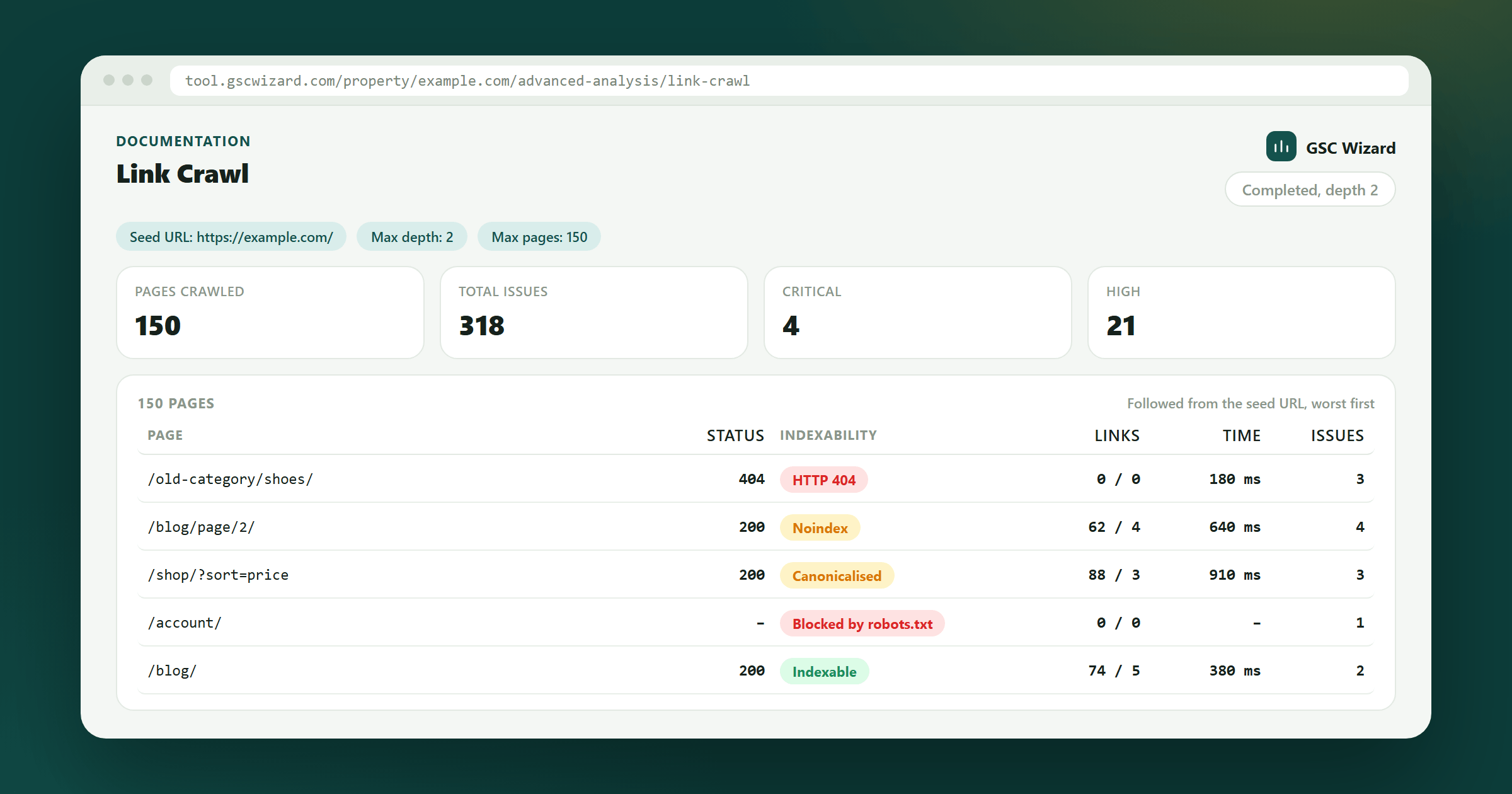
The Full On-Page Check audits the pages Search Console already knows about. Link Crawl finds pages instead: it starts at a seed URL, follows the links on each page that stay on the property’s host, breadth first, and runs every page it reaches through the same per-page checks. That makes it the report for pages that are linked but never picked up, for broken internal targets and redirect chains, and for seeing how deep a section really sits. It has no Search Console data, so it shows no impressions, clicks or keyword coverage.
How to run it
- Open the property, expand ADVANCED in the left sidebar and click Link Crawl.
- Seed URL: leave it blank to start at the property root (
https://example.com/for a Domain property), or enter an http or https URL on the same property, up to 2,000 characters. - Max depth: 1 crawls the seed page only, 2 (the default) also follows the links on it, and 3 follows the links on those pages too, which covers far more of the site and takes longer.
- Max pages: 50, 150 (the default), 500 or 1,000. The crawl stops at whichever of the depth and the page cap it reaches first, so it always finishes.
- Click Start crawl (Re-run crawl after the first one). The run is queued, then crawls in the background: you can leave the page and come back for the results. While it runs, a progress line shows the pages crawled, the URLs still queued, the depth and the cap; there is no percentage, because the total is unknown until the queue empties.
- Cancel stops the run before its next batch of pages and keeps what it already crawled. Previous runs reopens any of the last five, each labelled with its date, page count and depth.
How the crawl moves
- A background worker advances each run once a minute, in slices of about 50 seconds, and the page refreshes its view every few seconds while a run is active.
- Pages are fetched five at a time by default. A crawl rate set in Property Setup lowers that, and its delay between waves combines with the robots.txt Crawl-delay so the slower one wins.
- robots.txt is read before every page and redirect hop, and a disallowed URL is reported as Blocked by robots.txt without being fetched.
- A site that answers 429 or 503 gets a pause that respects Retry-After and fewer pages at a time, and the page is tried up to three times. If it is still refused, the row says Rate limited with a medium issue explaining it is the site’s crawl-rate response and not a broken page; a page that got through on a retry carries an info note instead.
- Only links on the property’s own host are followed. A page that redirects to another host is recorded, but its links are not followed.
- Each page adds at most 40 new URLs to the queue, and URLs longer than 2,000 characters are skipped. Query strings are kept, so faceted navigation or calendar links each count as a separate page against the cap.
- You can start five crawls a day, and only one can run on a property at a time.
Reading the results
The results use the same summary cards, table and row details as the Full On-Page Check, with a few differences because the rows are filtered and paged on the server.
- Summary cards: pages crawled, total issues, and the critical, high, medium and low counts. The keyword coverage row does not appear.
- Filters: search by URL or title, severity, category and HTTP status bucket, applied to every page of the run. The issue, content-group, word-count and sitemap filters of the Full On-Page Check are not offered here.
- The table shows 50 rows a page, worst first, and sorts on Status, Words and Time. The Keyword column stays empty. Click a row for its issues and raw signals.
- Every issue from the Full On-Page Check applies, along with sitemap membership (looked up for the seed’s site, and skipped when it cannot be read in time) and the hreflang and broken-link-target checks once the crawl ends. Without Search Console data, issues that weigh impressions use their lower severity: a noindex page is high rather than critical.
Exports
- The same four exports as the Full On-Page Check: CSV with one row per page, per issue or per keyword (the last has nothing to list, since a link crawl has no queries), and an HTML report.
- An export covers every page that matches your filters, not just the page of rows on screen. It shows its progress while it gathers them, and it stops at 5,000 rows with a notice if the filters match more.
A link crawl can only reach pages something links to, so it cannot list pages that nothing links to. For those, run the Full On-Page Check: it starts from the pages Search Console reports and flags the ones no other crawled page links to as orphans.
Read-only collaborators can open past crawls but not start or cancel one, and the property must be verified for you in Search Console. The crawl needs no Google connection of its own. If no pages come back, check that the seed URL loads and that robots.txt allows GSCWizard-Bot; see the GSCWizard-Bot page.
Part of Advanced analysis. Related: Full On-Page Check, Sitemap Performance, URL Inspection.