Report settings (thresholds)
Set the values the Google Ads reports judge your account by, per property, without letting noise pass as a finding.
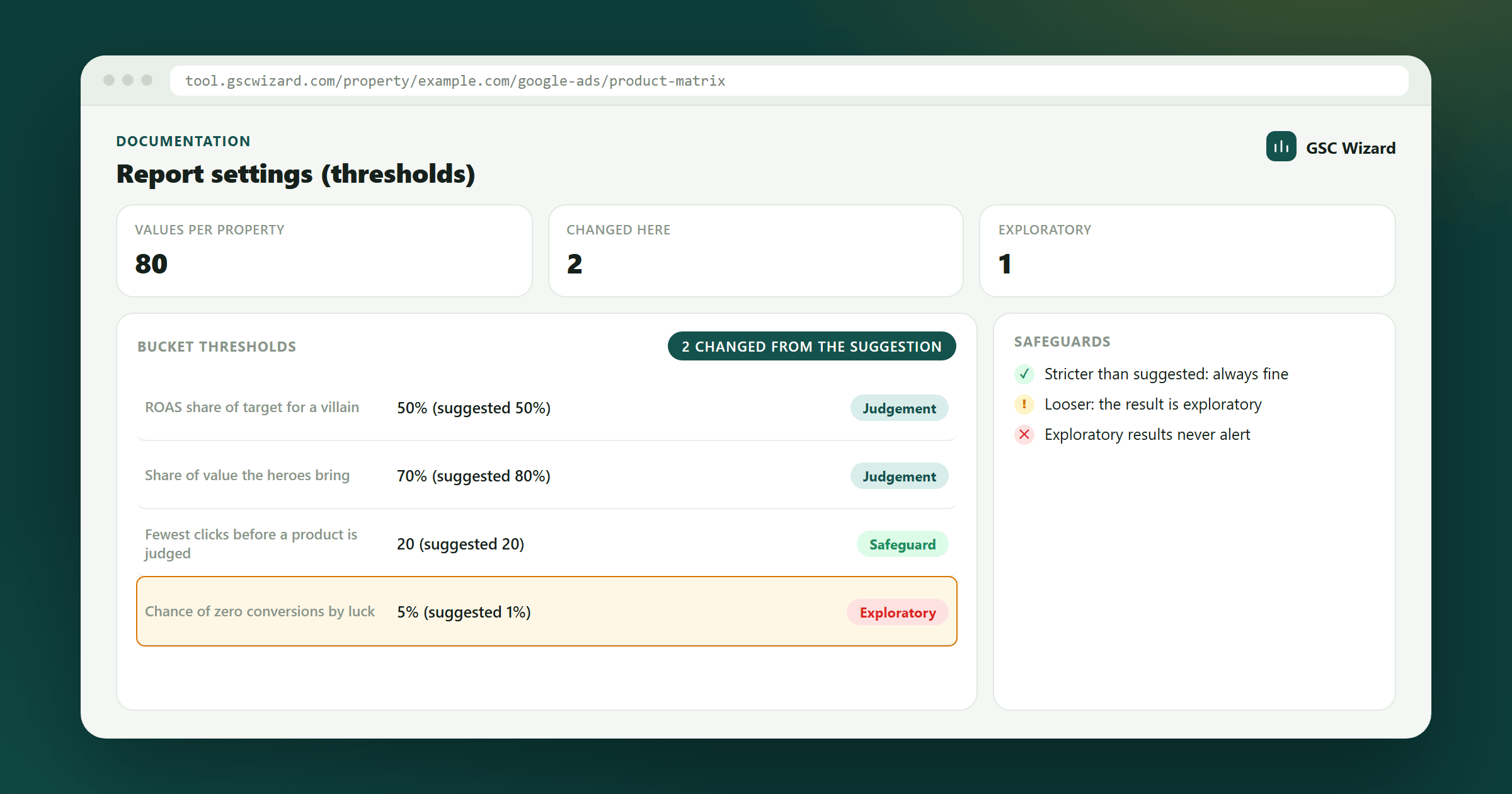
Many Google Ads reports make a call: is this product a villain, is this brand term safe to pause, did this conversion action stop firing. Each call rests on a threshold, and GSC Wizard lets you set those thresholds per property, so the reports judge your account by your business rather than by a generic rule.
Where to find them
Reports that make calls have a thresholds panel near the top of the page, collapsed by default. Its heading names what the values decide, such as Bucket thresholds on the Product Matrix or Health check thresholds and severities on the Health Check, and its summary says whether everything is at the suggestion or how many values were changed.
- Each value shows its label, a short explanation, whether it is a judgement call or a safeguard, and the Suggested value the report was built with.
- Type a new value and click Save. Undo drops an unsaved edit, Reset returns one value to its suggestion, and Reset all returns every changed value on that page to its suggestion. Discard edits drops everything you have not saved.
- Values are saved per property and apply to everyone who opens its reports. Changing them needs the owner or a collaborator with full access; read-only collaborators see the values but cannot change them.
- With nothing changed, every report gives exactly the result it gave before thresholds were adjustable.
Judgement calls and safeguards
There are about 80 values in all: 67 across the reports, plus one severity for each health check. They come in two kinds, and the difference matters.
| Kind | What it is | Examples |
|---|---|---|
| Judgement | A business call with no right answer. Set it anywhere within its range. | The organic position that counts as “about position 1”; the impression share that clears a lone brand term; the share of target ROAS below which a product is a villain; the share of conversion value the heroes bring; the share of impression share lost to budget that makes a campaign budget-limited; how many days without a bid change count as stale. |
| Safeguard | A statistical guard against reporting noise as a finding: minimum volumes, minimum effect sizes, significance cut-offs, minimum weeks of data. | Clicks a week before a CPC is used; sessions a page needs before conversion rates are compared; the false discovery rate of the scorecard flag; weeks of history before a natural experiment is read; the minimum shortfall in the after-the-cut monitor. |
On the Health Check, each of the 13 checks also has a severity (High, Medium or Low) that sets how much a failed check weighs.
Exploratory results
Setting a safeguard stricter than suggested is always fine: you will see fewer findings, each better supported. Setting one looser lets you look at smaller accounts or shorter periods, but the result becomes exploratory.
- The panel marks the value: “Looser than suggested: results that use this are exploratory, are not stored as measured readings and do not trigger alerts.”
- The result itself carries an Exploratory result note that names the loosened values with their suggestions.
- An exploratory reading in Ads Natural Experiments cannot be saved, so it can never replace the research prior in Brand Savings.
- Alerts always use the suggested safeguard or your stricter one, never a looser one.
Thresholds and alerts
Google Ads alerts use the property’s own thresholds: judgement values as you saved them, safeguards at the suggestion or stricter. Alerts that compare against what they saw before (budget-limited campaigns, lone brand terms, health checks) start again from the current state when their thresholds change, so saving a new value never sends a burst of alerts.
Reports with a thresholds panel
- Search Term Insights: the duplication view.
- Ads and Assets: the CTR comparison of headlines and descriptions.
- Product Matrix: the bucket rules. A campaign without a ROAS target uses a target you set on the page, which is kept in the address so you can share the view.
- Budgets and Targets: projections, budget limits and target comparisons.
- When and Where: the heatmap cell floors.
- Brand Savings: the lone brand terms, negatives from organic and pre-screen tabs.
- Total Search: the double coverage view.
- Search Landing-Page Scorecard, Ad Page vs Ranking Page and Ads Natural Experiments.
- Ads Health Check, Conversion Tracking Health, Ads vs GA4, New vs Returning and Ads Negative Keywords.
In AI assistants, the health check tool uses the property’s saved thresholds, and the product matrix tool takes a target ROAS and the bucket rules as arguments for one-off what-ifs that change nothing stored.
Part of Google Ads. Related: Google Ads alerts, Ads Natural Experiments, Product Matrix.