Paid search reports
Fourteen reports on the Google Ads account itself: what it spends, on which searches, products, hours, places and settings, and what changed.
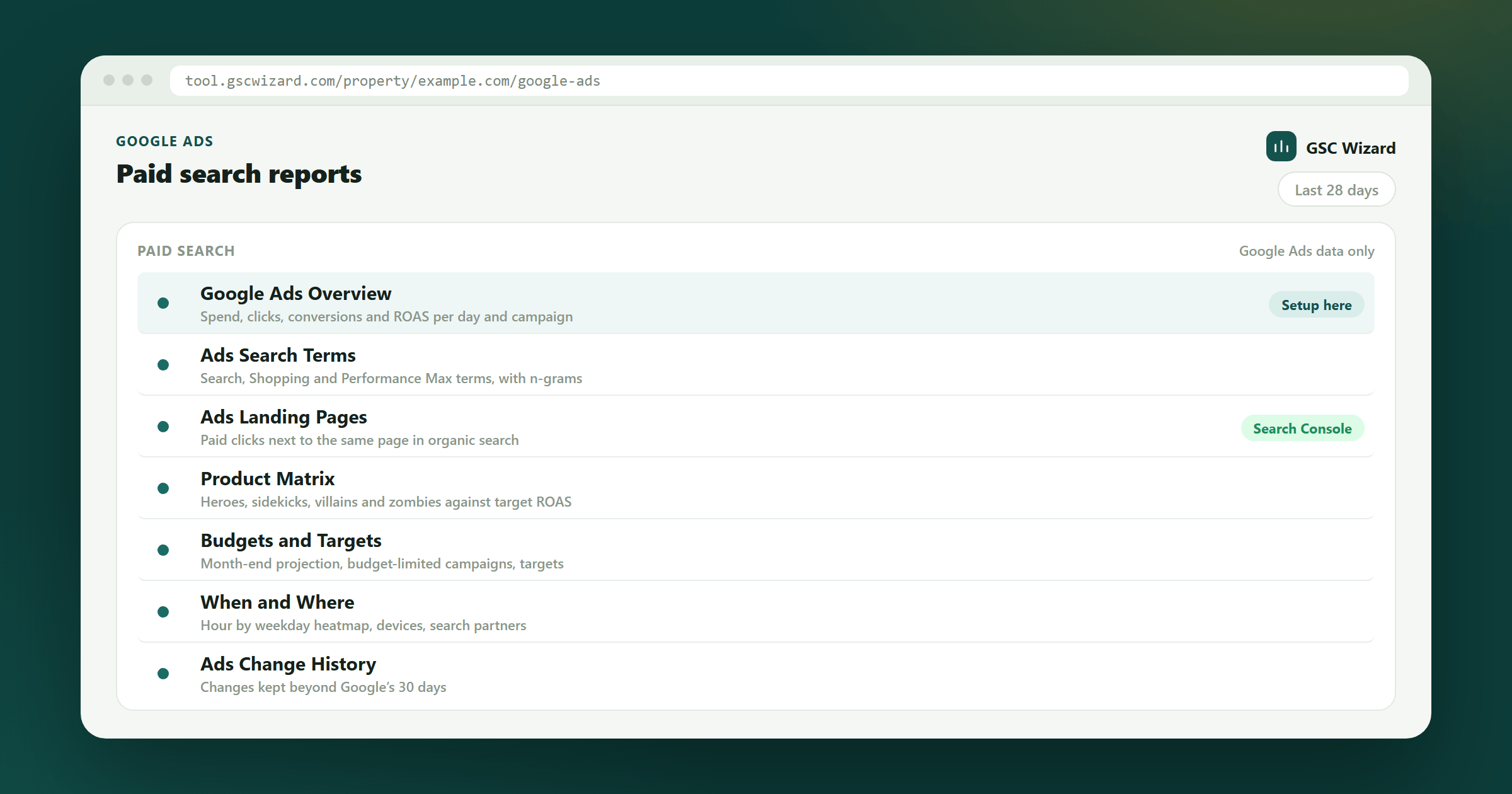
The PAID SEARCH section of a property’s sidebar holds the reports that need nothing but Google Ads. They start with the Google Ads Overview, which is also where you connect a Google login with Ads access and link an account to the property (see Connecting Google Ads). Two of them reach further: Ads Landing Pages puts each page’s Search Console clicks beside its paid clicks, and Product Matrix uses the Merchant Center catalog when one is linked.
Where the data comes from
- Daily rows from the Google Ads API, copied into GSC Wizard’s warehouse: 16 months of history on the first sync, then a daily refresh of the trailing 14 days, because conversions and impression share keep changing for a while.
- Hourly rows cover 90 days and region rows 180 days back from the day an account was linked, then every day after it.
- Weekly snapshots of settings Google does not keep a history of: ads and assets, negatives, conversion actions, budget simulations, Google’s recommendations, Performance Max placements and search categories.
- The change log from the first sync on. Google keeps only 30 days; GSC Wizard keeps every change it has seen.
Reports in this group
They load as soon as you open them, follow the date selector at the top, and export every table to CSV.
Google Ads Overview
Spend, clicks, conversions and ROAS per day and campaign, plus the setup card where you link and sync accounts.
Ads Search Terms
What people typed before an ad showed, across Search, Shopping and Performance Max, with n-gram mining.
Search Term Insights
Brand against non-brand spend per week and channel, and search terms that several campaigns compete for.
Ads Keywords
Search keywords with their daily Quality Score and its three components, including landing page experience.
Ads Landing Pages
Paid clicks, cost and conversions per landing page next to the same page’s organic clicks and position.
Ads and Assets
Headline and description CTR against their siblings, ads pinned too tightly to test, and disapproved or limited ads.
Ads Shopping
Paid Shopping and Performance Max performance per product, keyed by Merchant Center offer id.
Product Matrix
Every advertised product sorted into heroes, sidekicks, villains, zombies and more against its target ROAS.
Performance Max
Performance Max spend per channel, asset groups, search categories, brand share, placements and brand exclusions.
Budgets and Targets
A month-end spend projection, budget-limited campaigns, CPA or ROAS against target, and what followed each change.
When and Where
An hour by weekday heatmap, the cost per conversion gap between devices, and Google Search against search partners.
Ads Geo
Cost and conversions per region and country, split into people in the area and people only interested in it.
Ads Change Analysis
Why conversions, conversion value or cost changed between two periods, split exactly into its factors.
Ads Change History
Structural account changes kept beyond Google’s 30 days, with who made them and with which tool.
What every report shares
- The data-as-of stamp under the title, which turns amber when an account’s last sync is more than 24 hours old.
- With two or more Ads accounts linked to the property, the Accounts chips at the top show a subset; the choice is remembered per property and follows you from report to report. When the accounts use different currencies, money follows the report currency chosen on the Google Ads Overview.
- Every table sorts on a column click, has a Columns menu for hidden columns and a download icon (Export CSV). The CSV holds every filtered and sorted row in the visible columns, and its file name carries the date range.
- A side that was not read shows “not read” or “not stored”, never 0.
- GSC Wizard never changes your Google Ads account: every change described here is one you make yourself in Google Ads or Google Ads Editor.
Part of Google Ads. Related: Paid + organic reports, Ads audit reports, Report settings.