Conversion Tracking Health
Every Google Ads conversion action with its settings, whether it still fires, and how long its conversions take to be reported.
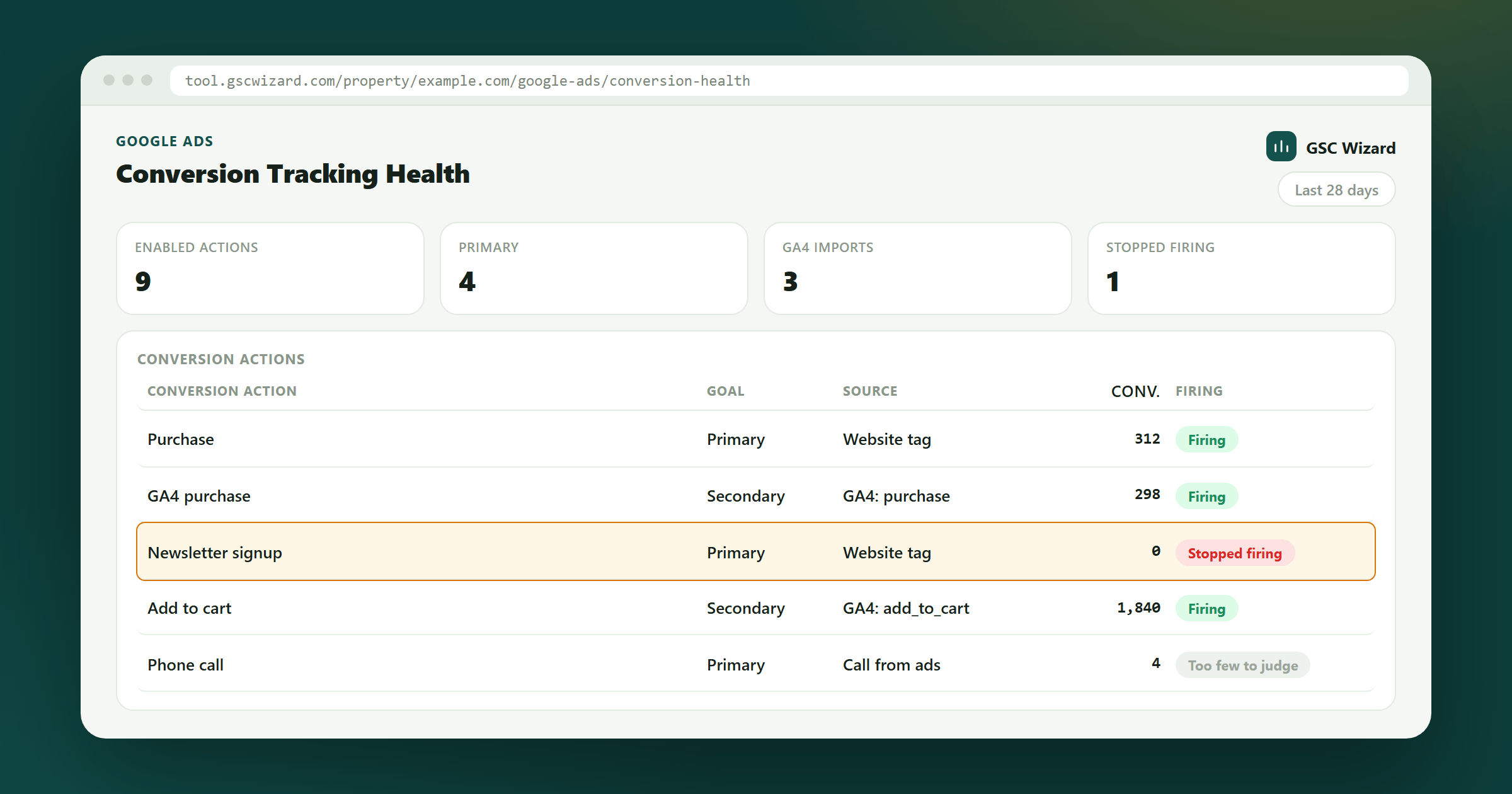
Bidding is only as good as the conversions it optimizes for. This report checks the actions themselves: which are primary, which count in the Conversions column, which are GA4 imports, and whether each still records conversions at its normal rate. Action settings come from a weekly snapshot, conversions from the daily sync.
Open a property and click Conversion Tracking Health under ADS AUDIT in the left sidebar (/property/<site>/google-ads/conversion-health). It reads GSC Wizard’s stored copy of your Ads data, never Google live, and the stamp under the title says when each account last synced (Sync, history & data).
What you see
Tiles and attention list
Enabled actions, Primary, GA4 imports, Need attention and Stopped firing, then a Needs attention box with each action’s flags.
Conversion actions
Status, goal (primary or secondary), whether it is in the Conversions column, category, counting (one or every), attribution model, source (a GA4 event or the tag type), conversions, all conversions, and Firing: Firing, Stopped firing (with the days), Too few to judge, No traffic or Too little history.
Daily conversions by click day
All primary conversions or one action, with the days whose conversions are still arriving shaded.
Conversion lag
Per account or action, the share of conversions reported within 1, 3, 7, 14 and 30 days of the click, and the days until 90% is in.
What the flags mean
- Stopped firing: an action that recorded conversions steadily has had none for longer than its own rate allows, while clicks continued. Check that the tag or import still fires.
- Set as primary but not counted in the Conversions column, so bidding does not use it: check the goal settings.
- Last click, or a rule-based model Google has retired.
- Enabled but no conversions in the range: check the tag or import, or remove it in Google Ads if it is no longer used.
- Two actions counting the same thing: keep one primary and set the others to secondary.
Controls and exports
- Date range for conversions and the chart. The stopped-firing test is judged at the end of the synced data against the 28 days before.
- The Accounts chips and the report currency work as on every Google Ads report (shared controls).
- CSV of the action and lag tables. Tables sort, hide columns and export CSV (shared controls).
- Settings this report uses, changeable per property in its thresholds panel (see Report settings): the conversions (14) and share of active days (30%) needed before a stop is judged, the shortest quiet run that can be flagged (2 days), the chance of the quiet run by luck that still counts as stopped (0.1%), the share of normal clicks below which a quiet run is a traffic drop (20%), and the share of conversions that counts as “in” (90%), all safeguards.
Caveats
- The lag curve needs at least 20 conversions on click days old enough; a curve built from 35-day-old clicks undercounts conversions that come later than 30 days.
- Until the weekly settings snapshot has run, the page says the settings have not been copied yet.
- A stopped action also raises the conversion action stopped alert.
Part of Ads audit reports. Related: Ads vs GA4, Ads Change Analysis, Google Ads Overview.