Ads Recommendations
Google’s optimization score, Google’s open recommendations and the invalid clicks Google filtered out, shown as Google reports them.
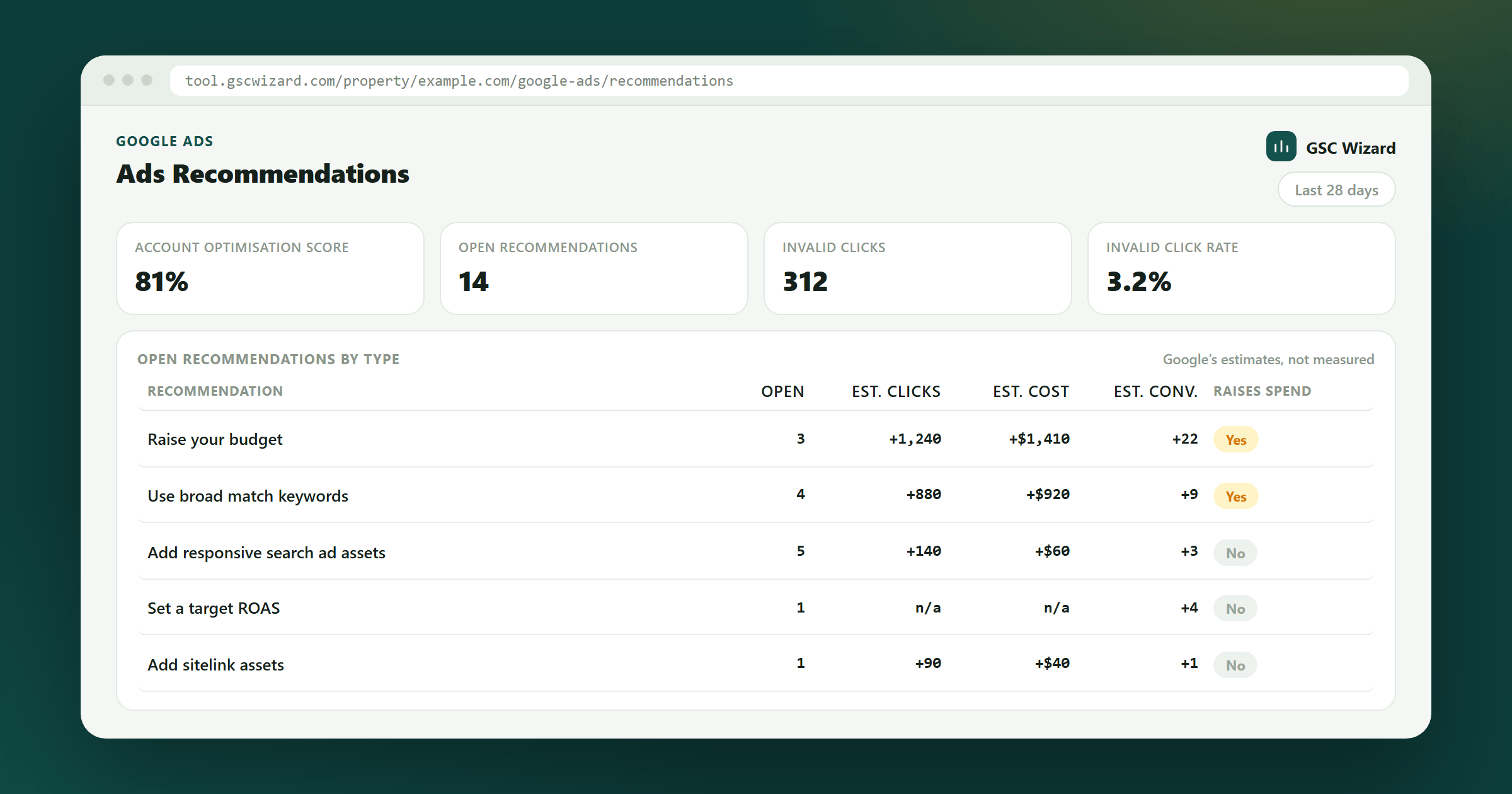
Google’s own suggestions and estimates, kept over time so you can see how the score and the open list moved. Several recommendations raise spend, and a higher optimization score does not mean more profit. Nothing is applied from this page.
Open a property and click Ads Recommendations under ADS AUDIT in the left sidebar (/property/<site>/google-ads/recommendations). It reads GSC Wizard’s stored copy of your Ads data, never Google live, and the stamp under the title says when each account last synced (Sync, history & data).
What you see
Tiles
Account optimisation score (across accounts, weighted by Google’s account weight; a plain average when a weight is missing), Open recommendations, Invalid clicks, and Invalid click rate: invalid clicks over billed plus invalid clicks.
Optimization score
A line of the account score from the weekly snapshots in the range, and a Campaign optimisation score table with the score now, at the start of the range, and the change in points.
Open recommendations
Counted by type, with the campaigns affected, Google’s estimated clicks, cost and conversions, and whether the type raises spend; then one row per recommendation. The estimate is the change Google expects if every open recommendation of the type were applied.
Invalid clicks
A daily chart and a table per campaign of billed clicks, invalid clicks and the invalid rate: clicks Google identified as accidental, automated or fraudulent and did not bill.
Controls and exports
- Date range.
- The Accounts chips and the report currency work as on every Google Ads report (shared controls).
- CSV of each table. Tables sort, hide columns and export CSV (shared controls).
How to act on it
- Read each recommendation with its Raises spend flag and the estimate, then apply the ones you agree with in Google Ads. Estimates are Google’s, not measured.
- A sudden rise in the invalid click rate for one campaign is worth raising with Google Ads support.
Caveats
- Recommendations come from the newest weekly snapshot; applied and dismissed recommendations are not listed.
- Invalid clicks are synced weekly for the last 35 days (90 the first time).
- Until the weekly snapshot has run for every linked account, tiles say “Not stored yet”.
Part of Ads audit reports. Related: Ads Health Check, Budgets and Targets.