Google Ads Overview
Spend, clicks and conversions from the linked Google Ads accounts, per day and per campaign, with the setup card that links and syncs them.
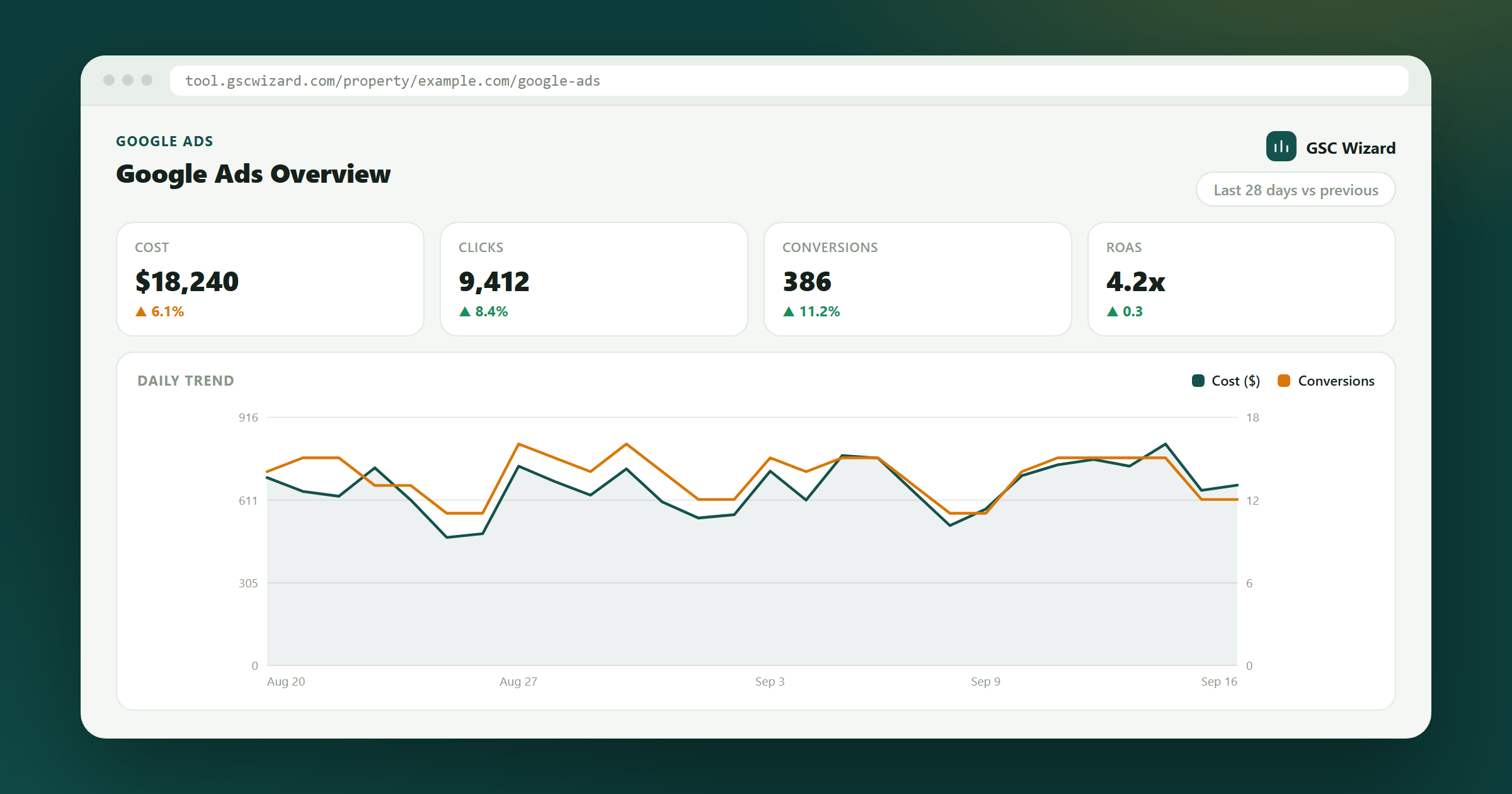
The Overview is the first report in the Google Ads section and the place where a property gets its Ads data. Before anything is linked, it shows only the Setup card; after that, the report itself fills in below it.
Open a property and click Google Ads Overview under PAID SEARCH in the left sidebar (/property/<site>/google-ads). It reads GSC Wizard’s stored copy of your Ads data, never Google live, and the stamp under the title says when each account last synced (Sync, history & data).
The Setup card
Three numbered steps, with the next one highlighted: connect a Google login with Ads access, choose the Ads account for this property, and import the data with Sync now. The linked-accounts table shows what is stored per account, how far the history import got, and the last sync and its error. The Report currency selector lives here too. Step by step: Connecting Google Ads and Sync, history & data.
Setup check
Once an account is linked, a Setup check card offers Check setup. It reads the GA4 Admin API live (read-only, cached for 10 minutes) and marks each item OK, Needs attention or Not known: whether GA4 is linked to the Ads account, which conversion actions are GA4 imports and whether their attribution settings agree, whether Merchant Center is linked (and is the one this property uses), and where to look for the Search Console link. Items that need attention carry a What to do line.
What you see
Tiles
Eight tiles: Cost, Clicks, Conversions, Conv. value, Impressions, Avg CPC, Cost / conv. and ROAS, each with its change against the comparison period. For cost, CPC and cost per conversion, lower counts as better.
Daily trend
A line chart of Cost, Clicks, Conversions, Conv. value or CPC, with the comparison period as a dashed line paired day by day. Recent days whose conversions are still arriving are shaded: Google Ads credits a conversion to the day of the click, and the shading covers the days before 90% of this account’s conversions are usually in.
Spend by campaign type
Cost, share of cost, clicks, conversions and conversion value per campaign type (Search, Shopping, Performance Max and so on).
Campaigns
One row per campaign with type, status, impressions, clicks, CTR, cost, CPC, conversions, All conv., cost per conversion, conversion value, ROAS, Search IS, and the impression share lost to budget and to rank. Bidding is a hidden column. The table reads up to 1,000 campaigns.
Controls and exports
- Date range and comparison period. This is the one paid search report that shows comparison figures; when the comparison period starts before the stored history, no change is shown rather than a misleading one.
- The Accounts chips and the report currency work as on every Google Ads report (shared controls).
- Tables sort, hide columns and export CSV (shared controls).
Reading it correctly
- Impression share is weighted by eligible impressions. Google reports a share below 10% or above 90% only as that bound, so a figure where every day sat at the bound shows as < 10% or > 90%, and ~ marks a figure that includes such days, which makes it an estimate.
- Impression share settles about 3 days after the fact, and conversions keep arriving for days or weeks after the click.
- Days with no stored data (no impressions, or not synced yet) show as a gap in the chart, not as zero.
- Conversions come from the per-conversion-action table where it is stored, so late conversions are counted; the line under the chart says which source was used.
In AI assistants: the get_google_ads_overview tool of the GSC Wizard MCP server returns the same spend, clicks, conversions and ROAS with the previous period, campaign types, campaigns with their impression share bounds, and the daily series. Start an assistant conversation with get_google_ads_setup, which lists the linked accounts and their sync state. See Google Ads in AI assistants.
Part of Paid search reports. Related: Ads Search Terms, Budgets and Targets, Ads Change Analysis, Ads Health Check.