Ads Negative Keywords
Negative keywords that block keywords you pay for, converting search terms that are excluded now, negatives repeated across campaigns, and campaigns without any.
Negatives are matched with Google’s negative keyword rules: they do not match plurals, synonyms or other close variants. Negatives come from a weekly snapshot of campaign, ad group and shared-list negatives.
Open a property and click Ads Negative Keywords under ADS AUDIT in the left sidebar (/property/<site>/google-ads/negatives). It reads GSC Wizard’s stored copy of your Ads data, never Google live, and the stamp under the title says when each account last synced (Sync, history & data).
What you see
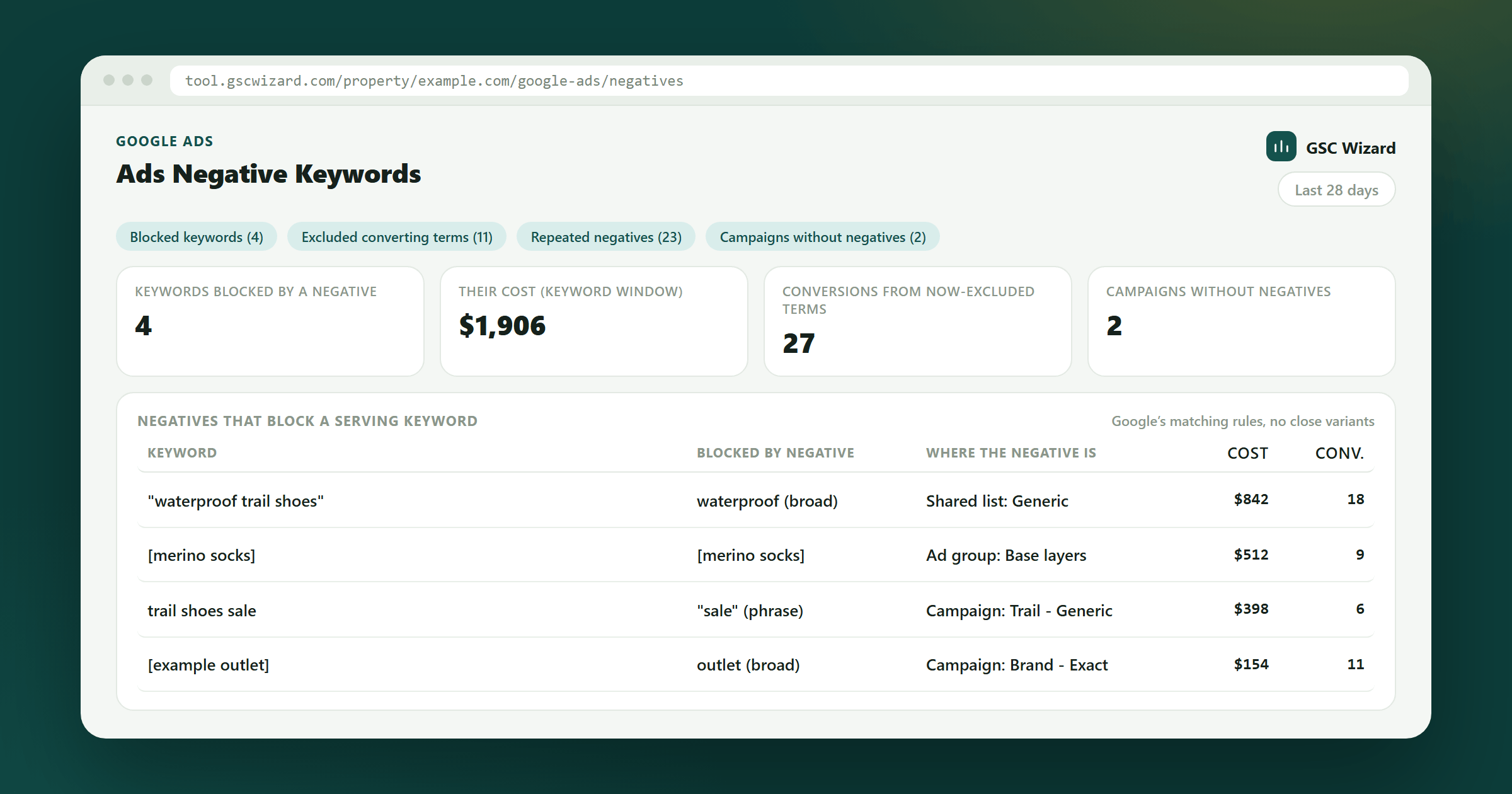
Tiles for Keywords blocked by a negative, Their cost (keyword window), Conversions from now-excluded terms and Campaigns without negatives, a line counting the negatives on campaigns, ad groups and shared lists, then four tabs.
Blocked keywords
Each keyword a negative blocks, with both match types, where the negative sits, and the keyword’s traffic over a window of at least 90 days (up to the 50,000 most expensive keywords). Which keywords count depends on whether the weekly keyword status snapshot is stored for every account shown. When it is, the table is titled Negatives that block an enabled keyword: it lists only keywords that are enabled in an enabled ad group and campaign, gives the status date, and says how many paused or removed keywords a negative would block were left out. Until then, it lists the keywords that served in the last 30 days: a keyword removed or paused within those 30 days is still listed, and blocked keywords that last served earlier are left out, with their number in the table’s description.
Excluded converting terms
Search terms that converted in the range and are excluded now, with a weekly chart: these conversions are what the account gives up from now on, unless the exclusion was meant.
Repeated negatives
The same negative added in many campaigns and ad groups, and whether it is also in a shared list.
Campaigns without negatives
Search and Shopping campaigns with no negative keyword, with their cost and conversions in the range.
Controls and exports
- Date range for excluded terms and campaign cost; a Filter box on each table.
- The Accounts chips and the report currency work as on every Google Ads report (shared controls).
- CSV of each table, as the work list for Google Ads or Google Ads Editor. Tables sort, hide columns and export CSV (shared controls).
- Settings this report uses, changeable per property in its thresholds panel (see Report settings): Places the same negative must be added before a shared list is suggested (3, a judgement call).
How to act on it
- Remove or narrow negatives that block a keyword you meant to pay for.
- Review excluded converting terms: undo the exclusions you did not mean.
- Move negatives repeated in many places into one shared negative keyword list (Tools, Shared library), which is easier to keep complete.
- Give campaigns without negatives a starting list from Ads Search Terms.
Caveats
- Until the weekly snapshot of negatives is stored for every linked account, the tabs say “Not checked yet”; excluded terms also need the weekly ad-group search terms.
- Google says negatives also cover misspellings; that cannot be reproduced here.
Part of Ads audit reports. Related: Ads Search Terms, Ads Health Check, Brand Savings.