New vs Returning
Per campaign, the share of GA4 sessions, key events and revenue from returning users, with brand campaigns marked. A brand campaign that mostly reaches people who already know the site buys visits it might get anyway.
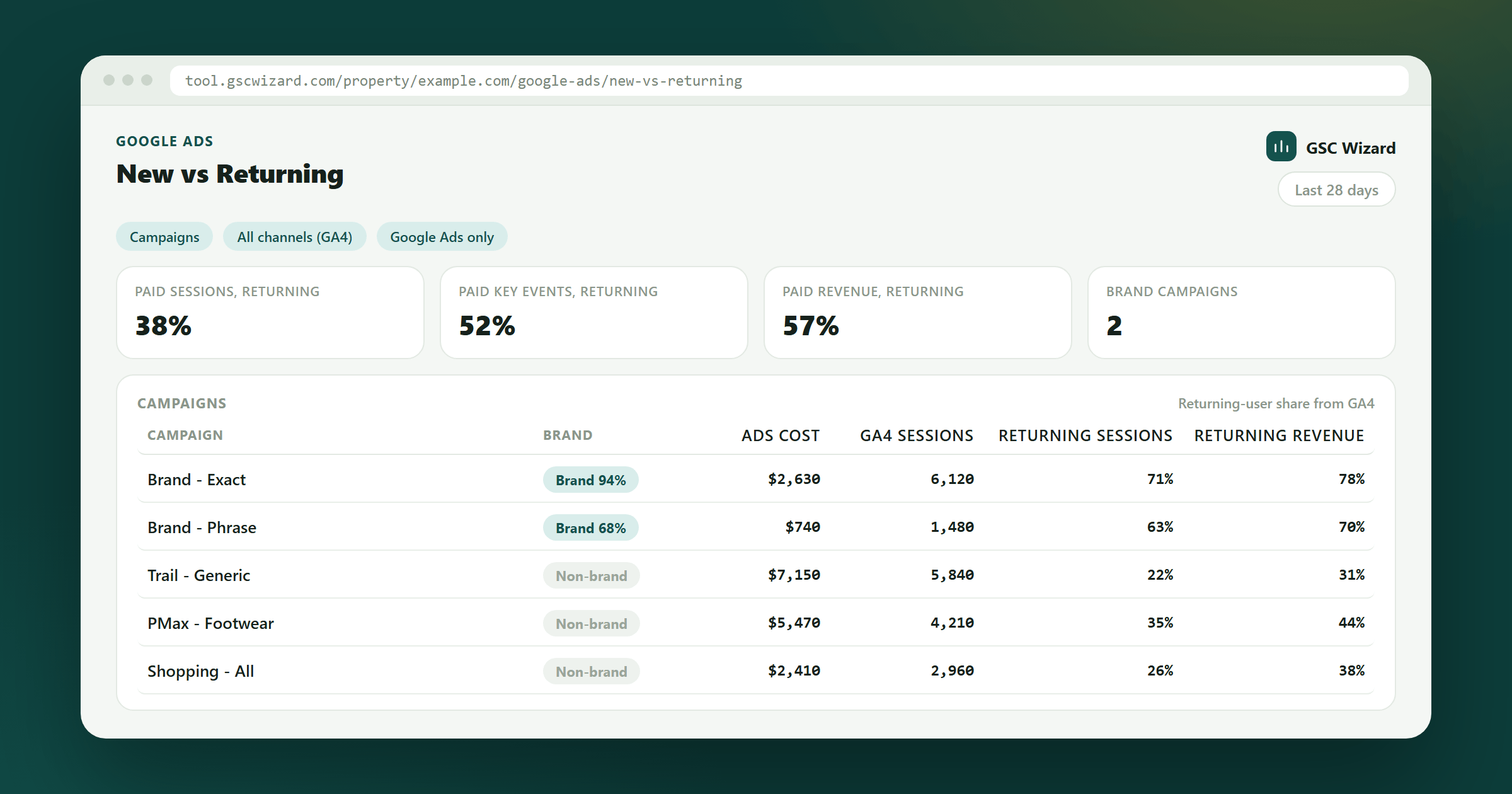
A campaign counts as a brand campaign when brand terms make up enough of its search term cost, decided by the branded keywords in the property’s setup. GA4 supplies the new and returning split per Ads campaign and per default channel group; Google Ads’ own new and returning customer split is kept for the last 90 days.
Open a property and click New vs Returning under ADS AUDIT in the left sidebar (/property/<site>/google-ads/new-vs-returning). It reads GSC Wizard’s stored copy of your Ads data, never Google live, and the stamp under the title says when each account last synced (Sync, history & data).
What you see
Three tabs: Campaigns, All channels (GA4) and Google Ads only.
Tiles and finding
Paid sessions, returning, Paid key events, returning, Paid revenue, returning and Brand campaigns, then Brand campaigns that mostly reach returning users.
Campaigns
Each campaign with a brand badge (brand share, non-brand or unknown), Ads cost and clicks, GA4 sessions, and returning sessions, key events and revenue, plus Google Ads’ own returning conversions. Cells that could not be filled say “not stored”, “not read” or “not classified”.
All channels
The same returning shares per GA4 channel group, to compare paid with organic and direct.
Controls and exports
- Press Run analysis; GA4 results are cached for an hour, and a date change or a saved setting clears them.
- The Accounts chips and the report currency work as on every Google Ads report (shared controls).
- CSV of each table. Tables sort, hide columns and export CSV (shared controls).
- Settings this report uses, changeable per property in its thresholds panel (see Report settings): Brand share of a campaign’s term cost that makes it a brand campaign (50%) and Returning-user share of a brand campaign that is a finding (50%), judgement calls; GA4 sessions a campaign needs before it can be a finding (100), a safeguard.
How to act on it
- A brand campaign that mostly reaches returning users is a reason to test a lower brand bid, not proof the spend is wasted. The Google Ads conversion figures and a holdout test settle that; Brand Savings helps plan it.
Caveats
- Without branded keywords no campaign can be marked brand.
- Google Ads hides low-volume terms, so a campaign’s brand share is read from the terms it shows; the term coverage column says how much that is.
- If GA4 returns no sessions with a Google Ads campaign id, the link or auto-tagging is the likely cause; Ads vs GA4 tells the two apart.
Part of Ads audit reports. Related: Ads vs GA4, Brand Savings, Search Term Insights.