Search Landing-Page Scorecard
Each landing page with its organic performance, its ad spend and what visitors from each search channel did on it, to find pages where paid traffic does much worse than organic, and pages you pay for that do not rank.
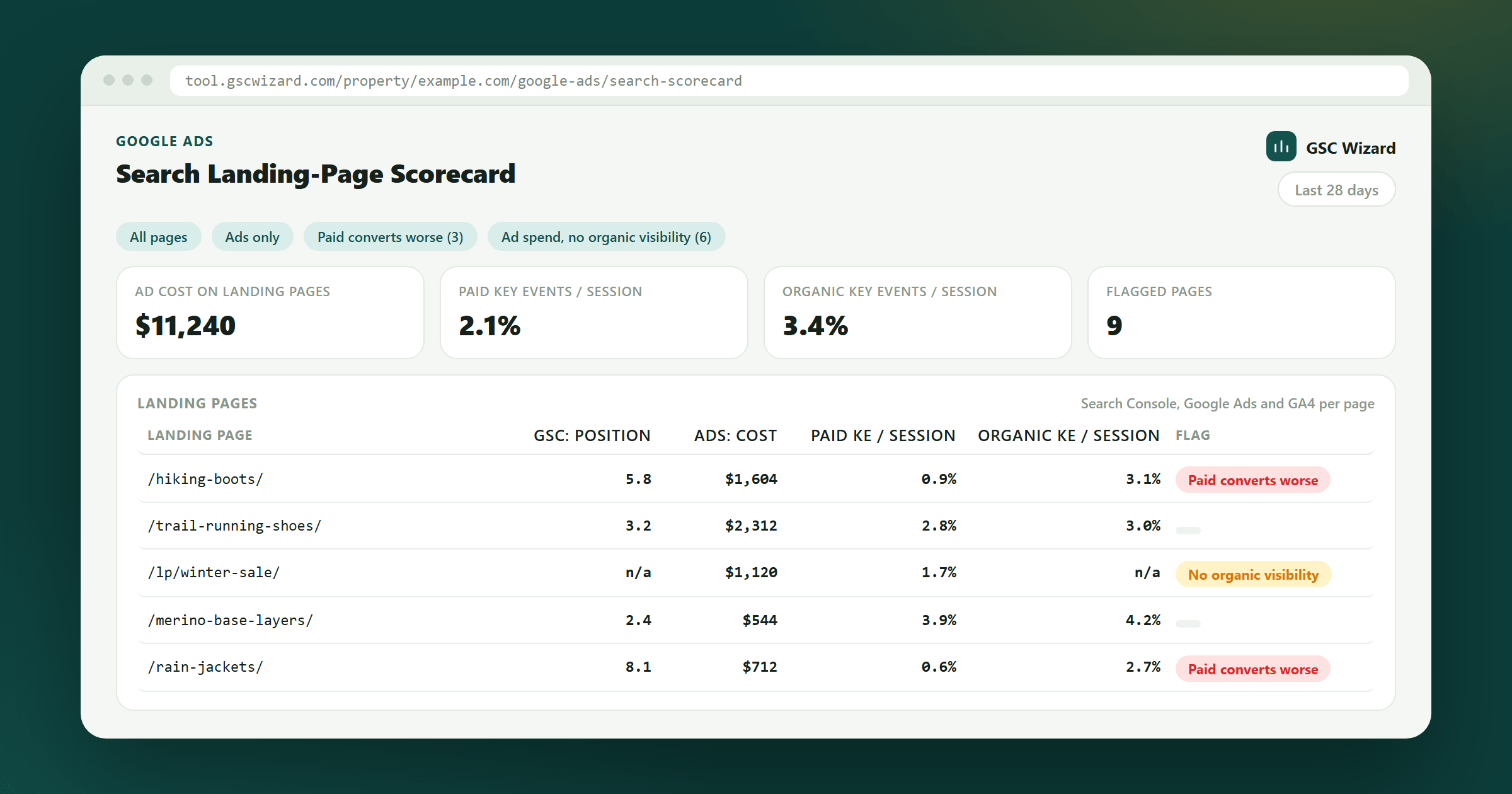
One row per page, from three sources: Search Console clicks and position, Google Ads cost, clicks and conversions per landing page, and a GA4 report of landing pages by session channel group.
Open a property and click Search Landing-Page Scorecard under PAID + ORGANIC in the left sidebar (/property/<site>/google-ads/search-scorecard). It reads GSC Wizard’s stored copy of your Ads data, never Google live, and the stamp under the title says when each account last synced (Sync, history & data).
What you see
Tiles
Ad cost on landing pages, Paid key events / session, Organic key events / session and Flagged pages.
Views
All pages, Ads only, Paid converts worse and Ad spend, no organic visibility.
Landing pages
Search Console clicks and position; Ads cost, clicks and conversions; then per GA4 channel (organic, paid search, and as hidden columns paid shopping and cross-network) sessions, engagement, key events, key events per session and revenue. The Flag column says why a page is flagged, for example the paid and organic key-event rates side by side.
How a page is flagged
A page is tested only when both sides have at least 50 sessions and organic has at least 20 key events. It is flagged when the paid key-event rate is at or below half the organic one in a two-sample test, with a Benjamini-Hochberg correction so that at most 5% of the flagged pages are expected to be false alarms. A flag says the paid visits to the page convert worse, not why.
Controls and exports
- Press Run analysis; the GA4 call counts against the property’s Data API quota and is cached for an hour. Saving a setting clears the result and shows the button again.
- The Accounts chips and the report currency work as on every Google Ads report (shared controls).
- CSV per view. Tables sort, hide columns and export CSV (shared controls).
- Settings this report uses, changeable per property in its thresholds panel (see Report settings): Sessions each side needs before a page is tested (50), Organic key events a page needs (20) and Share of flagged pages allowed to be flagged by chance (5%), safeguards; Paid key-event rate, as a share of organic, that is far worse (50%), a judgement call. A safeguard set looser than suggested makes the flags exploratory.
How to act on it
- For Paid converts worse, compare the ad’s promise with the page, check the keywords and search terms behind it, and consider a dedicated landing page.
- For Ad spend, no organic visibility, decide whether the page should rank; if so, it is an SEO brief.
Caveats
- Shopping and Performance Max product clicks mostly have no landing page row, so ad cost on landing pages is below campaign cost; the coverage line says how much.
- Without GA4 the GA4 columns are left out and no page is checked for converting worse. Without Search Console no page is checked for organic visibility. The live Search Console API returns at most 25,000 pages.
- Organic-only pages are capped at 1,000, the least visited left out.
In AI assistants: the get_search_scorecard tool of the GSC Wizard MCP server returns the same rows with the flags paid_converts_worse and spend_no_organic; ga4: false skips the GA4 call. See Google Ads in AI assistants.
Part of Paid + organic reports. Related: Ads Landing Pages, Ad Page vs Ranking Page, Total Search Outcome.