Product Triangle
Each product’s three sources of search traffic side by side: what Google Ads pays for it, what it earns in free listings and organic search, and whether the feed is holding it back.
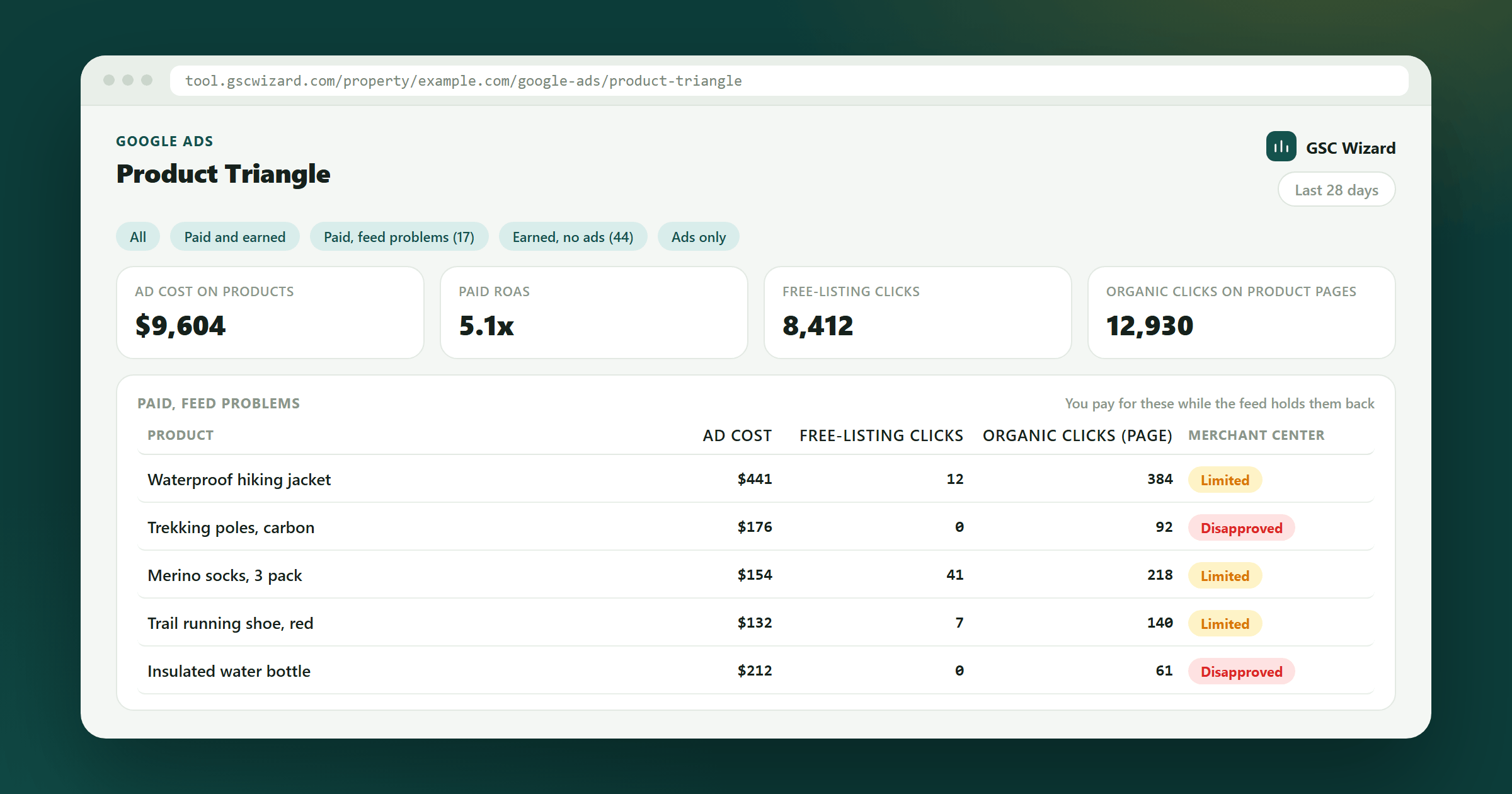
Product rows from Shopping and Performance Max are joined to the Merchant Center catalog of the property’s home market: free listing clicks, product status and item issues, the latest Feed Audit, and the Search Console clicks on the product page. Link Merchant Center on the Organic Shopping page first (Google Merchant Center).
Open a property and click Product Triangle under PAID + ORGANIC in the left sidebar (/property/<site>/google-ads/product-triangle). It reads GSC Wizard’s stored copy of your Ads data, never Google live, and the stamp under the title says when each account last synced (Sync, history & data).
What you see
Tiles
Ad cost on products, Paid ROAS, Free-listing clicks and Organic clicks on product pages.
Tabs
All; Paid and earned (candidates for a lower bid or a test, not proof the ads add nothing); Paid, feed problems (disapproved or limited, an item issue, or a critical or warning Feed Audit finding); Earned, no ads (proven demand the ads do not cover); Paid, not in catalog; and Ads only.
Product table
Ad cost, paid clicks, paid conversion value and ROAS, free-listing clicks, organic clicks on the product page (* when several products share the page), Merchant Center status, Feed Audit findings and, after a GA4 run, GA4 item revenue.
Controls and exports
- Date range. GA4 item revenue runs on Run analysis.
- The Accounts chips and the report currency work as on every Google Ads report (shared controls).
- CSV per tab; the top 5,000 products overall plus the top 2,000 per finding. Tables sort, hide columns and export CSV (shared controls).
How to act on it
- Fix Paid, feed problems first in Merchant Center: you pay for these products while the feed holds them back.
- Read Earned, no ads as products with proven demand to consider for Shopping.
- Take Paid and earned products to a bid test, and judge it on total clicks.
Caveats
- Without Merchant Center the free-listing and feed columns say “not checked” or “n/a”, never 0.
- GA4 item revenue matches only where the site sends the Merchant Center offer id as the GA4 item id.
- The catalog read stops at 50,000 products, and Performance Max spend on other formats has no product row.
Part of Paid + organic reports. Related: Product Matrix, Ads Shopping, Organic Shopping.