Total Search
Paid and organic search as one: whether ads add clicks or take them from organic results, and the queries where your own pages already compete with each other and with an ad.
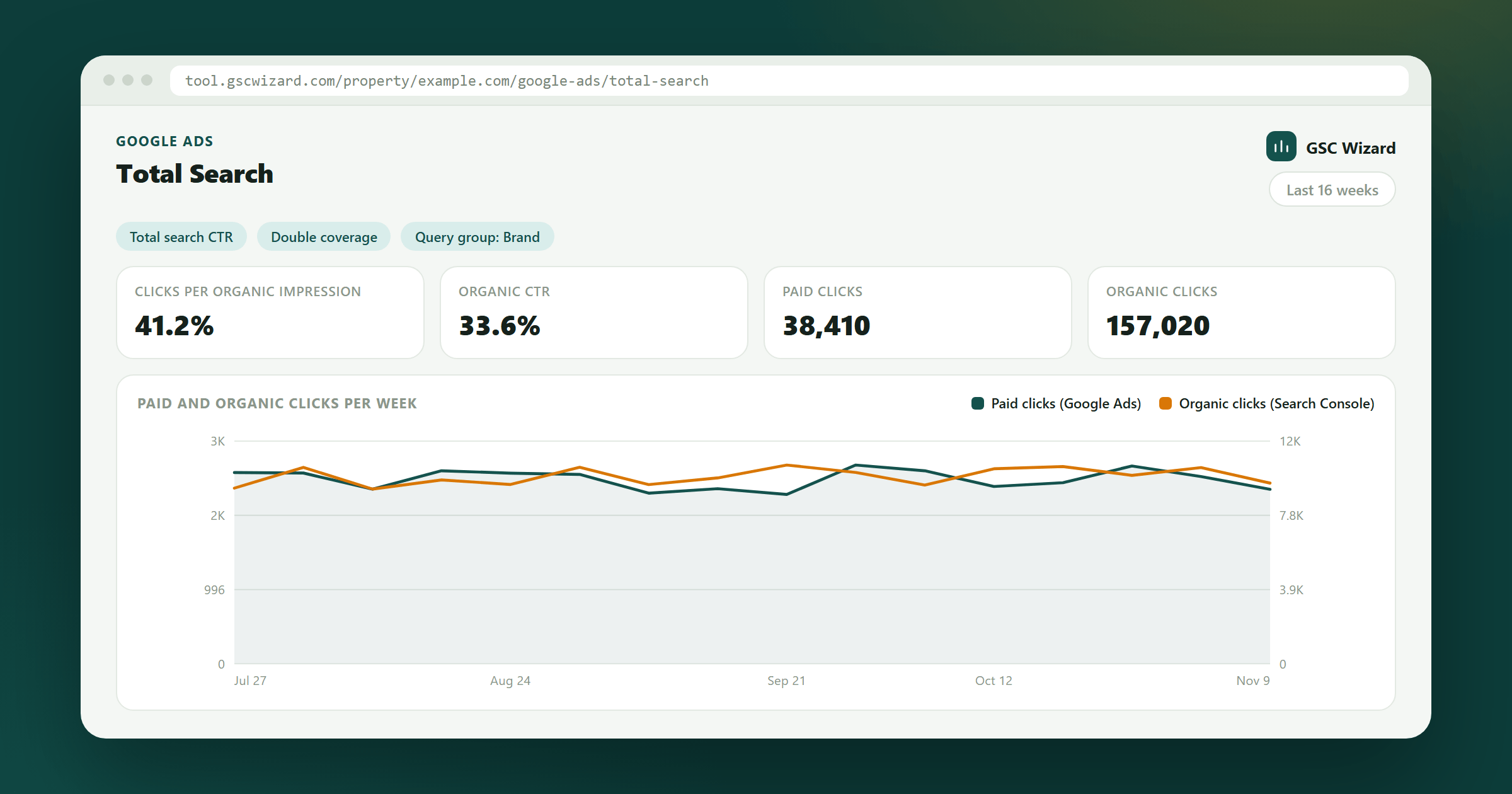
Paid clicks rising is good news only if total clicks rise with them. This report sets Google Ads clicks beside Search Console clicks per week for the same queries, and finds queries where the site has two ranking pages and an ad on top.
Open a property and click Total Search under PAID + ORGANIC in the left sidebar (/property/<site>/google-ads/total-search). It reads GSC Wizard’s stored copy of your Ads data, never Google live, and the stamp under the title says when each account last synced (Sync, history & data).
What you see
Two tabs.
Total search CTR
A Query group picker (all queries, brand, non-brand, or one of the top 10 paid queries by clicks), tiles for the ratio, organic CTR, paid clicks and organic clicks, a weekly line of the ratio and organic CTR, and a weekly line of paid and organic clicks. For a single query the ratio is total search CTR; for a group it is clicks per organic impression. The Weekly figures table holds both sides and the paid share of clicks.
Double coverage
Queries where two or more of the site’s pages rank and an ad shows too, with the ranking pages (position and clicks), the best position, organic clicks, and paid cost, clicks, CPC and conversions. Tiles count the queries and their paid cost, paid clicks and organic clicks. Filters: all, brand, non-brand. The top 5,000 paid terms by cost are checked.
Controls and exports
- Date range. Both sides stop at the last day Search Console has data for.
- The Accounts chips and the report currency work as on every Google Ads report (shared controls).
- CSV of both tables (the weekly CSV carries both sides). Tables sort, hide columns and export CSV (shared controls).
- Settings this report uses, changeable per property in its thresholds panel (see Report settings): Share of the top page’s impressions a second page needs (20%, a judgement call, the same rule as the URL Cannibalization report).
How to act on it
- Pick a single query and look at the lines. If paid clicks rise while the ratio stays flat, the ads are taking clicks the site would have had organically.
- Treat double-coverage queries as candidates for a bid cut or a pause test, not as proof. Act in Google Ads or Google Ads Editor with the CSV as the work list, and see URL Cannibalization for the organic side.
Caveats
- Weeks start on Monday on both sides, with the account time zone against Pacific Time; a week cut by the range is marked *.
- When Search Console cannot be read, the organic tiles say “not read”, the chart shows only the Google Ads series, and double coverage says “not checked”.
- Without branded keywords there is no brand split.
Part of Paid + organic reports. Related: Paid vs Organic, Total Search Outcome, Brand Savings.