Total Search Outcome
Organic and paid search together, measured in GA4: sessions, key events and revenue per period, with search ad cost, and what search as a whole costs per outcome.
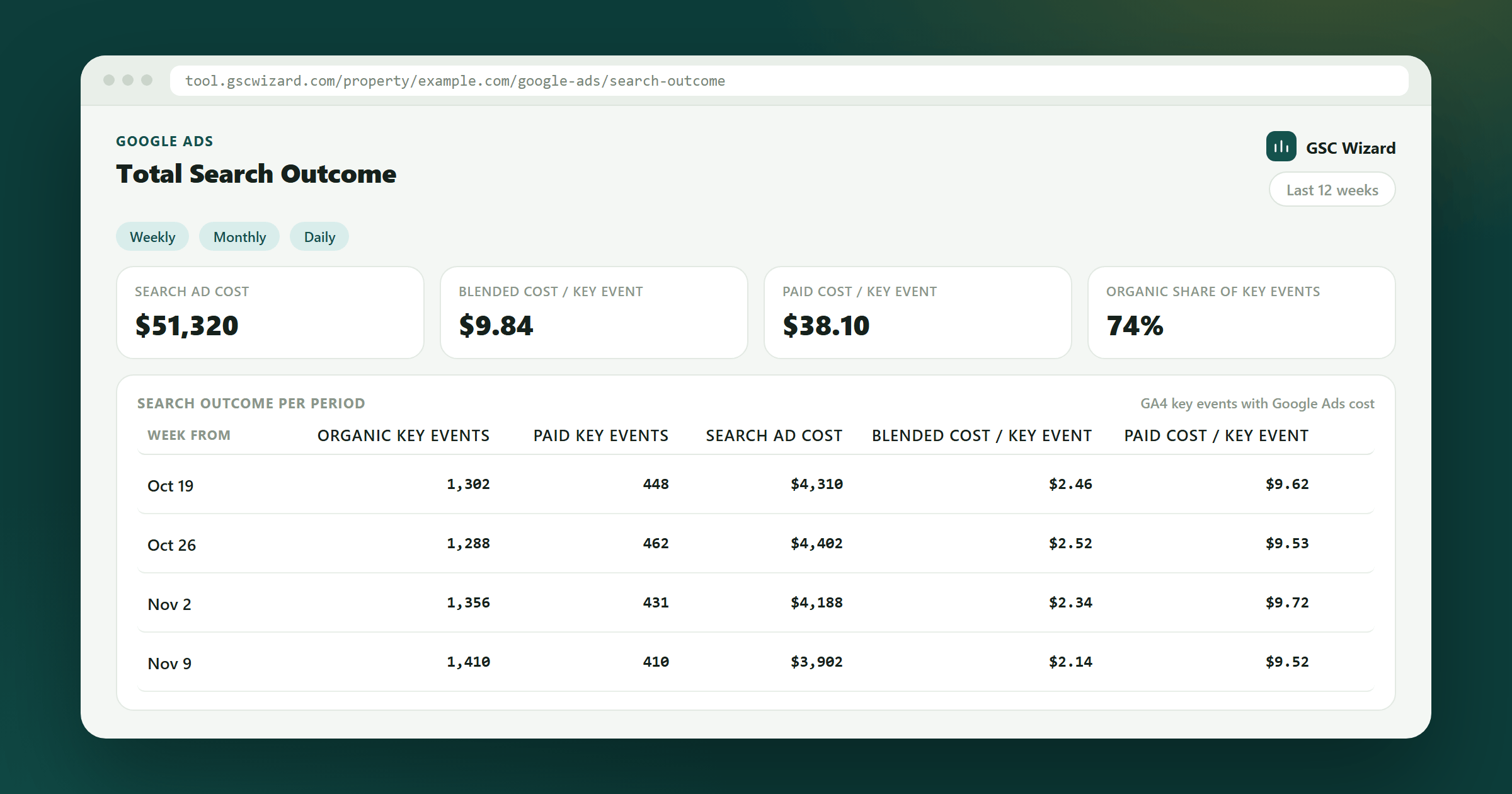
The blended cost per key event says what search as a whole costs per outcome; the paid-only figure beside it says what ads alone cost. Search spend counts Search, Shopping, Performance Max and Smart campaigns.
Open a property and click Total Search Outcome under PAID + ORGANIC in the left sidebar (/property/<site>/google-ads/search-outcome). It reads GSC Wizard’s stored copy of your Ads data, never Google live, and the stamp under the title says when each account last synced (Sync, history & data).
What you see
Tiles
Search ad cost, Search key events, Blended cost / key event (search ad cost divided by organic plus paid key events), Paid cost / key event, Organic share of key events and Organic share of revenue.
Charts
Stacked bars of organic and paid key events with lines for the blended and paid cost per key event, and a trend chart.
Search outcome per period
Per week (default), month or day: organic and paid sessions, key events and revenue, search ad cost, both costs per key event, and organic’s share. The Ads only view shows search ad cost, ad clicks, Ads conversions and cost per Ads conversion. A second table shows spend by campaign type and whether it counts as search.
Controls and exports
- Press Run analysis: the GA4 call counts against the property’s Data API quota, and results are cached for an hour. A run belongs to its date range; switching between weekly, monthly and daily re-reads without a new click.
- The Accounts chips and the report currency work as on every Google Ads report (shared controls).
- CSV of both tables. Tables sort, hide columns and export CSV (shared controls).
How to act on it
- Track the blended cost per key event over months. If ad spend falls and the blended cost falls with it while total key events hold, organic is picking up the outcomes.
- Use it as the outcome measure of a brand test planned in Brand Savings.
Caveats
- Key events are GA4’s own count (last non-direct click by default), not Google Ads conversions.
- Google Ads days are in the account time zone and GA4 days in the property time zone; daily figures mix the two and are noisy, so compare periods weekly.
- Paid sessions count Google Ads traffic only. Spend on other campaign types is left out of every ratio, and the page says how much.
- Without GA4 (not connected, no linked property, no access, or an error), only the Google Ads figures are shown. Connect GA4 in Connecting GA4.
Part of Paid + organic reports. Related: Search Landing-Page Scorecard, Total Search, Ads Natural Experiments.