Ads Shopping
Paid Shopping and Performance Max performance per product. Products are keyed by their Merchant Center offer id.
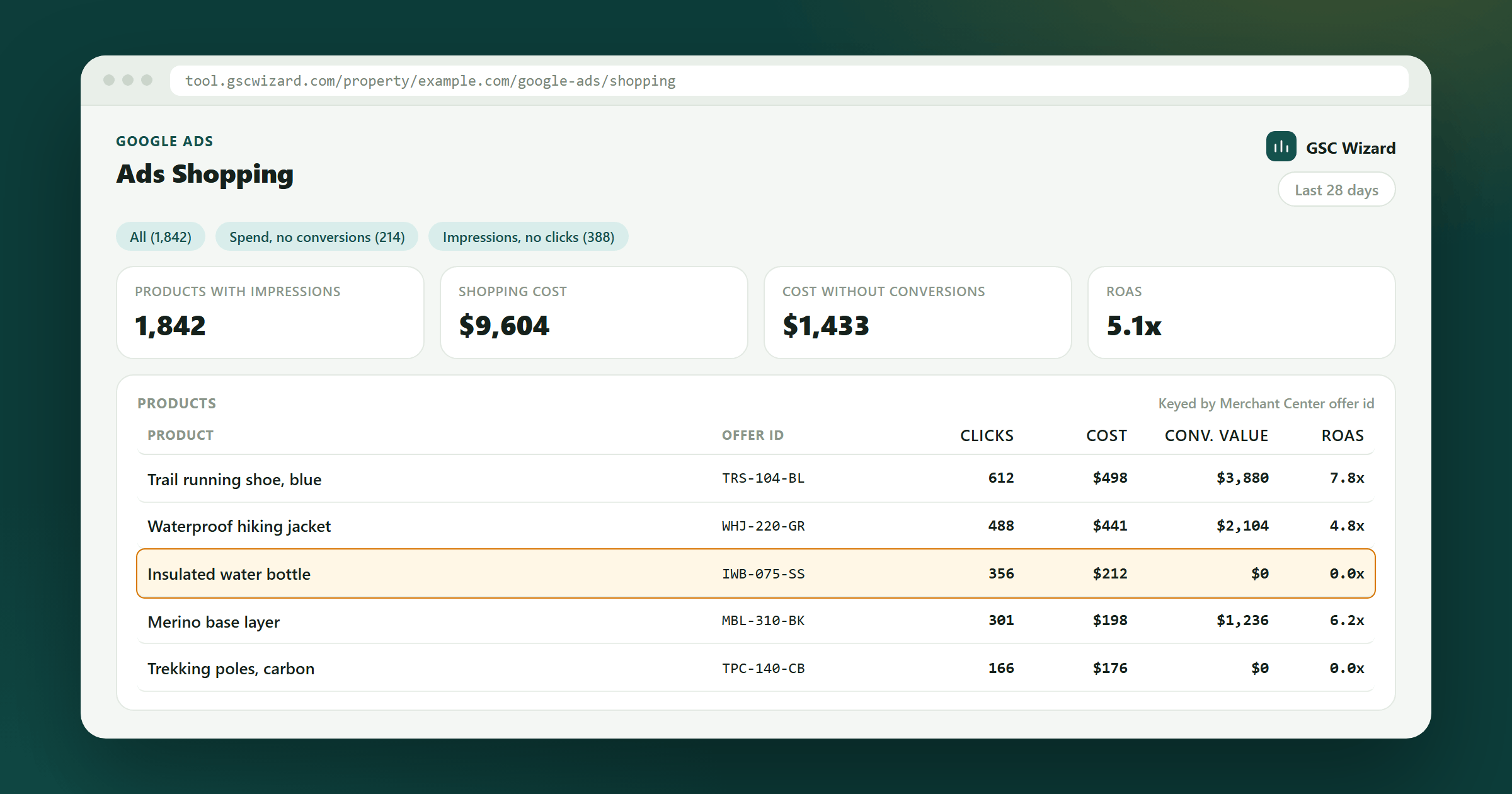
The product-level view of your Shopping and Performance Max spend, with quick filters for the products that cost money without converting and the ones that show without being clicked. The offer id is the same id Merchant Center uses, so a product here can be looked up in Merchant Center or in Product Triangle.
Open a property and click Ads Shopping under PAID SEARCH in the left sidebar (/property/<site>/google-ads/shopping). It reads GSC Wizard’s stored copy of your Ads data, never Google live, and the stamp under the title says when each account last synced (Sync, history & data).
What you see
Tiles
Products with impressions, Shopping cost, Cost without conversions and ROAS.
Products
Up to 20,000 products with title, offer id, impressions, clicks, CTR, cost, conversions, conversion value and ROAS. The buttons All, Spend, no conversions and Impressions, no clicks filter the table and show how many products each holds; the Filter box searches title and offer id. Products without a title show “(no title)”.
Controls and exports
- Date range.
- The Accounts chips and the report currency work as on every Google Ads report (shared controls).
- One CSV per filter. Tables sort, hide columns and export CSV (shared controls).
How to act on it
- Open Spend, no conversions and sort by cost. Before excluding a product, check its price, availability and landing page; a product can also be new and still collecting conversions.
- For a verdict against your target ROAS rather than raw cost, use Product Matrix, which waits for enough clicks before calling a product a villain.
- Impressions, no clicks often points at an image, a title or a price that does not win the click. Title Hygiene and the Feed Audit check the feed side.
Caveats
- Product figures come from the product rows Google Ads reports for Shopping and Performance Max. Performance Max spend on other formats (video, display, search text) has no product row, so the product total can be lower than campaign cost.
- Merchant Center is not joined on this page; the product title is the one Google Ads reports.
In AI assistants: the get_google_ads_shopping tool of the GSC Wizard MCP server returns paid Shopping and Performance Max figures per offer id, with filter: 'no_conversions' or 'no_clicks' for the two problem lists. See Google Ads in AI assistants.
Part of Paid search reports. Related: Product Matrix, Performance Max, Product Triangle.