Product Matrix
Each advertised product in one bucket, from its cost, clicks and conversion value against the target ROAS of the campaigns that served it.
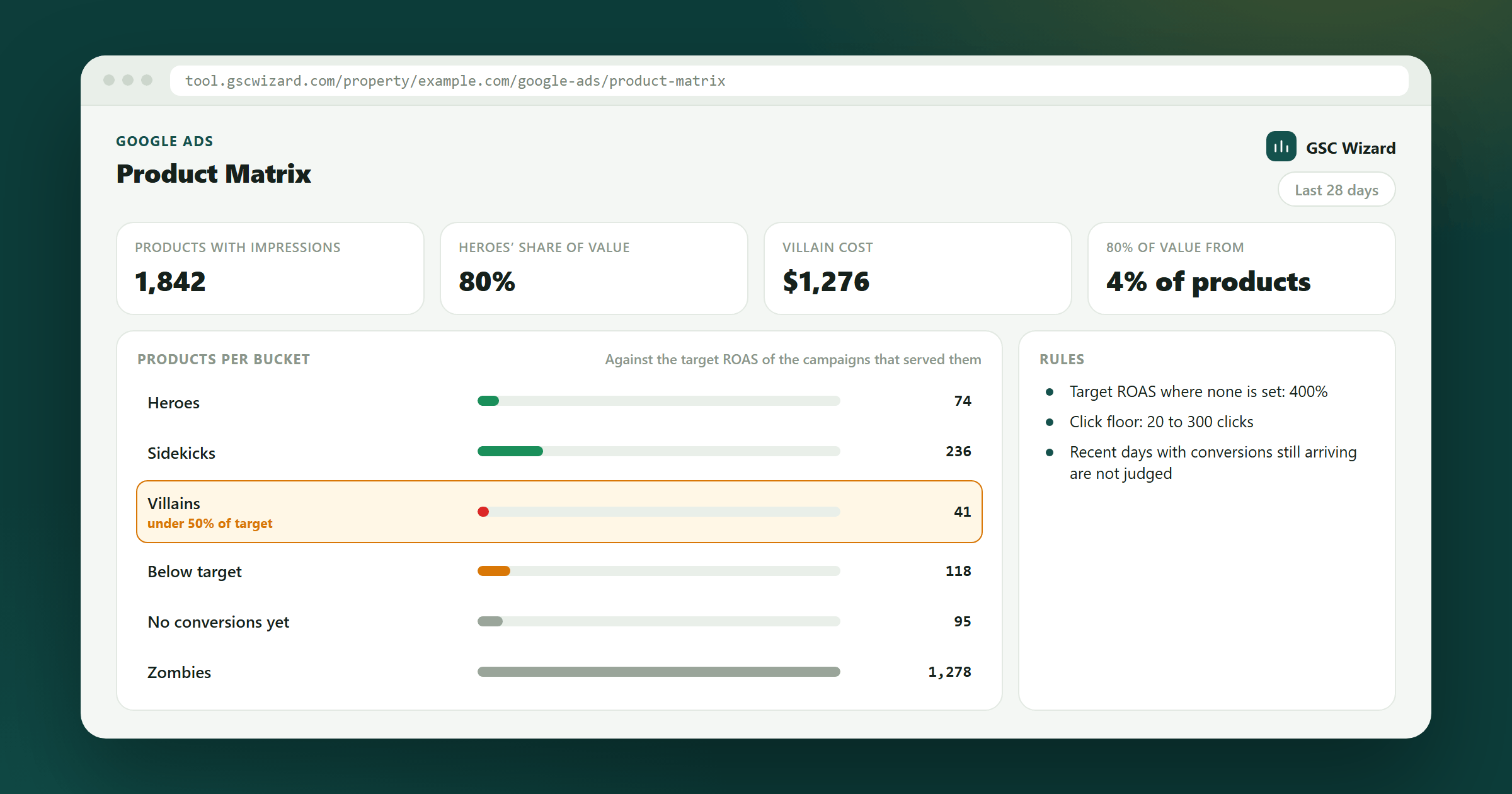
A product list sorted by ROAS punishes products that have had a handful of clicks and rewards lucky ones. Product Matrix judges a product only once it has enough clicks, against the target of the campaigns that actually served it, and leaves out the recent days whose conversions are still arriving.
Open a property and click Product Matrix under PAID SEARCH in the left sidebar (/property/<site>/google-ads/product-matrix). It reads GSC Wizard’s stored copy of your Ads data, never Google live, and the stamp under the title says when each account last synced (Sync, history & data).
The buckets
Each bucket tab shows its rule sentence with the values in force.
- Heroes: ROAS at or above target, and among the fewest products that together bring 80% of conversion value.
- Sidekicks: at or above target, outside that top set; they convert, with little traffic or value.
- Villains: enough clicks and a ROAS under 50% of target, conversions without value, or no conversion at all where the account’s product conversion rate predicts enough conversions that zero is very unlikely to be luck (less than a 1% chance, about 4.6 expected conversions).
- Zombies: too few clicks to judge and not at target.
- Below target: enough clicks and a ROAS under target, but at least half of it.
- No conversions yet: enough clicks and no conversion, but fewer expected than the villain rule needs, so it is not yet a verdict.
- No impressions: in the Merchant Center catalog (home market) and never shown in a Shopping or Performance Max ad in the range. Only when Merchant Center is linked.
What you see
Tiles
Products with impressions, Heroes’ share of value, Villain cost, and 80% of value from a given share of products.
Product table
Per bucket, with cost, clicks, conversions, conversion value and ROAS, the ROAS and clicks on the judged days, the target ROAS and where it comes from, the share of target reached, expected conversions, the campaigns, and the value rank. With Merchant Center linked: brand, category and price.
Buckets by group and targets
Buckets by group counts the buckets per brand, category, product type or price band; Targets per campaign shows each campaign’s bidding, the target ROAS used and the product cost behind it.
Controls and exports
- Date range. Under Rules, Target ROAS where none is set (%) applies to campaigns without a ROAS target (by default the account’s actual ROAS); Apply keeps the value in the page address, so a link carries it.
- The Accounts chips and the report currency work as on every Google Ads report (shared controls).
- CSV of every table; the file name ends in
-exploratorywhen a safeguard is set looser than suggested. Tables sort, hide columns and export CSV (shared controls). - Settings this report uses, changeable per property in its thresholds panel (see Report settings): ROAS share of target below which a product is a villain (50%) and Share of conversion value the heroes bring (80%), judgement calls; the click floor (20 to 300 clicks), Chance of zero conversions by luck that still makes a villain (1%), the share of conversions that counts as “in” (90%) and the recent days left out without a lag curve (14), all safeguards.
How to act on it
- Look at Villains sorted by cost. Exclude them, lower their bids, or fix the product (price, page, availability) in Google Ads and Merchant Center.
- Make sure heroes are not limited by budget: see Budgets and Targets.
- For No impressions, check status and availability in Merchant Center before anything else.
Caveats
- Without Merchant Center the no-impressions bucket and the brand, category and price breakdowns are left out. Without stored campaign targets, every product is judged against the value set on the page.
- Performance Max spend on other formats has no product row; the coverage note says how much of the cost the product rows carry.
In AI assistants: the get_product_matrix tool of the GSC Wizard MCP server returns every advertised product in its bucket, with concentration and brand or category splits; targetRoas, minClicks, farBelow and heroShare answer a what-if in one call. See Google Ads in AI assistants.
Part of Paid search reports. Related: Ads Shopping, Product Triangle, Performance Max.