Ads Keywords
Search keywords with their daily historical Quality Score and its three components. Below-average landing page experience is the component SEO work on the page can move.
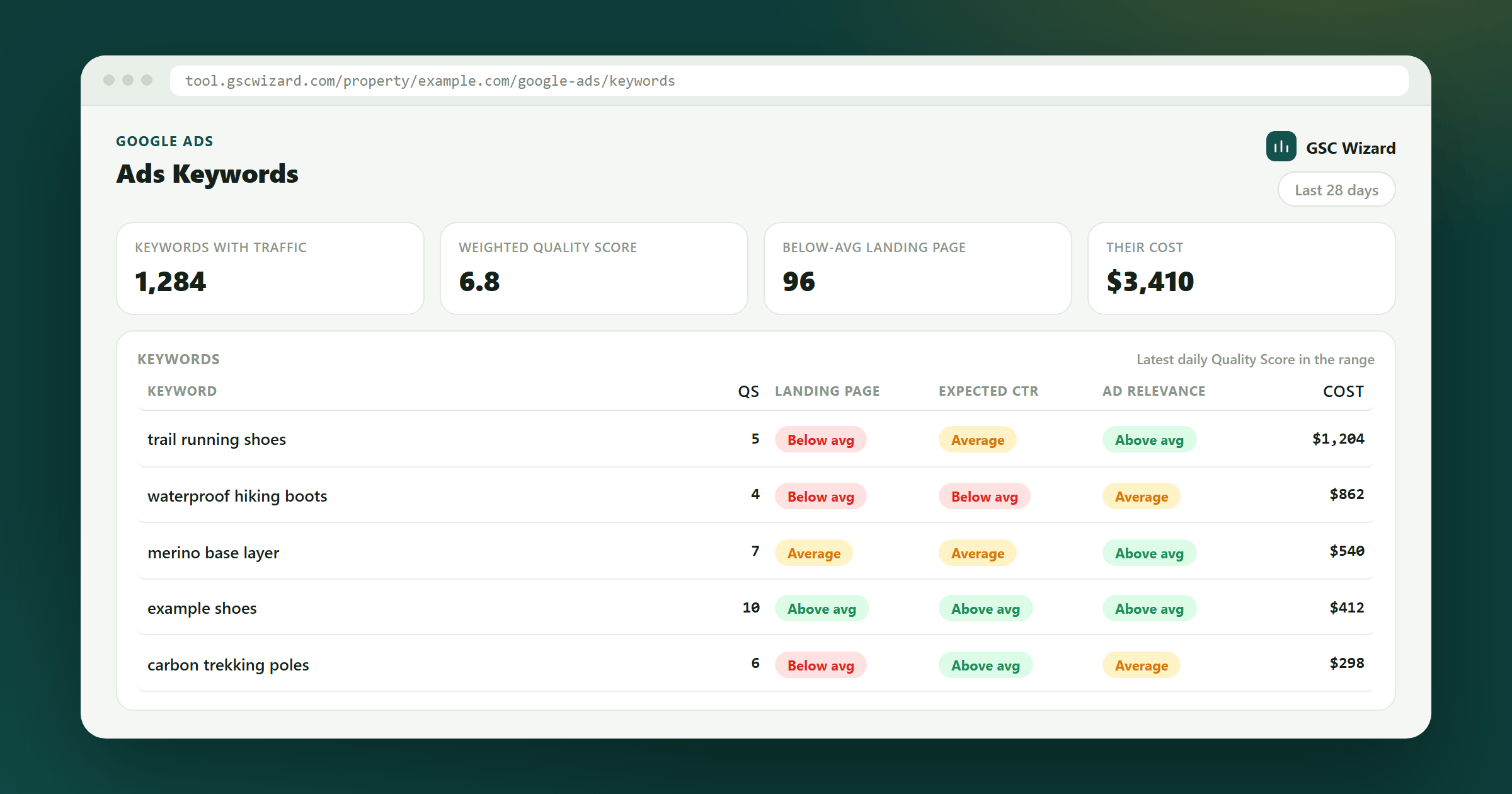
Google Ads shows Quality Score as a current value per keyword. This report keeps the daily historical value, weighted by impressions, so you can see whether the account’s Quality Score moved after a landing page change, and which keywords suffer from a landing page Google rates below average.
Open a property and click Ads Keywords under PAID SEARCH in the left sidebar (/property/<site>/google-ads/keywords). It reads GSC Wizard’s stored copy of your Ads data, never Google live, and the stamp under the title says when each account last synced (Sync, history & data).
What you see
Tiles
Keywords with traffic, Weighted Quality Score (impression-weighted over the keywords that have a score), Below-avg landing page (how many keywords Google rates below average on landing page experience) and Their cost.
Quality Score over time
A daily line of the weighted Quality Score, or of impressions.
Keywords
Up to 10,000 keywords with match type, ad group, QS, the three components (Landing page, Expected CTR, Ad relevance, each Above avg, Average or Below avg), impressions, clicks, cost, CPC, conversions and cost per conversion. The Quality Score shown is the latest daily value in the range.
Controls and exports
- Date range and a Filter box that searches keyword and ad group.
- The Accounts chips and the report currency work as on every Google Ads report (shared controls).
- Tables sort, hide columns and export CSV (shared controls).
How to act on it
- Sort the table by cost and look at the Landing page column. Expensive keywords rated Below avg point at pages worth improving for both paid and organic search.
- Check those pages in Ads Landing Pages (how they do in organic search) and with the Full On-Page Check.
- After a page change, watch the weighted Quality Score line. Google updates the components with a delay, so give it a few weeks.
Caveats
- Only Search keywords have a Quality Score: Shopping and Performance Max have no keywords, so they are not in this report.
- Google needs enough impressions to score a keyword; the table says what share of the keywords with traffic have a score.
In AI assistants: the get_google_ads_keywords tool of the GSC Wizard MCP server returns the same keywords with their Quality Score components; belowAverageLandingPageOnly: true narrows it to the keywords whose landing page Google rates below average. See Google Ads in AI assistants.
Part of Paid search reports. Related: Ads Landing Pages, Ads and Assets, Ads Search Terms.