Performance Max
Where Performance Max spends and what it brings: channels over time, asset groups, search categories and brand share, placements, and whether each campaign excludes your brand.
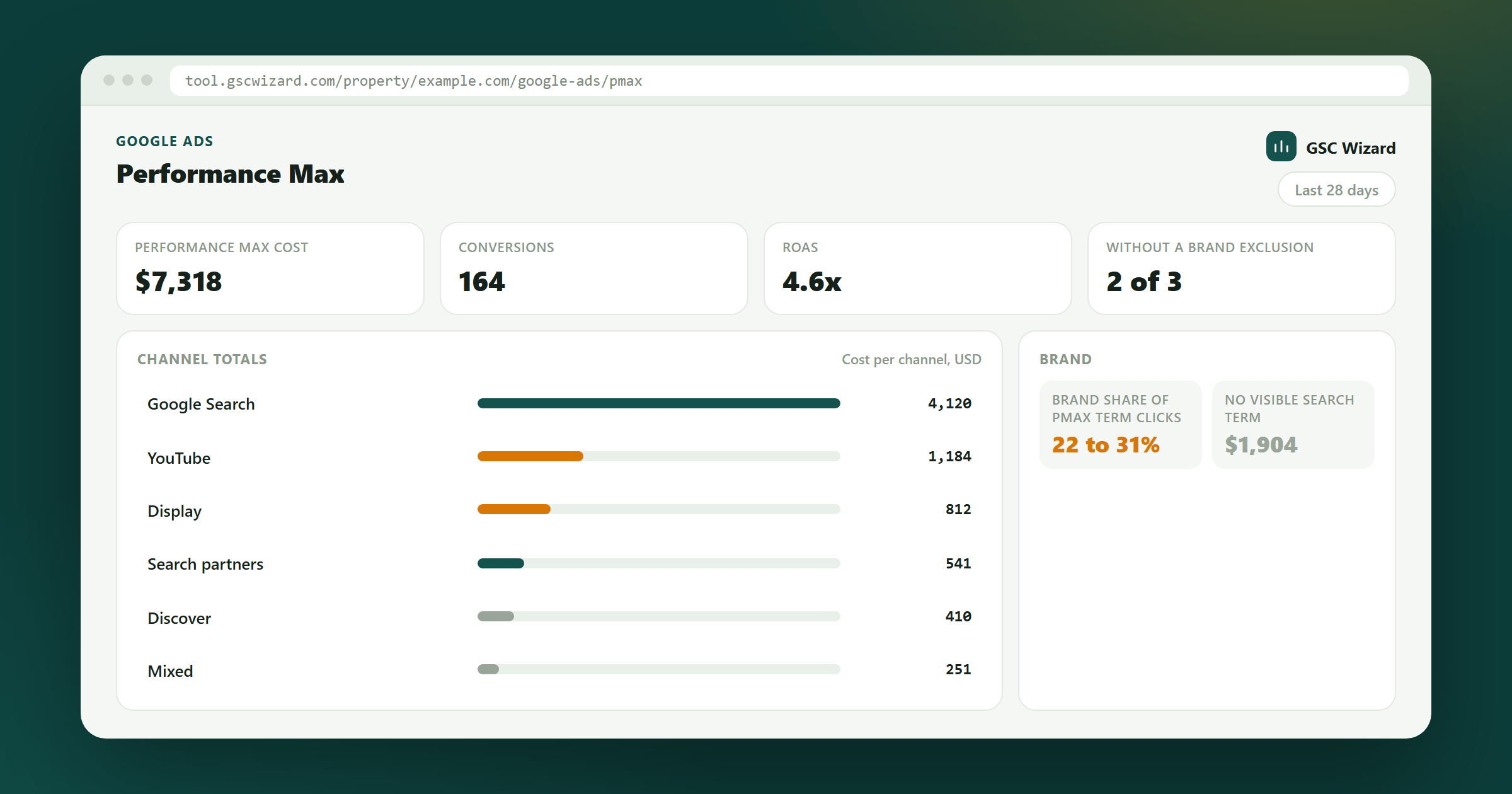
Performance Max reports little by default. This page collects what the Google Ads API does expose: the channel split, asset groups, the search categories and search terms that show how much of it is your own brand, and the placements it showed on.
Open a property and click Performance Max under PAID SEARCH in the left sidebar (/property/<site>/google-ads/pmax). It reads GSC Wizard’s stored copy of your Ads data, never Google live, and the stamp under the title says when each account last synced (Sync, history & data).
What you see
Tiles for Performance Max cost, Conversions, ROAS and Without a brand exclusion, then four tabs.
Channels and campaigns
A stacked bar chart of cost, conversions, conversion value, clicks or impressions per channel (Google Search, search partners, Display, YouTube, Discover, Gmail, Maps and others), daily or weekly, from campaign or asset group rows. Channel totals sums each channel. Campaigns and brand exclusions says per campaign whether a brand exclusion is attached, only a brand restriction, or no brand list.
Asset groups
Status, ad strength, impressions, clicks, cost, conversions, conversion value, ROAS and cost per conversion per asset group. Name, status and ad strength are as of the latest sync.
Search categories and brand
Brand share of PMax term clicks (a range, because some terms are hidden), brand term cost, spend with no visible term, and the brand share of category clicks; a weekly brand split and a line of the brand share over time; and the search categories, filterable by brand, non-brand or uncategorized.
Placements
Where the ads showed, with type, id or domain, impressions and campaigns. Google reports impressions only for placements: no clicks, cost or conversions.
Controls and exports
- Date range for channels, asset groups and search terms. Placements and search categories come from the newest weekly snapshots instead (a category snapshot covers 30 days, for the five Performance Max campaigns with the highest cost per account).
- The Accounts chips and the report currency work as on every Google Ads report (shared controls).
- CSV of every table. Tables sort, hide columns and export CSV (shared controls).
How to act on it
- Check Without a brand exclusion. Without one, Performance Max can buy your own brand searches; attach a brand list in Google Ads under the campaign’s brand settings.
- Watch the brand share line. A rising line means Performance Max takes more of its clicks from people already searching for the brand.
- Compare asset groups by ROAS and ad strength, and look at the channel split before judging a campaign on its total.
Caveats
- “Mixed” is traffic Google reports without attributing it to one channel.
- Brand figures read “Not set” without branded keywords in the property’s setup.
- Snapshots are kept about six months. If no Performance Max campaign had traffic in the range, the page says so.
Part of Paid search reports. Related: Search Term Insights, Product Matrix, Ads Health Check.